





 How to Make Influencer AI: Create Your Digital Persona
The CapCut AI video maker has become an absolute staple for creating social media content that actually performs. It brilliantly combines a simple, intuitive interface with some seriously powerful AI features. This combo lets creators and brands alike crank out authentic, on-trend videos without the typical production headaches, especially since it works so seamlessly with platforms like TikTok.
Table of Contents
Why CapCut Is the Go-To Tool for Social Video
CapCut’s meteoric rise wasn't an accident—it was practically built for the creator economy. The entire design philosophy revolves around making complex video production accessible to literally anyone, from a solo influencer grinding it out in their bedroom to a full-blown marketing team. That focus has turned it from just another app into a genuine creative ecosystem.
Its deep roots with TikTok give it a massive leg up. When a new trend explodes on TikTok, you can bet there are already templates and effects ready to go inside CapCut. This allows brands to jump on relevant moments and produce content that feels completely native to the platform. In the fast-paced world of social media, where a trend can be dead in a matter of days, that speed is everything.
The Power of a Massive User Base
CapCut’s journey from a basic mobile editor to a leading AI video maker was fueled by its insane adoption rate among short-form creators. Back in January 2023, its global monthly active users shot past 200 million, putting it in the same league as major social platforms.
For DTC brands, this scale is a game-changer. Think about it: if just 1% of those users are semi-professional creators, that’s a potential pool of 2 million UGC producers who are already fluent in CapCut. This huge, built-in talent pool makes running user-generated content (UGC) campaigns so much simpler.
When you send out a campaign brief asking for CapCut-edited content, you’re tapping into a workforce that needs almost zero technical training. They already know the tools, the trending transitions, and the right pacing to make a video that grabs attention.
By making CapCut the standard for your creator collaborations, you can slash revision cycles and maintain a consistent aesthetic across dozens or even hundreds of assets—all while keeping that raw, authentic UGC feel.
Strategic Value for E-commerce and DTC Brands
If your business relies on social proof (and whose doesn't these days?), the CapCut AI video maker is your direct pipeline to persuasive, authentic video ads. It completely smooths out the process of turning raw creator footage into a polished, high-converting ad ready for TikTok Shop, Instagram Reels, or YouTube Shorts.
Here’s a quick summary of the most impactful AI tools inside CapCut that brands and creators can leverage to accelerate ad creation and improve content quality.
Key CapCut AI Features for Marketers
| AI Feature | Primary Benefit for Ad Creation | Best Use Case |
|---|---|---|
| AI Script to Video | Generates a complete video from a simple text prompt, including script, visuals, and voiceover. | Quickly creating initial ad concepts or social media posts without any raw footage. |
| Auto Reframe | Intelligently adjusts video aspect ratios (e.g., from 16:9 to 9:16) while keeping the main subject in frame. | Repurposing a single video ad for multiple platforms like TikTok, Reels, and YouTube Shorts. |
| AI Product Photo | Creates professional-looking product shots using AI-generated models and backgrounds from a single product image. | Generating diverse lifestyle ad creatives for e-commerce products without a photoshoot. |
| Auto Captions | Automatically transcribes audio and generates synchronized, stylized captions for your video. | Making ads more accessible and boosting watch time, as most users watch with the sound off. |
| AI Retouching & Filters | Enhances visuals by smoothing skin, adjusting lighting, and applying trending color grades with one click. | Polishing raw UGC footage to look more professional while maintaining an authentic feel. |
These tools aren't just about saving time; they're about producing better, more effective content at scale.
The value here goes way beyond just trimming clips. It opens the door to scalable content production that lines up perfectly with specific campaign goals. For example, a brand can design a custom CapCut template and share it with a group of influencers. This ensures every video rocks the same branded intro, text styles, and call-to-action. A few years ago, this level of control was only achievable with an expensive in-house production team. For any business using CapCut, understanding the bigger picture of Social Media for B2B Marketing can also add valuable strategic context. Bottom line: mastering this tool is about finding a smarter, faster way to produce video ads that actually work.
Bringing Your First AI Ad Script to Life
The real magic of the CapCut AI video maker is how it takes a simple idea and spits out a full-blown video draft in just minutes. It all starts with the 'Script to Video' feature, a tool that’s like having a creative director, editor, and scriptwriter on call 24/7. Forget staring at a blank timeline; you can literally generate an entire ad concept from a single line of text.
But here’s the catch: the quality of your video is only as good as the prompt you feed the AI. Vague instructions get you generic, forgettable results. Instead of just typing "an ad for my new skincare serum," you need to give the AI some real direction—context, a target audience, and a specific tone.
For instance, a much stronger prompt looks something like this: "Create a 15-second TikTok ad for a vitamin C serum. The ad should follow a problem-solution format, showing someone with dull skin transforming to have a bright, glowing complexion. Use upbeat, trendy music and a friendly, energetic female voiceover." This level of detail puts guardrails on the AI, which makes a world of difference in the final product.
From Prompt to First Draft
Once you’ve locked in a solid prompt, the AI gets to work. It’s not just writing a script; it’s building a complete visual storyboard. CapCut's AI chews through your text, pulls relevant clips from its massive stock footage library, and syncs each scene with the script it generates on the fly.
At the same time, it picks a background music track that matches the vibe you asked for and creates a synthetic voiceover to read the script. In less than a minute, you have a fully assembled video draft. Is it perfect? Rarely. But it’s an incredible starting point that saves you hours of manual grunt work.
This is exactly how creators can use the CapCut AI video maker to quickly turn ideas into valuable assets for brands.
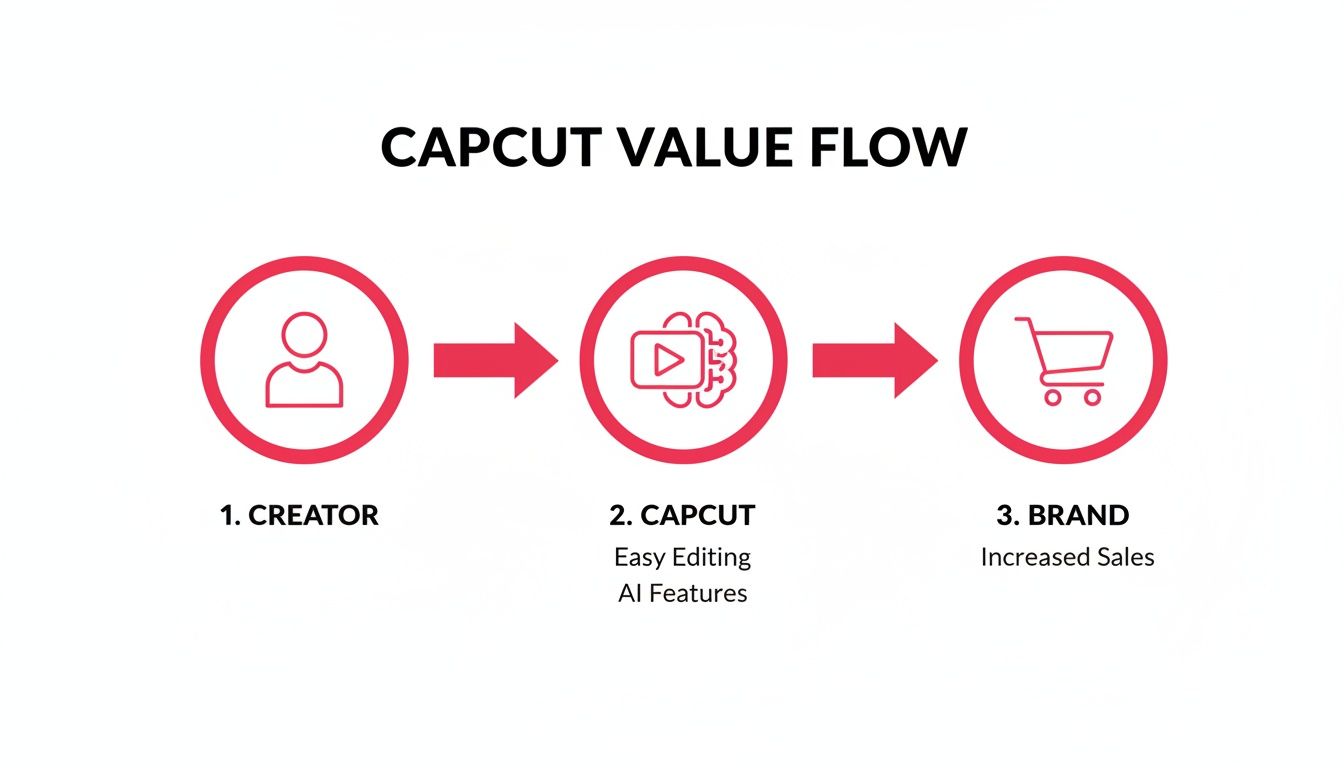
This workflow shows a direct line from a creator's concept to a brand's success, with CapCut’s AI powering the entire production process.
Refining the AI's Creation
Think of that first AI-generated video as your raw clay, not the finished sculpture. Now it’s time to get your hands dirty and shape it to fit your brand’s voice and style. This is where the human touch comes in to make the content feel authentic.
First up, review the script. Does the language sound like your brand? Does it hit all the key selling points? You can edit the text directly on the timeline, and the AI voiceover will instantly regenerate to match your changes. If you want to dive deeper into writing compelling ad copy, our guide on how to write video scripts is packed with tips that get results.
Next, let's fix the visuals. If a stock clip feels a bit off, swapping it out is a breeze. CapCut lets you replace any AI-selected footage with:
- Your own uploaded media: Perfect for showing off your actual product or weaving in some user-generated content.
- Alternative stock clips: Just search the library for a clip that’s a better fit.
- AI-generated images: Need something specific? Create a custom visual from a text prompt right inside the editor.
Finally, fine-tune the audio. The CapCut AI video maker has a whole menu of AI voices to choose from. Play around with different tones—from professional and authoritative to casual and friendly—until you find one that connects with your audience. You can also change the background music or just tweak the volume levels to make sure your message comes through loud and clear.
Pro Tip: Always, always double-check the auto-generated captions for accuracy. CapCut’s transcription is solid, but it can still stumble over brand names or technical jargon. A quick proofread makes sure your ad looks professional and is easy to follow, even when the sound is off.
Using AI Editing Tools for Maximum Impact
Once the "Script to Video" feature spits out your first draft, the real fun begins. This is your chance to take a pretty good AI-generated clip and polish it into a high-impact ad using the full suite of editing tools inside the CapCut AI video maker. Honestly, these features are designed to smash through the most common production bottlenecks, saving you hours of tedious work.
One of the most powerful tools in the box has to be Auto Reframe. Picture this: you’ve just finished the perfect 16:9 video for YouTube. Instead of painstakingly cropping and repositioning every single shot for vertical platforms, Auto Reframe intelligently finds your main subject and automatically resizes it for TikTok, Reels, and Shorts (9:16). Just like that, your core message stays front and center across all your social channels without you lifting a finger.

Polishing Your Visuals with AI Precision
Beyond reframing, CapCut has some seriously slick AI tools that add a professional sheen to your raw footage. These are especially handy for brands working with user-generated content, which, let's be real, can be all over the place in terms of quality.
- AI Background Removal: You can instantly pull a subject out of their background without a green screen. This is a game-changer for creating clean product shots or dropping a creator into a branded virtual set.
- AI Color Correction: With just one click, this tool analyzes your footage and applies a balanced, cinematic color grade. It fixes exposure issues, bumps up the saturation, and makes sure all your different clips look like they belong together.
- AI Retouching: This tool subtly smooths skin tones and reduces blemishes on your on-screen talent. It gives UGC that polished-but-still-authentic look that performs so well in ads.
These tools aren't just about convenience; they represent a massive shift in how content gets made. The AI video market was valued at $0.6 billion in 2023 and is projected to explode to $9.3 billion by 2033, with social media tools leading the way. That kind of growth tells you that AI-first editing is quickly becoming a non-negotiable for marketers.
Boosting Engagement with Automated Captions
Don't forget the final touch: captions. CapCut’s Auto Captions feature is a standout here. It automatically transcribes the audio in your video and generates perfectly synced on-screen text. This is absolutely critical for social media, where a huge chunk of users watch videos with the sound off.
By making your ads accessible to silent viewers, you significantly increase watch time and message retention. The AI gets you 95% of the way there; your job is to proofread for brand names or technical terms.
To really get the most out of your AI editing, it helps to see how specialized firms like the services offered by artificial intelligence automation agencies are using these technologies for all kinds of business needs. These AI features are just the building blocks of a much bigger strategy.
For more ideas on weaving these tools into your workflow, check out our guide on https://joinbrands.com/blog/using-ai-for-content-creation/. Every AI tool in CapCut gives you another layer of control, helping you turn simple footage into a real conversion-driving asset.
How to Optimize Your Creator Workflows
Making just one great video is a win, but scaling your content means creating a repeatable system. This is where the CapCut AI video maker truly shines, becoming the central hub for your entire marketing strategy—especially when you’re managing user-generated content (UGC) campaigns.
When you standardize on CapCut, you're essentially creating a shared language between your brand and your creators. The days of sending vague instructions are over.
Now, you can build what I call "CapCut-ready" creative briefs. These aren't just general ideas; they specify the exact tools, effects, and styles creators should use within the app. Trust me, this level of detail cuts down on guesswork and endless revision cycles, making sure the final content aligns perfectly with your vision from the get-go.
Building CapCut-Ready Creative Briefs
A strong creative brief is your blueprint for success. To make yours truly effective, you need to bake specific CapCut elements right into it, aligning with both your brand style and current trends.
- Specify Transitions: Instead of just asking for "cool transitions," tell them to use the "Blur Fade" or "Pull In" effect.
- Define Text Styles: Call out specific animated text templates in CapCut, like "Kinetic" or "Typewriter," to keep your fonts consistent across all content.
- Recommend Trending Audio: Point creators toward specific trending sounds inside CapCut’s own library that fit your campaign’s vibe.
This simple shift turns your brief from a basic request into an actionable production guide. It empowers creators to deliver exactly what you need, and much faster. When you consider that nearly half of all consumer spending on mobile video editing goes to one AI-heavy app, building your workflows around its features just makes sense.
For platforms like JoinBrands, this means you can pre-load your briefs with these specifics and get matched with creators who are already CapCut pros. This can slash failed revisions, which often waste 20–30% of a campaign's budget in less structured UGC efforts. You can dig into the data in this in-depth analysis on appfigures.com.
Platforms like JoinBrands are built to manage these workflows at scale, connecting you with a massive network of vetted creators.
A creator marketing platform acts as your command center. It's where you assign those CapCut-ready briefs, review incoming content, and streamline the entire collaboration from start to finish.
Using Templates for Scalable Brand Consistency
Want the ultimate efficiency hack? Use CapCut’s template feature. You can design a branded video template—complete with your logo, specific text animations, and a pre-approved audio track—and share it directly with your network of creators.
This method is incredibly scalable. Creators just have to drop their raw footage into the template, and the CapCut AI video maker handles the rest. What you get is a steady stream of on-brand, high-quality content that feels both authentic to the creator and professionally produced. This is how you guarantee brand consistency across hundreds of assets without killing the unique personality of each creator.
Export Settings for Flawless Social Performance

You’ve poured everything into creating a killer video with the CapCut AI video maker. The script is tight, the edits are clean, and the final cut looks amazing. But all that effort can go to waste in the final step: exporting.
Getting your export settings right is the difference between a video that looks sharp and professional on TikTok and one that ends up a blurry, pixelated mess. It’s a frustratingly common problem.
This quality drop usually happens because social platforms recompress your file to fit their specs. The trick is to give them a file they barely have to touch, preserving as much of the original quality as possible.
Finding the Sweet Spot for Social Media
For platforms like TikTok, Instagram Reels, and YouTube Shorts, you're looking for a balance between quality and file size. It might be tempting to export in glorious 4K, but that's often overkill for a phone screen and can actually trigger more aggressive compression from the platform, making your video look worse.
Stick to these go-to settings to keep your videos looking crisp:
- Resolution: 1080p is the gold standard for mobile. It's perfectly clear on small screens without creating a massive file.
- Frame Rate: 30 FPS is what these platforms are built for. While 60 FPS is smoother, it's not necessary for most social content and can sometimes cause issues.
- Format: MP4 (H.264 codec) is the universal language of video. It’s compatible with pretty much every device and platform out there.
Hitting these benchmarks gives social platforms a clean, optimized file they can process with minimal quality loss. This simple step is one of the most effective ways to prevent your hard work from looking unprofessional after upload.
Troubleshooting Common Export Headaches
Even with the right settings, you can still run into a few snags.
One of the most annoying is audio falling out of sync after you upload. This is almost always caused by a variable frame rate (VFR) from your original recording, especially if you shot it on a smartphone. A good habit is to convert your footage to a constant frame rate (CFR) before you start editing to avoid any sync nightmares later.
Another thing to watch for is moving projects between CapCut’s mobile and desktop apps. The cloud sync is handy, but always double-check that all your assets—like custom fonts or specific music tracks—made the jump correctly before hitting export on a different device.
Finally, always make sure your video fits the platform's specific rules. For a deep dive, our guide on TikTok ad specifications has all the technical details you need to nail every single upload. Mastering these final steps ensures your content looks exactly how you intended.
Got Questions About the CapCut AI Video Maker?
Jumping into a new tool always comes with a few questions, especially when you're plugging it into a professional workflow. For agencies, social media managers, and brands, the concerns usually go way beyond basic features and hit on the practical, business-side of things. I get it.
So, let’s clear up the most common questions I hear about using the CapCut AI video maker for marketing. My goal here is to give you the confidence to dive in without hitting any surprise roadblocks.
Can I Legally Use CapCut AI Videos for Commercial Ads?
Short answer: Yes, you absolutely can. But the long answer is a bit more nuanced.
Ownership of the final video comes down to what you put into it. If your entire ad is built from your own original footage and you’re using properly licensed music, you own all the rights. Simple as that.
Things get tricky when you start using assets from CapCut's stock library or its AI-generated elements. The moment you do, you're bound by their Commercial Terms of Use. To stay out of any legal gray areas, the safest path for brands is to work directly with user-generated content creators.
When a creator sends you original footage through a platform like JoinBrands, your brand gets full ownership rights the moment you approve it. This is the best way to guarantee your ad is 100% brand-safe and free from any future licensing headaches.
Is CapCut Better Than Other AI Video Tools?
"Better" is a tricky word. It really hinges on what you’re trying to accomplish.
The CapCut AI video maker absolutely crushes it when it comes to social media video. Its deep integration with TikTok trends, a massive creator community, and its mobile-first design make it the undisputed champ for creating authentic-feeling content for platforms like TikTok, Reels, and Shorts.
Other AI tools might be more powerful for pure text-to-video generation, creating scenes from a simple prompt. But CapCut’s real magic is in enhancing actual footage with AI features that are tailor-made for social engagement. It’s built to polish raw clips, not create video from thin air.
For brands zeroed in on performance ads and UGC, CapCut is the most practical and efficient tool for the job. Hands down.
How Does CapCut Work with a Creator Marketing Platform?
This is where the magic really happens. Think of CapCut as your production studio and a platform like JoinBrands as your operational command center. The two fit together perfectly to create a powerful, scalable content machine for your brand.
Here’s a look at how that workflow plays out in the real world:
- The Brief: Your brand uses a platform to find creators and send out campaign briefs. You can get super specific, asking them to use certain CapCut templates, AI features, or even trending audio clips.
- The Creation: Creators jump into the CapCut AI video maker and produce the video, following your guidelines to a T.
- The Hand-Off: They submit the finished video directly on the platform. Your team can then review it, ask for any tweaks, and give the final approval.
- The Finish Line: Once you approve, the creator gets paid through the platform, and your brand receives full ownership of the final video.
This synergy is what allows you to scale up high-quality, CapCut-edited content without losing your mind. You get amazing videos while keeping total control over the entire campaign.
Ready to streamline your creator collaborations and produce high-impact social ads at scale? With JoinBrands, you can connect with over 250,000 creators, manage campaigns with AI-powered tools, and get on-brand UGC faster than ever. Start your first campaign on JoinBrands today!