





 How to Download a Reel Safely on Any Device
Your Instagram engagement rate isn't just another number to track; it's the single most telling sign of your account's health and the quality of your content. Think of it less as a vanity metric and more as a direct line to the Instagram algorithm, showing it how much your audience actually cares about what you post.
Table of Contents
Why Your Instagram Engagement Rate Is Your Most Important Metric
Imagine your follower count is the number of people in a room. Your engagement rate is how many of them are leaning in, listening, and reacting to what you're saying. A massive audience doesn't mean much if they're all staring at their phones, completely ignoring you. But a high engagement rate? That’s proof you've built a loyal, interested community that genuinely values your content.
This metric is your conversation score. When engagement is high, your audience is doing more than just scrolling past – they're actively liking, commenting, saving, and sharing. It's the difference between speaking to an empty hall and captivating a packed auditorium.
The Algorithm and Your Reach
Instagram’s algorithm is built to serve people content they'll actually enjoy. When a post gets a flurry of interaction right after you hit "publish," the algorithm takes that as a huge thumbs-up.
This tells the system your content is high-quality, and as a reward, it:
- Boosts Organic Reach: Pushes your post out to more of your own followers.
- Increases Visibility: Makes it more likely to land on the Explore page, where entirely new audiences can discover you.
- Prioritizes Future Content: Gives your next posts a better shot at showing up at the top of your followers' feeds.
A strong engagement rate essentially tells the platform, "Hey, people love this stuff!" This creates a powerful feedback loop, helping your account grow organically.
The Shifting Landscape of Engagement
It's also critical to know that what's considered "good" engagement has changed dramatically. Back in March 2016, the average engagement rate was a staggering 4.3%, which was about ten times more effective than Facebook's organic reach at the time.
But those days are long gone. That number has fallen hard, with some reports showing it plummeted by over 50% in just one year, down to around 1.2%. This drop picked up speed as Instagram rolled out Stories, which siphoned a massive amount of user attention away from the traditional feed. To stay ahead, understanding your overall engage rate Instagram is non-negotiable for smart planning. You can read the full research on these shifts to get a better handle on today's benchmarks.
Your engagement rate is the true currency of Instagram. It validates your content strategy, proves audience loyalty, and ultimately makes your account more attractive to potential brand partners who look for genuine influence, not just large numbers.
Three Essential Ways to Calculate Your Engagement Rate
Figuring out your Instagram engagement rate isn't a simple, one-size-fits-all deal. The right formula really depends on what you're trying to achieve. Are you sizing up the competition? Or are you getting an honest look at how well your own content is landing with your audience? Think of it like a toolbox: you wouldn't use a hammer on a screw.
Let's break down the three core methods for measuring your engagement rate on Instagram. Each one tells a slightly different, but equally important, story about your content's performance.
Engagement Rate by Followers: The Public Benchmark
This is the one everyone knows. Calculating engagement based on follower count is the most common and direct method out there. Why? Because it’s perfect for a quick, public-facing analysis. Anyone can see a profile's followers, likes, and comments.
The formula is super simple:
(Total Likes + Comments) / Total Followers * 100 = Engagement Rate by Follower
Let’s say you have 10,000 followers and your latest post racked up 450 likes and 50 comments. The math would be (450 + 50) / 10,000, which gives you a 5% engagement rate. It's the go-to formula for competitor analysis since all the numbers are right there in the open.
But there’s a catch. This method assumes all your followers see your post, which we know isn't true. It’s a great starting point, but it's like judging a restaurant's popularity by how many menus it hands out, not by how many people actually order food.
Engagement Rate by Reach: The Honest Performance Metric
If you want a truly accurate picture of your content’s quality, you need to look at reach. Reach tells you how many unique accounts actually saw your post. This formula gets to the heart of what matters: of the people who saw this, how many cared enough to interact?
Here’s the calculation:
(Total Engagements / Total Reach) * 100 = Engagement Rate by Reach
Using our same example, let's say that post reached 4,000 unique people. Suddenly, the calculation is (450 likes + 50 comments) / 4,000. That gives you a much healthier 12.5% engagement rate. This is a far more honest look at your content's impact because it only considers the people who actually had a chance to engage.
This is the number the Instagram algorithm really cares about. Unlike the follower-based rate, which can be dragged down by inactive accounts, this one gives you a clean signal on content quality. For this reason, most pros consider it the gold standard for analyzing your own business profile. If you need a hand with the math, our simple engagement rate calculator can crunch the numbers for you.
Engagement Rate by Impressions: Gauging Content Resonance
Last but not least, we have engagement rate by impressions. Impressions count the total number of times your post was viewed. Since one person can see your post multiple times, this number is often higher than your reach. It’s a fantastic way to measure your content's "stickiness."
The formula looks like this:
(Total Engagements / Total Impressions) * 100 = Engagement Rate by Impressions
If that same post with 500 engagements also had 6,000 impressions, your engagement rate by impressions would be 8.3%. This metric is a powerful indicator of value because it tells you if your content was compelling enough for people to come back for a second or third look.
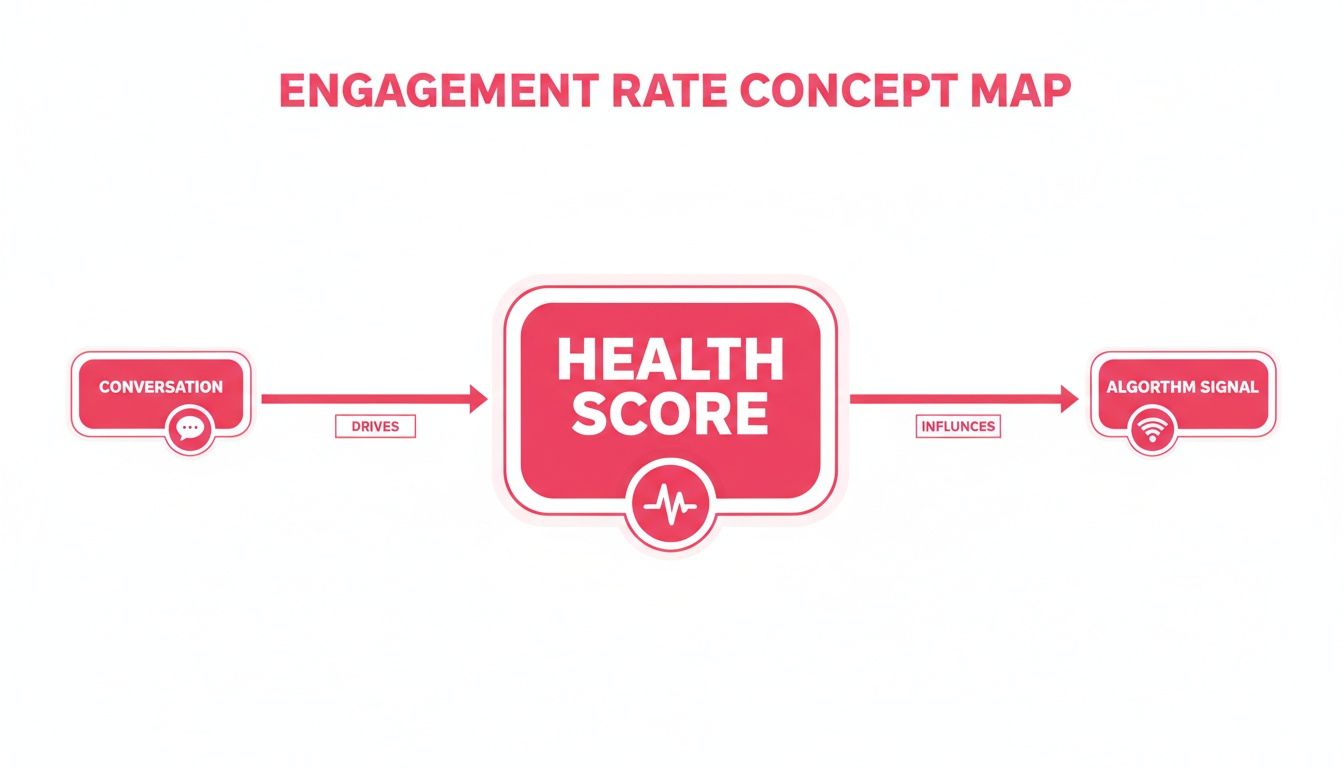
This chart helps frame engagement not just as a number, but as the heartbeat of your account's health. Strong engagement sends a clear signal to the algorithm that your content is worth showing to more people.
By understanding and using these three distinct calculations, you can paint a much more complete picture of your Instagram performance – moving from surface-level stats to deep, actionable insights.
Finding Your True North with Industry Benchmarks
So you've calculated your engagement rate on Instagram. That's a huge step, but the number you're looking at is pretty meaningless in a vacuum. A 3% rate might feel fantastic, but is it really?
The honest answer? It depends. It’s like saying you ran a "fast" mile – fast compared to a professional athlete or a casual jogger? The context of your audience size, industry, and content goals is everything.
To figure out if your performance is truly solid, you need a benchmark. Think of it as your True North, a reference point that lets you compare your results to other accounts playing in the same league. Without it, you’re just guessing.
Let's ground your numbers in reality and see how you stack up.
Does Follower Count Affect Engagement?
Here’s one of the most surprising truths about growing on Instagram: as your follower count goes up, your engagement rate often goes down. It feels counterintuitive, but it's completely normal.
An account with 100,000 followers might be celebrating a 1.5% engagement rate, while an account with just 5,000 followers might feel disappointed with that same number. This isn't a sign of failure; it's just the natural dynamic of the platform.
Smaller accounts (think nano and micro-influencers) usually have a much more personal connection with their audience. Followers feel like they're part of a tight-knit community, which makes them way more likely to jump into the conversation. As an account gets bigger, that intimacy can fade, and the audience naturally becomes more diverse and passive.
Don't panic if your engagement rate dips as your follower count climbs. This is a common and expected trend. The real key is to watch the rate of decline and make sure you're still doing the work to foster a strong community, no matter how big you get.
To give you a clearer picture, here’s a quick breakdown of how average engagement rates tend to change as accounts get bigger.
Average Instagram Engagement Rate By Follower Count
This table shows the standard engagement rate benchmarks based on an account's follower count. Use it to set realistic performance goals for your brand.
| Follower Tier | Follower Count | Average Engagement Rate (%) |
|---|---|---|
| Nano-Influencer | 1k – 10k | 4.8% – 5.6% |
| Micro-Influencer | 10k – 100k | 2.0% – 2.6% |
| Macro-Influencer | 100k – 1M | 1.2% – 1.6% |
| Mega-Influencer | 1M+ | ~1.1% |
Note: These are general averages and can vary. Rates are typically calculated by followers.
This data is exactly why you see so many brands partnering with smaller creators these days. Their power to drive high engagement within a dedicated niche audience is incredibly valuable.
How Your Industry Shapes Engagement Goals
Follower count is a huge piece of the puzzle, but your industry plays an equally massive role in defining what a "good" engagement rate actually looks like.
A nonprofit sharing powerful human stories is naturally going to inspire more comments and shares than a B2B tech company posting about software updates. Their goals are different, and so are their audience's expectations.
For example, a fashion brand might see an average engagement rate around 3.0%, while a nonprofit could hit as high as 4.4%. Industries like education and construction also tend to do really well, often clearing 4%, because they can share visually compelling, community-focused content that gets people talking.
Let's break down the benchmarks for a few key industries to help you set more realistic goals.
| Industry | Average Instagram Engagement Rate (%) |
|---|---|
| Education | 4.2% |
| Nonprofit | 4.4% |
| Financial Services | 3.8% |
| Healthcare | 3.7% |
| Technology | 3.3% |
| Dining & Hospitality | 3.1% |
| Consumer Goods & Retail | 3.0% |
Source: Data compiled from recent industry reports.
This comparison makes it crystal clear: you have to compare apples to apples. If you're running a tech account, aiming for a nonprofit's engagement rate will only set you up for disappointment. Instead, your goal should be to outperform the average for your specific sector.
Use these benchmarks as guideposts, not rigid rules. They're here to help you build a smarter strategy and measure your progress with the right context.
Knowing your Instagram engagement rate is the first step. Actually improving it? That’s where the real fun begins. To get people to stop scrolling and start interacting, you need a smart mix of content, community management, and a gut-level understanding of what makes your audience tick. It’s time to shift from creating content that just gets seen to content that gets felt.
These aren’t just random tips I pulled out of a hat; they’re proven ways to build a more loyal, interactive community around your brand. Let's dig into the strategies that can turn those passive scrollers into your biggest fans.
Master the Art of the Carousel Post
If you're going to bet on one format for engagement right now, make it the carousel. A single image is a quick glance. A carousel, on the other hand, is a conversation.
You’re literally asking people to swipe through your content, which naturally increases how long they spend with your post. That’s a huge signal to the Instagram algorithm that you’ve created something valuable. This longer dwell time gets rewarded with more visibility in the feed, plain and simple.
But it’s more than just an algorithm hack. Carousels are storytelling machines. You can:
- Educate: Break down a complicated idea into easy, bite-sized slides.
- Showcase Transformations: Nothing beats a good before-and-after to show real results.
- Tell a Deeper Story: Take people behind the scenes or walk them through a customer’s journey.
- Create Mini-Guides: Bundle related tips into a listicle that people will want to save for later.
The data backs this up. With overall Instagram engagement taking a 28% nosedive year-over-year, brands have to adapt. Carousels are leading the way, often generating 22-23% more saves and up to 3.1 times higher overall interactions than single images.
Create Captivating and Shareable Reels
Reels are your express ticket to reaching people who don’t even follow you yet. The algorithm is built to push compelling short-form video out to the Explore page and the Reels tab, giving you an incredible shot at organic growth.
The secret to a great Reel isn't a massive budget. It's authenticity and value. Aim to create content that’s either entertaining, educational, or inspiring.
- Quick Tutorials: Show off a cool way to use your product.
- Behind-the-Scenes: Give people a peek at your brand’s personality and process.
- Trending Audio: Jump on popular sounds to join a larger conversation and boost your discoverability.
And remember, those first three seconds are everything. You have to hook them immediately with a bold statement, a surprising visual, or a question they can't help but want the answer to.
Spark Conversations with Compelling Captions
Your visuals might stop the scroll, but your caption is what holds their attention. A great caption can turn a lazy "like" into a thoughtful comment, which is way more valuable to the algorithm. Stop treating captions as an afterthought and start seeing them as a core part of your strategy.
A great caption doesn't just describe the photo; it starts a conversation. It asks a question, shares a vulnerability, or presents an opinion that invites a response.
Here’s how to write captions that actually get people talking:
- Ask Open-Ended Questions: Don't ask a simple "yes or no" question. Instead of, "Do you like this outfit?" try, "What's one occasion you'd love to wear this outfit to?" See the difference?
- Use a Call-to-Action (CTA): Be direct. Tell your audience exactly what you want them to do. "Tag a friend who needs this," "Share your take in the comments," or "Save this post for later."
- Tell a Story: People connect with stories, not just products. Share a personal anecdote, a customer win, or the real inspiration behind what you do. That’s how you build a real connection.
Focusing on these elements is how you truly improve your Instagram interaction rate and build a community that cares.
Drive Immediate Interaction with Stories
Instagram Stories are your playground for quick, low-stakes engagement. They’re here today, gone tomorrow, which encourages people to interact in the moment. Thankfully, Instagram gives you a whole toolbox of interactive stickers to make it dead simple.
- Polls: Let your audience vote between two options. It's an easy, low-effort way for them to participate.
- Quizzes: Test their knowledge about your brand, your industry, or just a fun topic.
- Question Stickers: Run an "Ask Me Anything" (AMA) or ask for their ideas and opinions directly.
- Slider Stickers: Use the slider to let people rate something or gauge their feelings on a topic.
These features give you instant feedback and make your followers feel like they’re part of the conversation. When you share poll results or publicly answer questions, you close the loop and show your community that you’re actually listening.
Consistently using these strategies will do more than just bump up your Instagram engagement rate; you’ll build a vibrant community that actively roots for your brand. For a bigger-picture look at boosting your social media presence, check out these 8 Essential Social Media Marketing Tips for Growth.
Common Mistakes That Skew Your Engagement Data

Tracking your engagement rate on Instagram is a must, but let's be honest: bad data is way more dangerous than no data at all. Inaccurate numbers will send you chasing the wrong goals, dumping money into content that isn't working, and totally misreading what your audience actually wants.
Think of it like using a broken compass to find your way out of the woods. You'll definitely be moving, but probably deeper into the forest, not out of it.
To build a strategy that gets real results, you have to start with clean, consistent information that tells the true story. So let's pull back the curtain on the most common slip-ups that mess with engagement data and lead you to the wrong conclusions.
Chasing Shallow Vanity Metrics
The oldest trap in the book is obsessing over "vanity metrics." These are the flashy, feel-good numbers that look great on a report but often mean very little. The biggest culprit? Likes.
A high like count feels awesome, but it's a passive, low-effort tap. Deeper engagement signals, on the other hand, tell you a much more interesting story about your content's real value:
- Saves: When someone saves your post, they're bookmarking it. They're saying, "This is so good, I need to come back to it later." That's a massive thumbs-up for high-quality, useful content.
- Shares: A share is a personal recommendation. Someone found your content so valuable they put their own reputation on the line by sending it to a friend or posting it to their Story.
- Comments: A thoughtful comment takes way more effort than a double-tap. It shows someone stopped scrolling, processed what you said, and felt compelled to join the conversation.
Relying only on likes is like judging a book by how many people picked it up, not how many actually read it. To understand what truly hits home, you have to prioritize metrics like saves and shares.
Using Inconsistent Calculation Methods
Another huge mistake is comparing apples to oranges. As we've covered, there's more than one way to calculate engagement rate – by followers, reach, or impressions. The problem starts when you flip-flop between these methods without a good reason or, even worse, compare your numbers to a competitor who uses a different formula.
Imagine you calculate your rate based on reach (the sharpest tool for measuring content quality) and get a solid 10%. Then you see a competitor bragging about their 3% rate. You might pat yourself on the back, but what if they calculated theirs based on a massive follower count? In that scenario, their 3% might actually be more impressive.
For your analysis to mean anything, you have to be consistent. Pick the formula that matches your goals and stick with it for all your internal tracking. When you're sizing up the competition, always use the public "by follower" method to make sure you're on a level playing field.
Ignoring Content Segmentation
Not all content is created equal, so why would you treat it that way in your data? Lumping all your posts – Reels, carousels, single images, and Stories – into one giant average is a surefire way to hide crucial insights. It completely masks which formats are your heavy hitters.
You might find that your Reels are crushing it with an average engagement rate of 5.2%, while your single-image posts are stuck at 1.8%. Without separating your data by content type, this critical detail gets lost in a blended average of 3.5%.
That's the exact insight you need to optimize your strategy – it tells you to double down on what's working (video!) and rethink your approach to static images. By dodging these common mistakes, you'll build a reporting process that gives you clear, trustworthy insights and proves the real impact of your Instagram game.
Want to Scale? Partner with High-Engagement Creators
Putting together a high-engagement strategy doesn't have to be a solo mission. Once you get a feel for what makes an audience tick, you can pour gasoline on the fire by collaborating with creators who have already mastered the art of captivating people. This is how you move from theory to a system built for predictable growth.
Partnering with the right creators lets you tap into communities that are already built and fiercely loyal. These influencers and UGC creators have a proven knack for making content that just works, whether it’s a Reel that goes viral or an authentic review that actually drives sales. Their high engagement rate on Instagram is a flashing neon sign signaling trust and influence within their niche.
Finding and Vetting the Right Partners
The real trick is finding creators whose audience is a mirror image of yours and whose content consistently gets people talking. You could spend weeks manually sifting through thousands of profiles, but that’s a slow, painful process that often misses the best people. This is exactly why so many brands now lean on creator marketing platforms.
These platforms use smart tech to help you find and vet partners based on real performance data, not just vanity metrics like follower counts. You can easily filter for creators who:
- Consistently crush industry engagement benchmarks.
- Are masters of high-performing formats like Reels or carousels.
- Create authentic, user-generated content that doesn’t feel like an ad.
When you focus on a creator's engagement metrics instead of their follower count, you're choosing quality over quantity. A micro-influencer with a 5% engagement rate will almost always deliver more bang for your buck than a macro-influencer coasting at 1.2%.
This data-first approach takes all the guesswork out of the equation. You can confidently build a roster of creators who get your audience and can deliver a steady stream of content that makes an impact. To get a head start on your search, you can learn more about how to find Instagram influencers who are a perfect match for your brand's goals. This is how you turn engagement from a metric you track into an engine that drives real business growth.
Answering Your Top Instagram Engagement Questions
Once you start digging into your engagement rate on Instagram, you'll find the same questions tend to pop up again and again. Nailing down these details is the key to getting a clear, honest look at how you're really doing. Let's walk through the most common ones to clear up any confusion.
What Is the Difference Between Reach and Impressions?
Think of it like throwing a party. Reach is the number of individual people who came – each person is only counted once, no matter how many times they visited the snack table.
Impressions, on the other hand, is the total number of times your guests came back for seconds (or thirds). It’s the total number of views your content got, even if a single person viewed it multiple times.
So, if your impressions are higher than your reach, that’s a fantastic sign. It means your content was good enough to bring people back for another look, which tells the algorithm you've got something special.
How Often Should I Calculate My Engagement Rate?
Honestly, it depends on what you're trying to achieve. If you're just looking for a general health check on your account, running the numbers monthly is perfect. This gives you a stable, big-picture view so you can spot trends over time without getting lost in the daily noise.
But if you're in the middle of a specific campaign or testing out a new content format like Reels, you need feedback now. For that, you’ll want to switch to a weekly or even per-post analysis. That's how you get the sharp, actionable insights needed to make quick adjustments on the fly.
In social media, speed matters. While monthly reports are great for strategy, weekly checks on campaign performance allow you to pivot quickly and double down on what’s working right now.
Are Comments More Valuable Than Likes?
Without a doubt, yes. A like is easy – it’s just a quick, low-effort tap. A comment is a whole different ballgame. It means someone had to stop scrolling, think about what you posted, and then take the time to type out a response. That's a much deeper level of interaction, and you can bet the Instagram algorithm weighs it more heavily.
And don't forget about saves and shares. These are the top-tier interactions. When someone saves your post, they're saying, "This is so good, I need to come back to it later." When they share it, they're literally vouching for your content to their own network. Both are powerful signals of value.
Can Buying Followers Increase My Engagement Rate?
Absolutely not. In fact, it's the fastest way to destroy it. When you buy followers, you're just adding a bunch of fake or bot accounts to your audience. These accounts don't engage – they don't like, comment, or share anything.
So while your follower count might look impressive, your actual interactions stay flat. This causes your engagement rate percentage to plummet. To the algorithm, this screams low-quality content, which will torpedo your organic reach and wreck your credibility with real users. Just don't do it.
Ready to scale your content strategy with creators who have proven, high-engagement audiences? JoinBrands connects you with over 250,000 vetted creators to produce authentic UGC and viral content that drives real results. Find your perfect match and launch your next campaign at https://joinbrands.com.