





 10 Digital Asset Management Best Practices for 2025
The demand for high-quality video content is relentless, yet production budgets and timelines remain a constant constraint for brands and agencies. Creating engaging video for social media, product promotions, and marketing campaigns often requires significant resources, from dedicated creative teams to expensive software suites. This resource gap is precisely where AI-powered tools are making a significant impact, allowing teams to generate professional-grade videos quickly and efficiently. For brands looking to create video content at scale without a huge budget, exploring options like creating AI TV commercials for small businesses can be incredibly beneficial, showcasing just how accessible video production has become.
This guide dives deep into the top-tier options available today, helping you find the perfect free AI video maker for your specific needs. We’ve moved beyond surface-level marketing claims to provide a practical, hands-on analysis of what each platform truly offers on its free plan. You'll get a clear understanding of the limitations, strengths, and ideal use cases for each tool, from generating short-form Reels and Shorts to producing polished product demos and B-roll footage.
Inside, you will find a detailed breakdown of 12 leading platforms, including Runway, Pika, Canva, and CapCut. Each review covers:
- Core Features: An overview of the standout AI capabilities.
- True Free-Tier Limits: What you actually get without paying, including watermarks, export quality, and usage caps.
- Best Use Cases: Practical scenarios where each tool excels.
- Pros and Cons: An honest assessment to guide your decision-making.
- Creator Workflow Integration: Tips for using these tools with user-generated content.
We've structured this resource for easy navigation, complete with screenshots, direct links, and a final comparison table to help you make a fast, informed choice. Let's find the right tool to scale your video strategy.
Table of Contents
1. CapCut
CapCut has rapidly become a go-to tool for social media managers and brands, evolving from a simple mobile editor into a powerful, multi-platform free AI video maker. Its strength lies in its accessibility and speed, making it perfect for creating trending short-form content for platforms like TikTok, Instagram Reels, and YouTube Shorts without a steep learning curve. The interface is intuitive across web, desktop, and mobile, ensuring a consistent user experience.
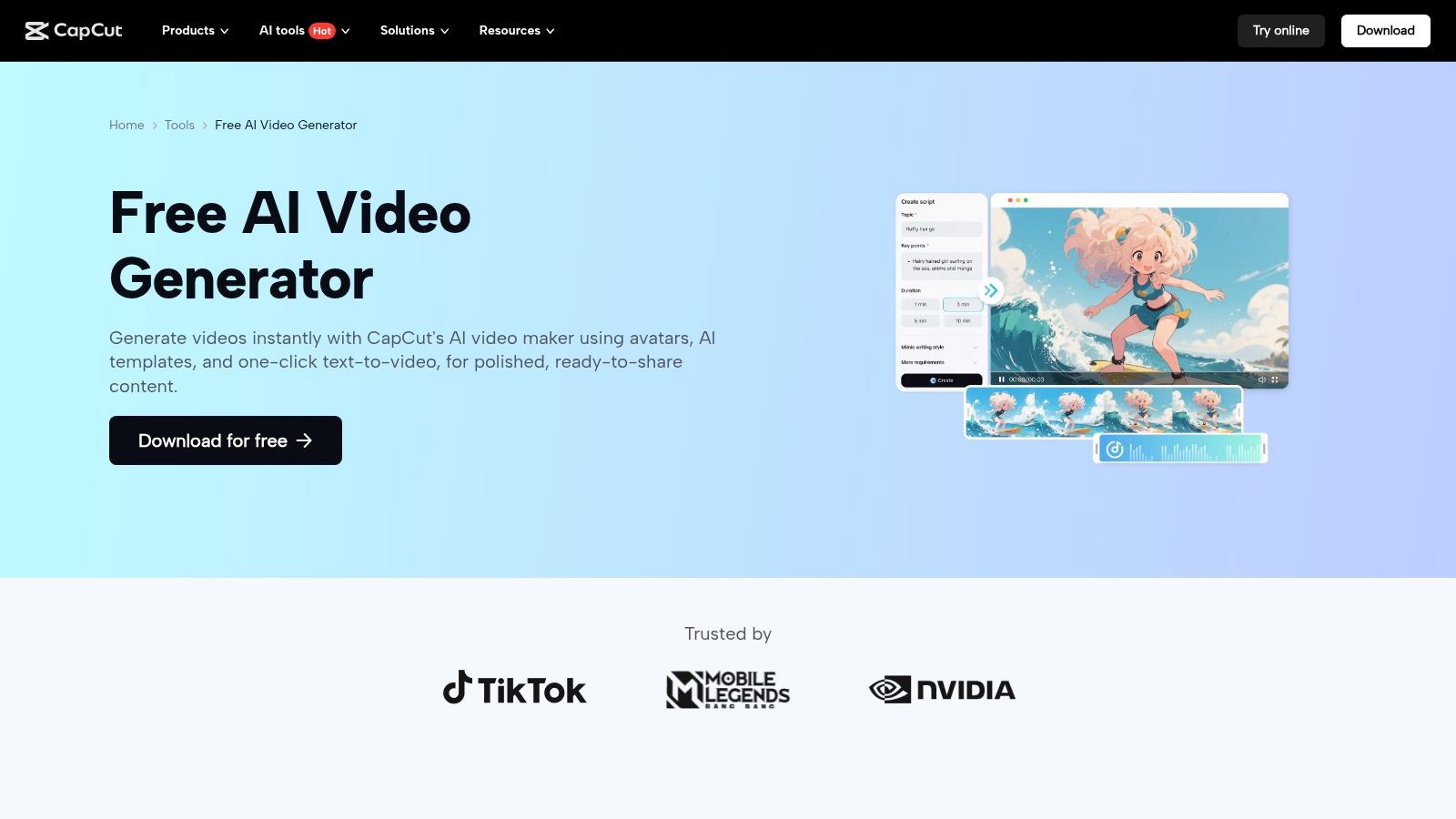
The platform’s AI features are designed for immediate results. Its text-to-video generator can produce a shareable clip from a simple prompt, while the "Instant AI video" tool is ideal for quickly repurposing existing assets like user-generated content from a JoinBrands campaign. This makes it an invaluable resource for brands looking to quickly generate multiple variations of an ad or social post.
Core Features & Limits
- AI Workflows: Includes text-to-video, AI avatars, and voiceovers.
- Template Library: A vast collection of social-first templates that simplify the creation process.
- Cross-Platform Sync: Seamlessly switch between mobile, desktop, and web editors.
- Free Tier Limitations: While generous, some advanced AI features or specific templates may require a Pro subscription or add a watermark upon export.
Best Use Cases & Pros/Cons
| Best For | Pros | Cons |
|---|---|---|
| Quick Reels & Shorts, UGC-style clips, repurposing creator content. | Highly accessible: Minimal learning curve and a robust free version make it easy to get started. | Formulaic Outputs: Heavy reliance on templates can make videos look similar to others on the feed. |
| Fast AI Generation: Creates usable video content from text or images in seconds. | Watermarks/Caps: Some features and exports are limited or watermarked in the free tier. |
Pro Tip: Use CapCut to quickly edit and add trending audio to raw product videos submitted by creators. This allows your team to rapidly test different hooks and styles before investing more resources into a full-scale production. You can review a guide on how to create product videos that convert to learn more about effective video strategies.
Website: https://www.capcut.com/tools/ai-video-generator
2. Canva (Magic Studio)
Canva has evolved from a graphic design tool into a comprehensive content creation suite, making its AI-powered free AI video maker, Magic Studio, a natural fit for marketers. Its key advantage is the seamless integration of design, image, and video workflows within a single, browser-based platform. This makes it exceptionally approachable for non-editors or small teams who need to produce branded video content without juggling multiple applications.

The "Magic Media" feature allows users to generate short video clips from text or image prompts, which can then be dropped directly into social media templates. This unified environment is perfect for creating video ads or social posts that need to align perfectly with a brand's established visual identity, as all brand assets, fonts, and colors are readily available within the editor.
Core Features & Limits
- AI Workflows: Magic Media for text/image-to-video, AI writing assistants, and Magic Switch for resizing.
- Template Library: Extensive collection of video templates for every major social platform and use case.
- Integrated Ecosystem: Combine AI video with a massive library of stock photos, graphics, and audio.
- Free Tier Limitations: The free plan offers a limited number of lifetime credits for Magic Media (text-to-video). Heavier use requires a Canva Pro subscription, which provides more monthly credits.
Best Use Cases & Pros/Cons
| Best For | Pros | Cons |
|---|---|---|
| Creating branded social posts, animated graphics, and quick product promos. | Very approachable: An intuitive interface makes it easy for non-editors to create professional-looking videos. | Credit-Based System: The most powerful AI video features are gated by credits, even on paid plans. |
| Unified Design Stack: Seamlessly integrates video creation with existing brand kits and design assets. | Shorter Clips: AI generation is currently best suited for B-roll or short, illustrative video clips. |
Pro Tip: Use Canva's Magic Media to generate custom animated backgrounds or short, illustrative clips that match your brand's aesthetic. You can then layer these AI-generated assets into your existing video templates to add dynamic visual interest to product announcements or promotional stories without needing to source stock footage.
Website: https://www.canva.com/magic/
3. Runway
Runway is positioned at the forefront of generative video, making it a powerful free AI video maker for creatives and brands seeking high-fidelity, cinematic clips. It offers direct access to its state-of-the-art models like Gen-3 Alpha, which are known for producing some of the most realistic and coherent AI-generated video in the industry. While it has a steeper learning curve than template-based tools, it provides unparalleled creative control for generating unique B-roll, concept visuals, or artistic video sequences from scratch.
The platform operates on a credit-based system, which allows users to experiment with different AI models for text-to-video, image-to-video, and video-to-video generation. This makes it ideal for brands that need to create truly original footage that can't be sourced from stock libraries, such as visualizing a new product concept or creating an abstract background for an ad campaign. The free tier provides a starting bank of credits, making it accessible for testing before committing to a paid plan.
Core Features & Limits
- AI Workflows: Direct access to advanced models (Gen-3 Alpha) for text, image, and video-to-video generation.
- Creative Controls: Features like Motion Brush, Camera Controls, and Director Mode offer granular control over the final output.
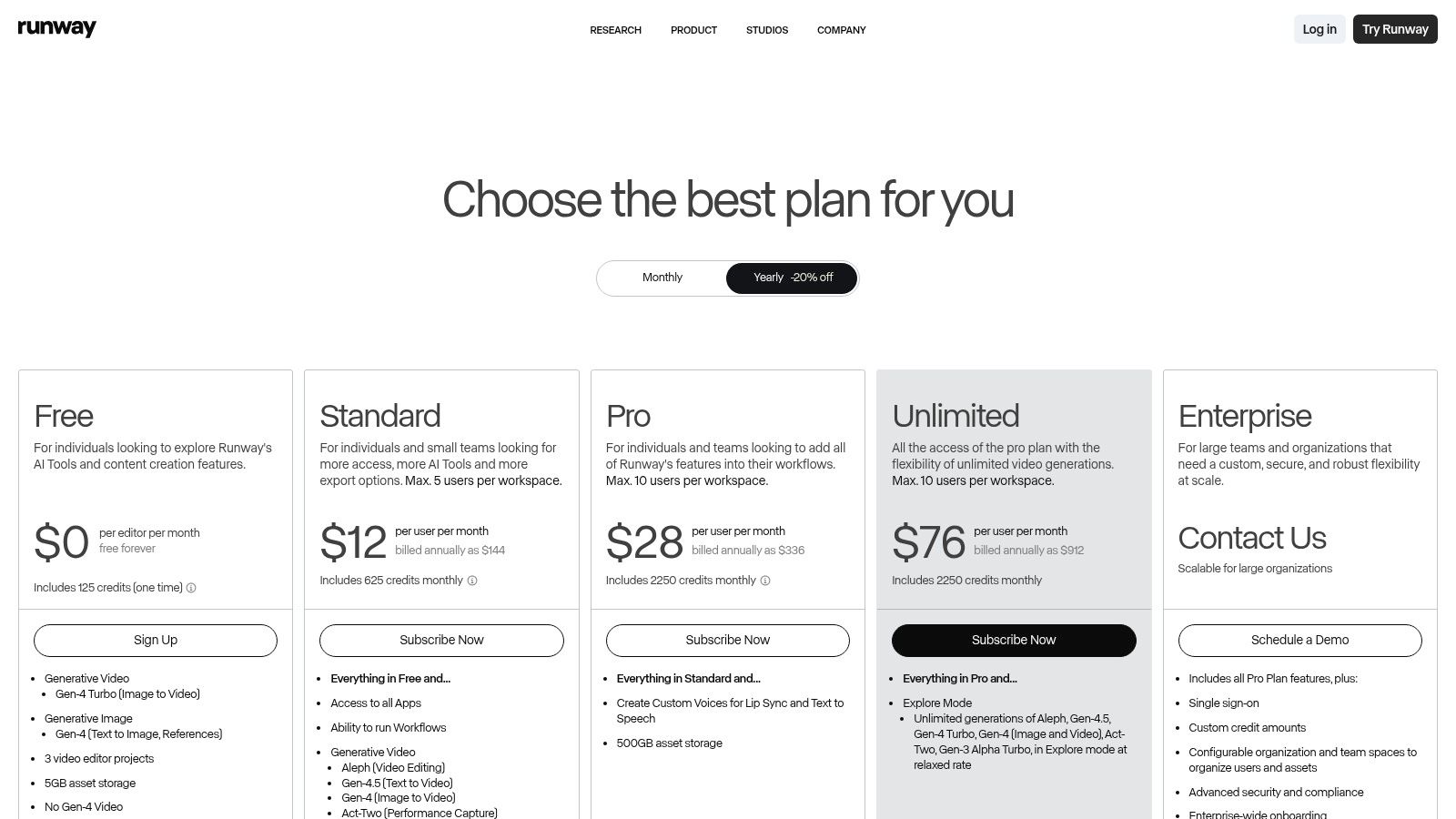
- Credit-Based System: Free tier includes 125 credits (one-time) to test the platform. Paid plans provide monthly credits and faster processing.
- Free Tier Limitations: Exports are limited to 720p resolution and include a prominent Runway watermark. Generation speed may be throttled during peak usage.
Best Use Cases & Pros/Cons
| Best For | Pros | Cons |
|---|---|---|
| Creating unique B-roll, cinematic concept clips, and visual effects. | Industry-Leading Quality: Generates high-fidelity, coherent video clips that set a benchmark for AI. | Limited Free Tier: 125 one-time credits are used up quickly, and outputs are watermarked. |
| Detailed Creative Control: Offers advanced tools to fine-tune motion, camera angles, and style. | Steeper Learning Curve: Requires more experimentation to achieve desired results than template-based editors. |
Pro Tip: Use Runway to generate abstract, branded background loops or conceptual product animations. These unique assets can be integrated into UGC from a JoinBrands campaign to create visually striking ads that stand out without the cost of a full VFX production. You can read more about using AI for content creation to explore advanced strategies.
Website: https://runwayml.com/pricing
4. Pika
Pika has carved out a niche as a powerful, prompt-driven free AI video maker celebrated for its ability to generate highly stylized and dynamic short clips. It excels at text-to-video and video-to-video transformations, leveraging its advanced generative models to produce content with surprisingly realistic motion and physics. The platform is especially popular among individual creators and agile brand teams for its simple web interface, which makes experimenting with creative concepts incredibly fast.
Unlike template-based editors, Pika operates more like a creative partner, turning simple text prompts or static images into captivating, short video sequences. This makes it an ideal tool for brands looking to generate unique B-roll, animated product shots, or abstract visual content for social media campaigns. Access is granted after a simple sign-in, allowing teams to quickly test its capabilities.
Core Features & Limits
- Generative Models: Access to the latest Pika models for high-quality, prompt-based video generation.
- Video-to-Video: Transform existing video clips or static images into new, animated sequences.
- Simple Web UI: An intuitive interface that lowers the barrier to entry for generative AI video.
- Free Tier Limitations: The free plan provides a set number of credits to start, which are consumed with each generation. Wait times for video processing can also occur during peak usage periods.
Best Use Cases & Pros/Cons
| Best For | Pros | Cons |
|---|---|---|
| Unique B-roll, conceptual product animations, and quick visual experiments. | Strong Motion & Physics: Excels at creating believable movement in short, dynamic clips. | Credit-Based System: The free tier is limited by credits, which can be used up quickly. |
| Rapid Iteration: The simple prompt-based system makes it easy to test different ideas and styles. | Potential Wait Times: High demand can lead to queues for video generation in the free tier. |
Pro Tip: Use Pika to create abstract, eye-catching background loops or animated versions of product photos. These assets can then be layered into UGC content from your creators in a more robust editor, adding a professional and unique visual flair to your social ads without requiring complex animation software.
Website: https://pika.art
5. Adobe Express
Adobe Express brings the power of Adobe's creative ecosystem into a streamlined, browser-based editor perfect for brands needing a reliable free AI video maker. It integrates Adobe's proprietary Firefly AI for generative tasks, offering a robust free plan that includes templates, stock assets, and automated video creation tools. Its strength lies in its intuitive interface and seamless integration with the broader Adobe suite, making it a trusted choice for producing polished social content.
The platform is built for efficiency, allowing marketing teams to quickly generate video clips from simple text prompts or animate existing text and images. With access to a library of Adobe Fonts and stock photos even on the free plan, it’s simple to maintain brand consistency. The AI-powered features are designed to speed up workflows, from creating animated text effects to generating entire video sequences for ads or social media posts.
Core Features & Limits
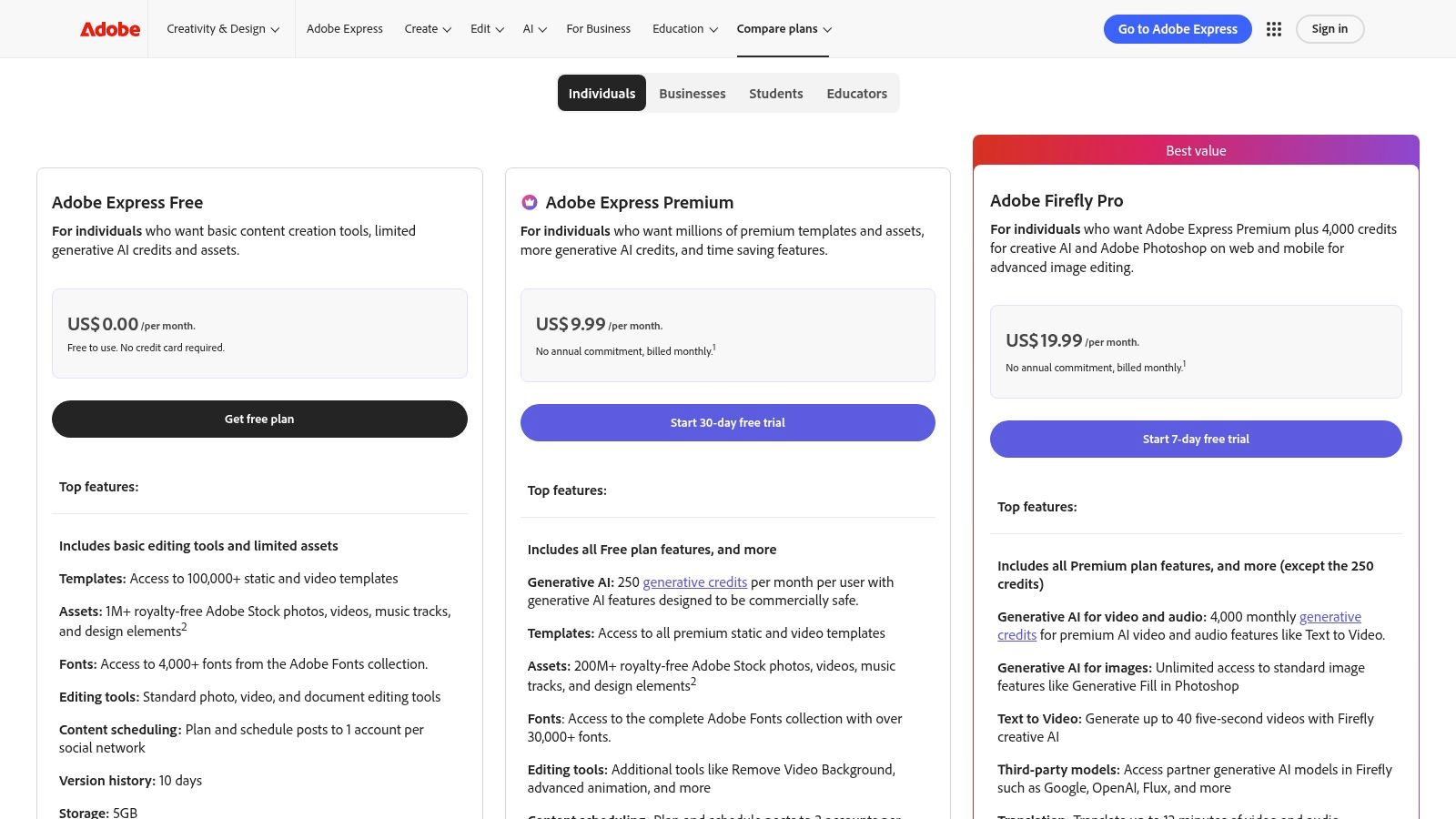
- Generative AI Credits: The free plan includes monthly credits for text-to-video, text-to-image, and other Firefly features.
- Templates & Stock Assets: Access to thousands of video templates and a limited collection of royalty-free Adobe Stock assets.
- Cross-Platform Access: Available on web and mobile, allowing for easy edits and exports on any device.
- Free Tier Limitations: The free plan has a monthly cap on generative credits, limited stock assets, and lacks premium features like brand kits.
Best Use Cases & Pros/Cons
| Best For | Pros | Cons |
|---|---|---|
| Quick social ads, animated explainers, and branded story content. | Trusted Ecosystem: High-quality output from a reputable brand with a straightforward editing flow. | Credit System: The free plan's generative credit limit can be restrictive for high-volume use. |
| Robust Free Plan: The free tier offers significant value with core editing tools and AI credits. | Asset Limitations: The best stock photos, videos, and templates are reserved for paid tiers. |
Pro Tip: Use the free generative credits in Adobe Express to create unique animated text hooks or short B-roll clips. You can then download these assets and use them to enhance longer-form videos or UGC content sourced from creators, giving them a professional, on-brand touch without a subscription.
Website: https://www.adobe.com/express/pricing
6. Microsoft Clipchamp
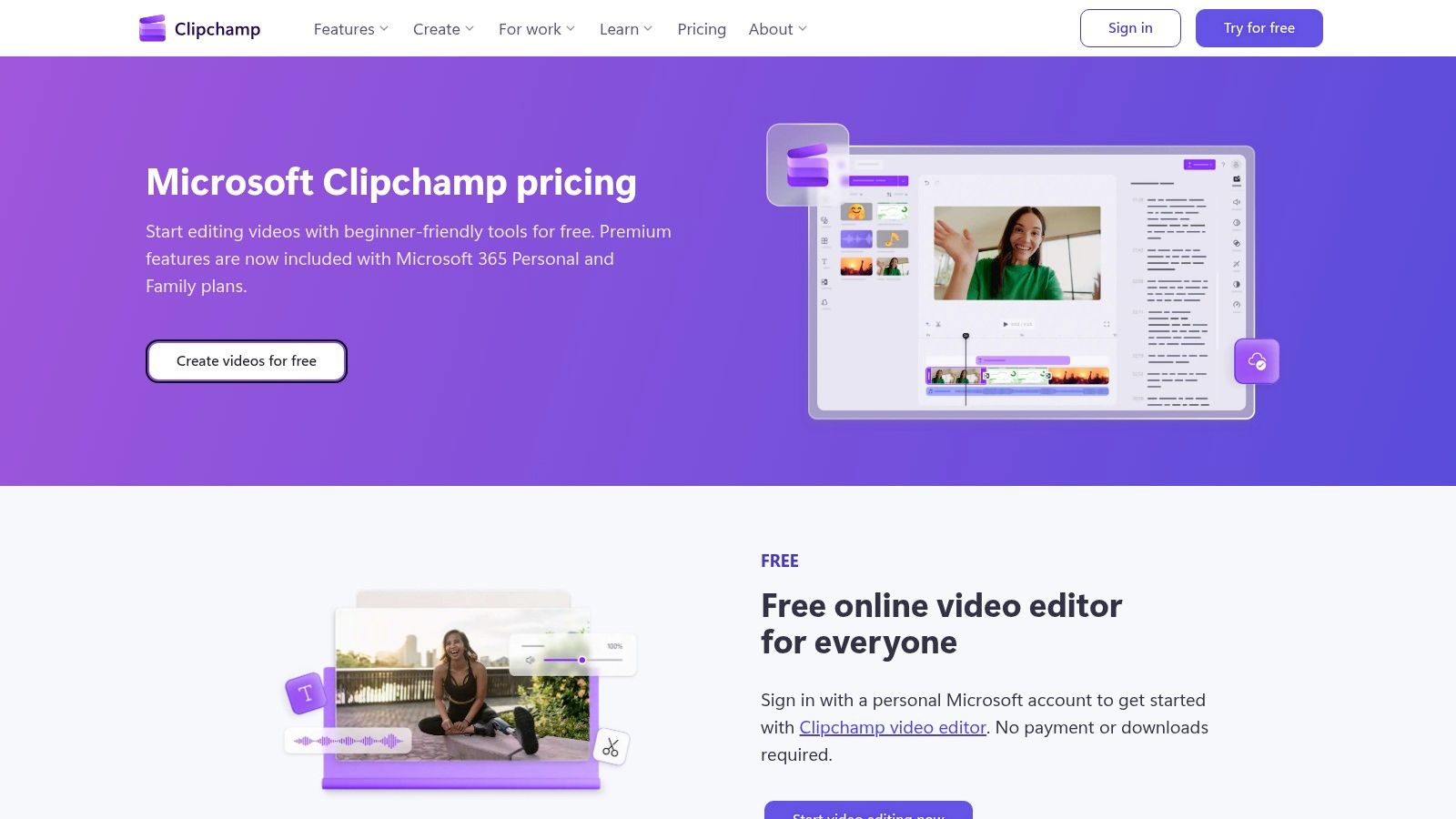
Microsoft Clipchamp stands out as an exceptionally user-friendly online editor that integrates powerful AI-assisted features rather than focusing purely on generative AI. Acquired by Microsoft, it has become a staple for Windows users and a strong web-based option for those needing a reliable free AI video maker. Its main advantage is its generous free tier, which offers no-watermark, 1080p exports, making it a professional-grade choice for brands on a budget.
The platform focuses on practical AI that accelerates the editing process. Features like auto-subtitling, text-to-speech voiceovers, and silence removal are designed to refine existing footage efficiently. This makes Clipchamp an ideal tool for polishing raw content, such as videos from a JoinBrands creator campaign, by adding professional touches without needing advanced editing skills or expensive software.
Core Features & Limits
- AI-Assisted Editing: Includes auto-subtitles, text-to-speech, and automatic silence removal.
- Timeline Editor: A classic, easy-to-use timeline with social media templates.
- Generous Free Tier: The standout feature is watermark-free exports in up to 1080p resolution.
- Free Tier Limitations: Access to premium stock footage, audio, and more advanced features like brand kits requires a Microsoft 365 or premium Clipchamp subscription.
Best Use Cases & Pros/Cons
| Best For | Pros | Cons |
|---|---|---|
| Polishing raw UGC, creating tutorials, adding professional subtitles. | No-Watermark 1080p Exports: A significant advantage over most free competitors. | Limited Generative AI: Lacks text-to-video or image-to-video models found in other tools. |
| Microsoft 365 Integration: Provides a seamless upgrade path with added benefits for existing users. | Premium Asset Paywall: The best stock media and effects are locked behind a subscription. |
Pro Tip: Use Clipchamp's auto-captioning feature to quickly generate accurate subtitles for creator-submitted videos. You can then export the SRT file and upload it directly to platforms like YouTube and LinkedIn to improve accessibility and SEO, saving significant time on manual transcription.
Website: https://clipchamp.com/en/pricing/
7. InVideo (InVideo AI)
InVideo AI excels at transforming detailed text prompts or full scripts into polished marketing videos. It positions itself as a more structured alternative to some competitors, offering a workflow-based approach where users provide a script, and the AI assembles scenes with relevant stock footage, voiceovers, and text overlays. This makes it an excellent free AI video maker for brands needing to create informative content like product explainers or listicles for YouTube and blogs.
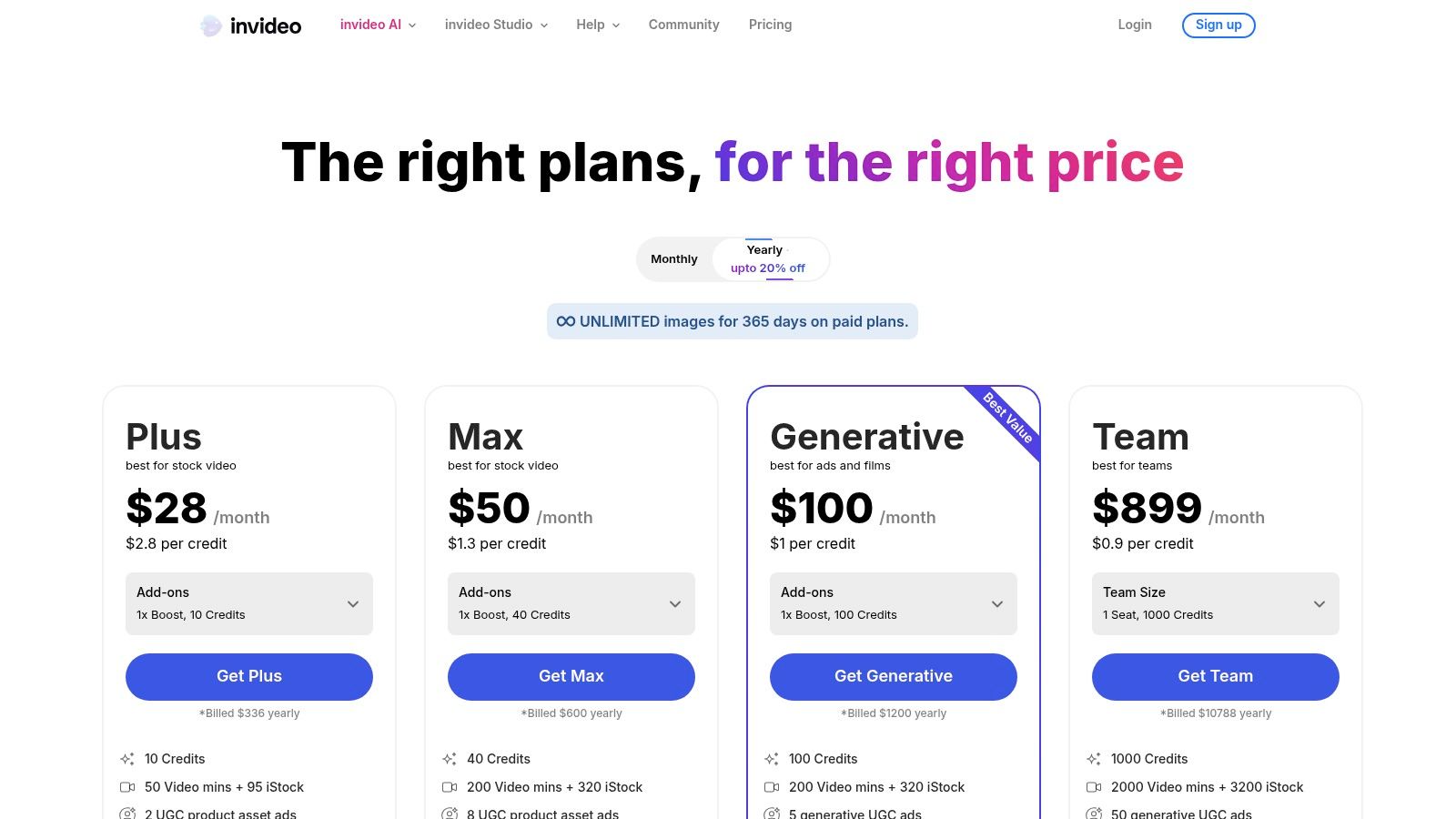
The platform is built around its vast library of templates and stock media from partners like iStock, which the AI intelligently selects based on your script. While the free plan is primarily for testing, it provides weekly quotas for AI generation and exports, allowing marketing teams to evaluate its capabilities before committing. This is ideal for drafting video concepts using a creator’s script from a JoinBrands campaign to see how it translates to a visual format.
Core Features & Limits
- AI Workflows: Script-to-video generation with AI voiceover and stock media selection.
- Media Library: Access to millions of premium stock assets from iStock and more.
- Timeline Editor: A traditional editor is available for refining the AI's output, giving you granular control.
- Free Tier Limitations: Exports on the free plan are watermarked. It includes 10 minutes of AI generation per week and limited access to iStock media.
Best Use Cases & Pros/Cons
| Best For | Pros | Cons |
|---|---|---|
| Explainer videos, listicles, script-based marketing content, blog-to-video. | Structured Workflow: Excellent for turning pre-written scripts into a complete first draft quickly. | Watermarked Exports: The free version is not suitable for publishing final content due to watermarks. |
| High-Quality Media: Access to premium stock footage gives videos a more professional look. | Generous but Limited: The weekly free quotas are great for testing but insufficient for consistent production. |
Pro Tip: Use InVideo AI's free plan to quickly visualize different script versions for a product ad. You can test variations of a creator's submitted script to see which one generates the most compelling visuals before moving forward with a paid plan or a more complex production.
Website: https://invideo.io/pricing
8. Kapwing
Kapwing positions itself as a comprehensive, browser-based collaborative video editor with a strong emphasis on AI-powered workflows. It’s more than just a free AI video maker; it’s a full suite designed for marketing teams who need to create, repurpose, and localize content quickly. Its AI Clip Maker is particularly useful for turning long-form content like webinars or podcasts into multiple, engaging social media clips with minimal effort.
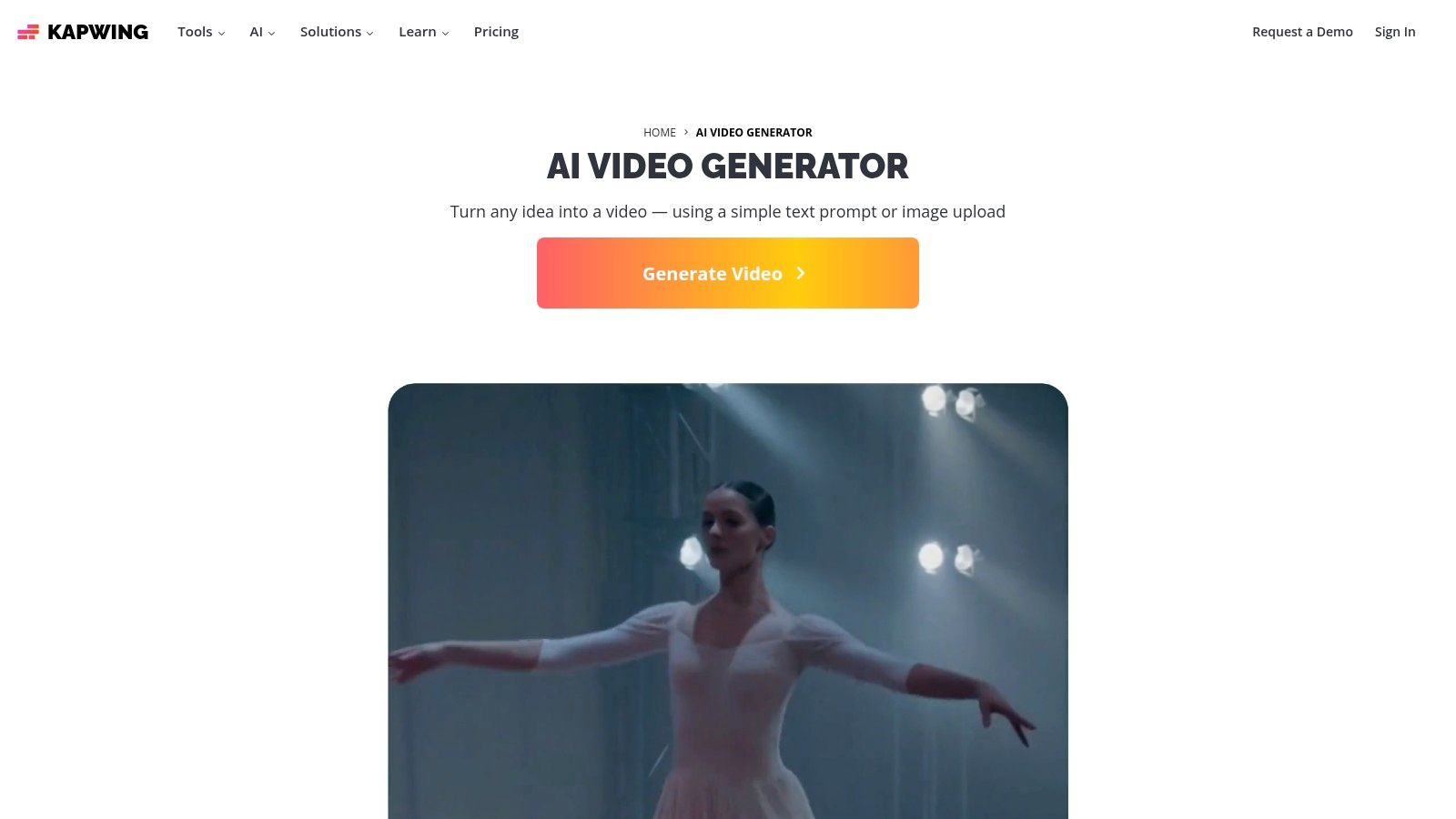
The platform integrates AI seamlessly into a traditional editing timeline, offering features like text-to-video, automatic subtitles, and AI-powered translation and dubbing. The AI assistant, "Kai," guides users through complex tasks, making advanced editing more accessible. While the free tier operates on a credit system for AI tasks and includes a watermark, it provides a solid foundation for teams to test its powerful repurposing capabilities.
Core Features & Limits
- AI Clip & Video Maker: Generate videos from text, images, or by automatically finding highlights in longer videos.
- AI-Powered Editing: Includes auto-subtitling, text-to-speech, translation, and a "Smart Cut" feature to remove silences.
- Collaboration Tools: Real-time editing and commenting features for marketing teams.
- Free Tier Limitations: Videos are exported with a watermark. AI features consume credits, which are limited on the free plan, and higher-resolution exports require a Pro subscription.
Best Use Cases & Pros/Cons
| Best For | Pros | Cons |
|---|---|---|
| Repurposing long-form content, team-based video editing, social media resizing. | All-in-One Editor: Combines robust AI features with a traditional, powerful video editing suite. | Credit-Based AI: Heavy use of AI features will quickly deplete credits on the free or lower tiers. |
| Strong Repurposing Tools: AI Clip Maker excels at turning one asset into many shareable clips. | Watermarked Exports: The free plan includes a Kapwing watermark, requiring an upgrade for clean exports. |
Pro Tip: Use Kapwing's AI Clip Maker to process long-form creator interviews or product demonstrations. The tool will automatically identify and create several short-form clips, which your team can then quickly caption, resize, and share across different social platforms to maximize the content's reach.
Website: https://www.kapwing.com/ai-video-generator
9. Lumen5
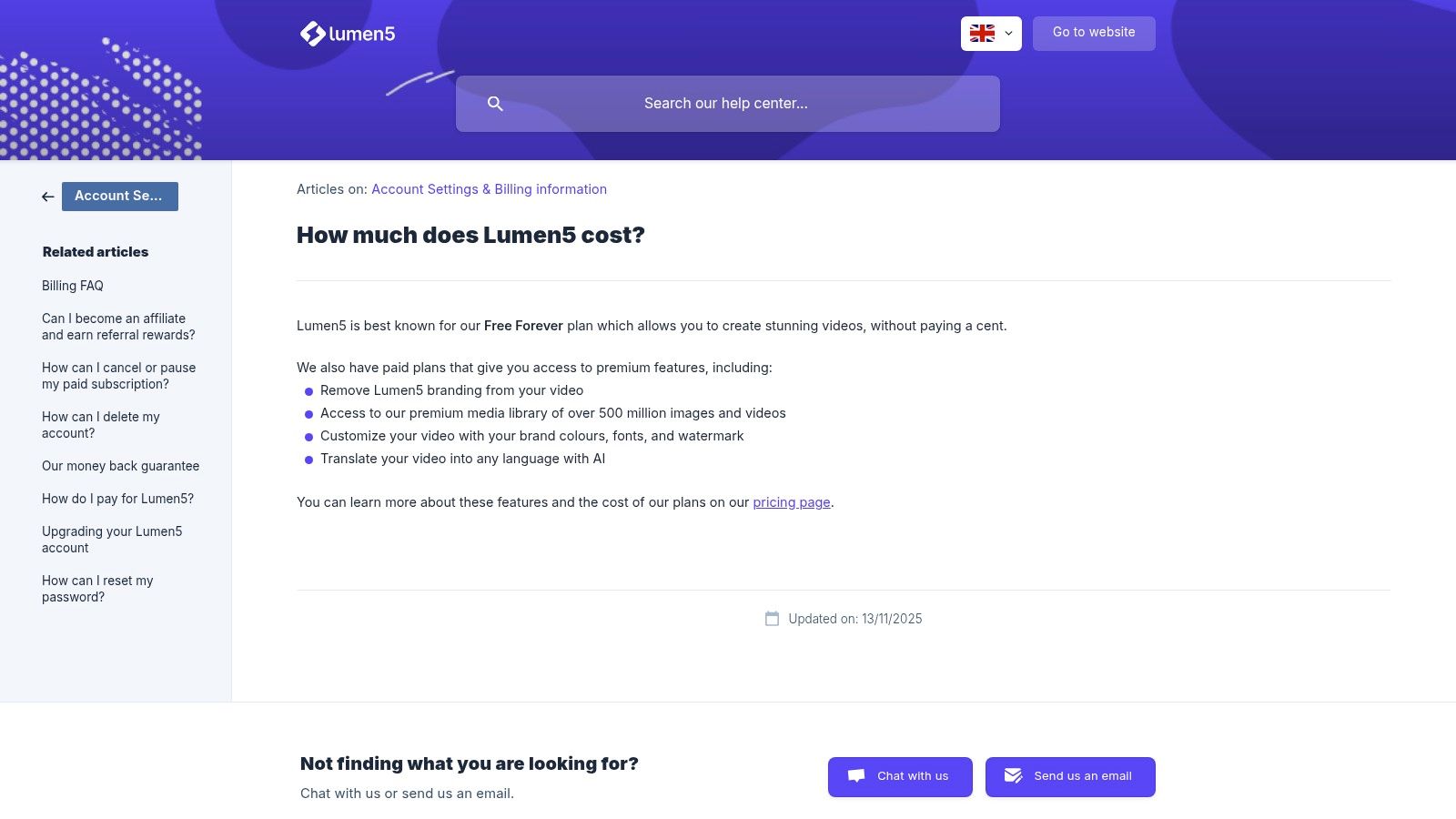
Lumen5 is a specialized free AI video maker built specifically for brands and publishers aiming to transform written content into engaging social videos. Its primary strength lies in its AI-powered ability to analyze a blog post, article, or even just a URL and automatically generate a video storyboard complete with relevant stock footage and text overlays. This makes it an exceptionally efficient tool for content repurposing, allowing marketing teams to breathe new life into existing assets without needing any video editing experience.
The platform is designed for speed and simplicity. The AI script composer and blog-to-video workflow streamline the creation process, turning dense articles into digestible, shareable clips perfect for platforms like LinkedIn and Facebook. While its creative flexibility is more constrained than a traditional editor, its focus on content conversion makes it a valuable asset for any content marketing strategy.
Core Features & Limits
- Article/URL-to-Video: AI automatically converts blog posts and articles into video scripts and storyboards.
- AI Script Composer: Helps generate or summarize text specifically for a video format.
- Stock Media Library: Access to a library of images and video clips to populate the generated scenes.
- Free Tier Limitations: The "Community" free-forever plan includes a Lumen5 watermark on all exports, limits videos to 720p resolution, and allows a maximum of three videos per month.
Best Use Cases & Pros/Cons
| Best For | Pros | Cons |
|---|---|---|
| Repurposing blog posts, creating explainer videos, B2B social content. | Fast Content Conversion: The fastest way to turn existing written content into a shareable video with minimal effort. | Watermark on Free Plan: The Lumen5 branding is present on all free exports, which may not suit all brands. |
| Accessible for Non-Editors: The user-friendly interface is designed for marketers, not professional videographers. | Limited Creative Control: Less granular control over animations, transitions, and effects compared to NLEs. |
Pro Tip: Use Lumen5 to quickly summarize key takeaways from a long-form article or whitepaper into a 60-second video for LinkedIn. This allows you to promote your in-depth content to a new audience segment that prefers video, driving more traffic back to your original post.
Website: https://help.lumen5.com/en/article/how-much-does-lumen5-cost-one87/
10. FlexClip
FlexClip positions itself as a user-friendly, browser-based editor that combines traditional video editing tools with powerful AI enhancements. This free AI video maker is designed for businesses and marketers needing to produce professional-looking videos quickly, without the complexity of desktop software. Its core strength is its integration of an AI script writer, text-to-video generator, and a massive stock media library into one cohesive workflow.
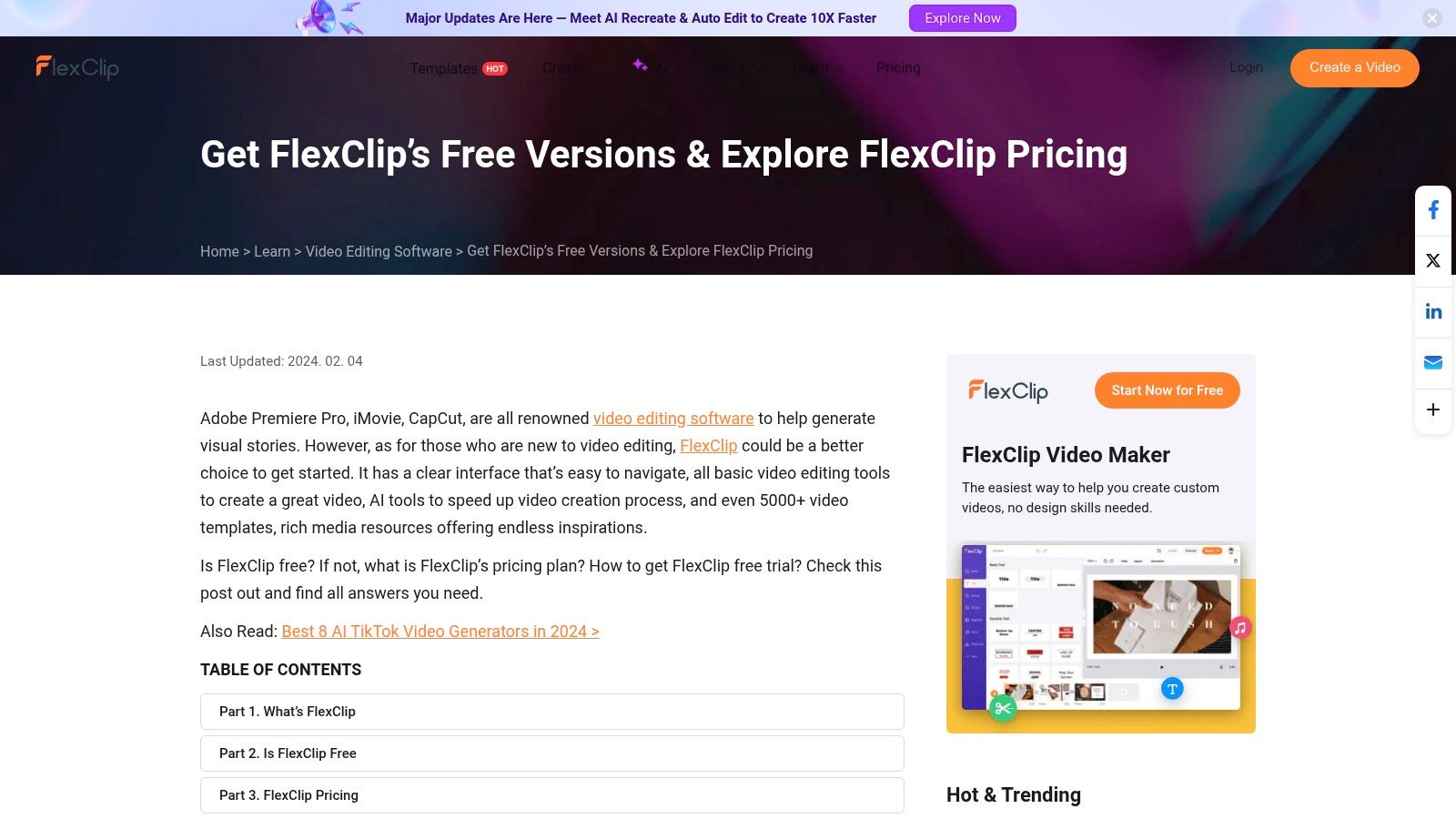
The platform helps users overcome creative blocks by generating video scripts from a simple prompt, which can then be instantly converted into a video storyboard complete with stock footage and AI-generated voiceovers. This makes it a great starting point for brands looking to create explainer videos, product showcases, or social media ads from scratch with minimal initial assets.
Core Features & Limits
- AI Tools: Features AI text-to-video, an AI script writer, text-to-speech, and an AI-powered background remover.
- Stock Library: Provides access to a wide range of stock videos, photos, and music tracks.
- Templates: Offers thousands of customizable templates for various use cases and platforms.
- Free Tier Limitations: The free plan exports videos in 720p with a FlexClip intro/watermark. It also has strict limits on AI credits, project numbers, and the amount of stock footage you can use per project.
Best Use Cases & Pros/Cons
| Best For | Pros | Cons |
|---|---|---|
| Explainer videos, social media ads, and quick promotional clips. | All-in-One Workflow: Integrates scriptwriting, media sourcing, and editing in one place. | Significant Limitations: The free tier's watermarks and low credit limits make it best for trials only. |
| Simple Interface: Easy for beginners to navigate and create videos without prior editing experience. | Resolution Cap: HD (1080p) and 4K exports are locked behind paid subscriptions. |
Pro Tip: Use FlexClip’s AI script generator to brainstorm different angles for a new product launch video. You can generate five script variations, then use creator-provided footage from a JoinBrands campaign to bring the best one to life, saving significant pre-production time.
Website: https://www.flexclip.com/
11. Pictory
Pictory excels at transforming long-form text content like articles, scripts, and webinars into engaging, shareable videos. While not a permanent free AI video maker, its free trial offers a comprehensive look into its powerful repurposing engine. Its core strength is its ability to automatically analyze text, select relevant stock footage, and generate voiceovers, making it an efficiency powerhouse for content marketers looking to extend the life of their existing assets.
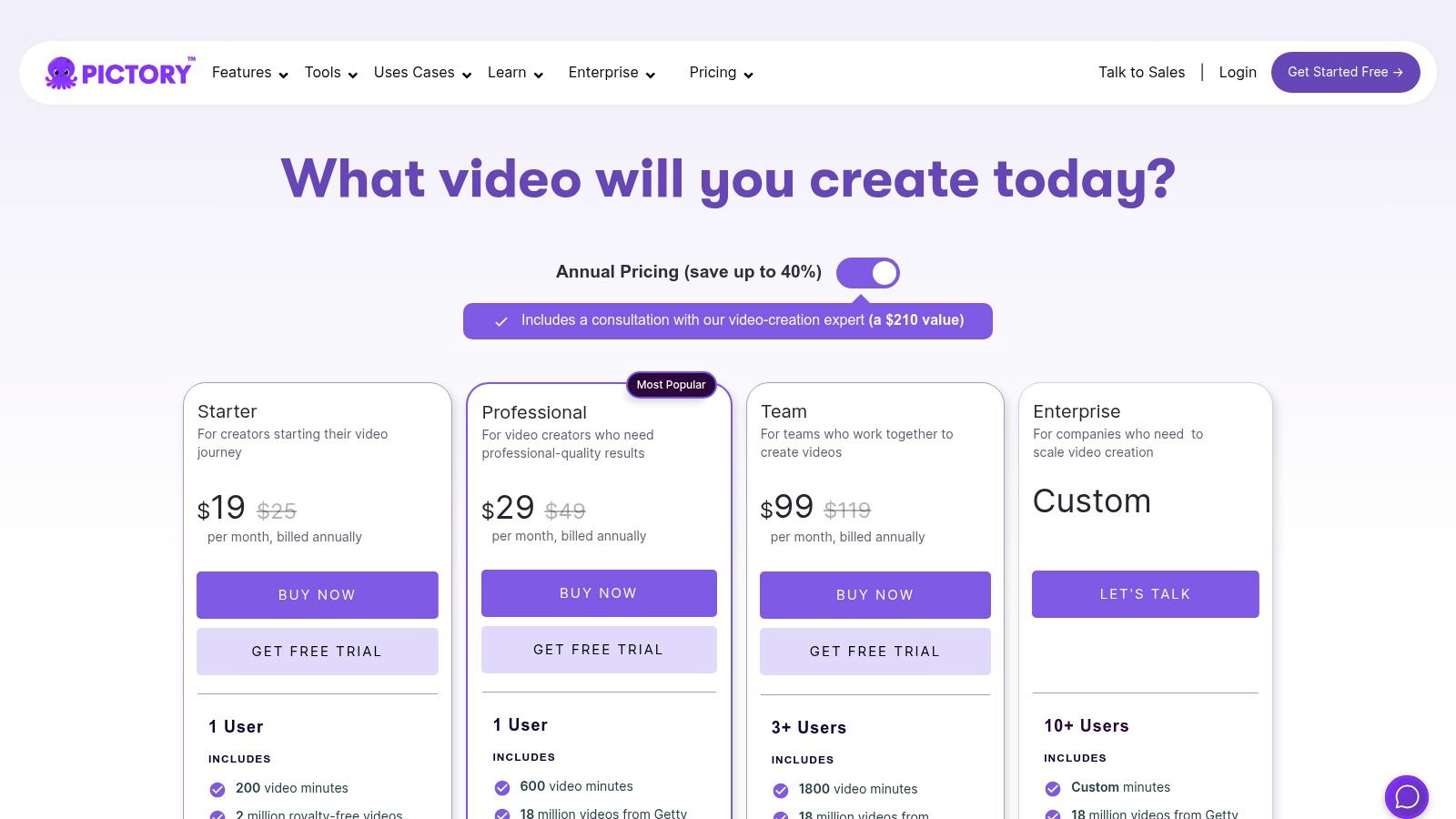
The platform is designed for users who prioritize speed and simplicity over granular editing control. The "Script to Video" and "Article to Video" workflows are incredibly straightforward, allowing a brand to quickly turn a blog post into a branded explainer video or summarize a lengthy webinar into social media clips. This makes it ideal for teams that need to consistently produce video content without deep video editing expertise.
Core Features & Limits
- AI Workflows: Article/script-to-video, visual-to-video, and editing using text.
- Content Repurposing: AI summarization to extract key highlights from long videos.
- Stock Media & Voices: Access to extensive stock libraries and AI voice options.
- Free Tier Limitations: The free trial allows for creating up to three 10-minute videos but includes a watermark. A paid plan is required for continued use, more videos, and premium features.
Best Use Cases & Pros/Cons
| Best For | Pros | Cons |
|---|---|---|
| Repurposing blog posts, summarizing webinars, creating faceless explainers. | Excellent for Repurposing: Unmatched at turning existing text or long videos into new video assets. | No Permanent Free Plan: Only offers a free trial, which limits long-term free use. |
| Efficient Workflow: The AI-powered process significantly reduces the time needed to create videos. | Limited Creative Control: Less manual control over scene transitions and visual effects. |
Pro Tip: Use Pictory to transform detailed product descriptions or customer testimonials into quick, animated video snippets for social ads. You can combine these with authentic clips by exploring different types of user-generated videos to create a diverse and compelling campaign.
Website: https://pictory.ai/pricing
12. HeyGen
HeyGen has carved out a niche as a specialized free AI video maker focused on high-quality avatar-led presentations. It excels at transforming scripts into polished videos featuring AI-generated human presenters, making it ideal for corporate training, product explainers, and personalized sales outreach without needing a camera or crew. The platform's strength is its library of diverse stock avatars and realistic voice cloning, which can be easily localized into dozens of languages.

This tool is particularly powerful for brands looking to create consistent, on-brand tutorials or announcements. For instance, a software company could use an AI avatar to deliver update notes, ensuring a uniform look and feel across all videos. HeyGen's free plan is a genuine starting point, offering enough credits to experiment and produce short videos, unlike many platforms that only offer a time-limited trial.
Core Features & Limits
- AI Avatars: 500+ diverse stock avatars and the option to create a custom one.
- Multi-Language Support: AI-powered translation and voice cloning in over 30 languages.
- API Access: Offers an API for developers to integrate avatar generation into their own workflows.
- Free Tier Limitations: The free plan provides one free credit (roughly one minute of video) and includes a HeyGen watermark. Advanced features like custom avatars and premium voices are reserved for paid tiers.
Best Use Cases & Pros/Cons
| Best For | Pros | Cons |
|---|---|---|
| Product explainers, corporate training, localizing marketing videos. | True Free Plan: Allows for genuine experimentation with core features without a credit card. | Niche Focus: Primarily centered on avatar videos, not broader generative video creation. |
| High-Quality Avatars: Produces some of the most realistic and professional-looking AI presenters. | Watermarks & Limits: The free output is watermarked and credit-limited, requiring an upgrade for serious use. |
Pro Tip: Use HeyGen’s free plan to create a short, avatar-led welcome video for new creators joining your brand community. This adds a professional, personalized touch to your onboarding process without dedicating filming resources, making creators feel valued from day one.
Website: https://www.heygen.com/pricing
Top 12 Free AI Video Makers Comparison
| Tool | Core features | UX (★) | Value (💰) | Target (👥) | Unique selling point (✨/🏆) |
|---|---|---|---|---|---|
| CapCut | AI text-to-video, avatars, social templates, multi‑platform | ★★★★☆ | 💰 Generous free tier; paid for pro exports | 👥 Casual creators, short‑form makers | ✨ Fast one‑click workflows, mobile‑first |
| Canva (Magic Studio) | Magic Media (text/image→video), templates, team collab | ★★★★ | 💰 Free/Pro credits; some AI gated | 👥 Small teams, non‑designers, marketers | ✨ Unified design + video + branding |
| Runway | Gen‑3/Gen‑4 models, upscaling, 4K exports | ★★★★★ | 💰 Free credits; pay for high‑quality credits | 👥 Advanced creators, studios, integrators | 🏆 High‑fidelity generative models & control |
| Pika | Prompt-based text→video, rapid iterations, simple UI | ★★★★ | 💰 Free trial/credits; paid for heavy use | 👥 Trend‑driven creators, social experiments | ✨ Fast stylized clips with strong motion |
| Adobe Express | Templates, Firefly generative, stock assets | ★★★★ | 💰 Free core tools; credits on paid plans | 👥 Marketers, SMBs, Adobe users | 🏆 Trusted Adobe ecosystem + simple export |
| Microsoft Clipchamp | AI subtitles, TTS, 1080p free exports, timeline editor | ★★★★ | 💰 Very usable free plan; 365 upgrades | 👥 Windows users, educators, SMBs | ✨ 1080p no‑watermark free exports, MS integration |
| InVideo | Script→video, avatars, huge template/media library | ★★★★ | 💰 Free w/ watermarks; pay to remove limits | 👥 Social marketers, agencies | ✨ Script‑driven rapid marketing videos |
| Kapwing | AI Video Gen, auto‑subtitles, translation, collaboration | ★★★★ | 💰 Free with credits/watermark; Pro plans | 👥 Teams, content repurposers | ✨ Strong repurposing + AI assistant (Kai) |
| Lumen5 | Article/URL→video, blog→video workflows, branding kits | ★★★☆ | 💰 Free Forever (watermark); paid tiers | 👥 Marketing teams, content repurposers | ✨ Fast blog/article → social video conversion |
| FlexClip | Text→video, TTS, background remover, cloud sharing | ★★★ | 💰 Free trial (720p/watermark); paid for HD | 👥 Small businesses, solo creators | ✨ Simple UI for quick social edits |
| Pictory | Script/long‑form→video, auto‑captioning, summarization | ★★★★ | 💰 Trial then paid minutes/stock tiers | 👥 Podcasters, webinar marketers | ✨ Excellent for repurposing long content |
| HeyGen | Avatar videos, multi‑language, API & team tools | ★★★★ | 💰 True free plan (limits); Creator/Team paid | 👥 Localization teams, explainers, APIs | 🏆 Large avatar library + API support |
Integrating AI Video into Your Creator Marketing Strategy
The landscape of video creation has fundamentally shifted. As we've explored, the rise of the free AI video maker has democratized access to high-quality video production, empowering brands and agencies to create compelling content at an unprecedented scale and speed. Gone are the days when significant budgets and specialized technical skills were non-negotiable prerequisites for a dynamic video strategy.
This comprehensive guide has walked you through a dozen of the most capable and accessible tools available today, from the all-in-one editing powerhouses like CapCut and Adobe Express to the more specialized, generative-first platforms like Runway and Pika. We've dissected their features, uncovered the real limitations of their free tiers, and identified the best use cases for each, whether you're creating social media shorts, product promos, or sophisticated B-roll.
The central takeaway is clear: AI video is no longer a futuristic concept but a practical, powerful tool ready to be integrated into your marketing workflows today. The key is to move beyond simply using these tools and start thinking strategically about how they amplify your existing efforts, particularly within your creator marketing programs.
Choosing Your Starting Point: From Experimentation to Integration
Selecting the right free AI video maker from this list depends entirely on your immediate goals and existing resources. Your decision-making process should be guided by a clear understanding of your specific needs.
Here's a simplified framework to guide your choice:
- For quick, template-driven social content: If your team needs to rapidly produce Reels, Shorts, and TikToks using existing brand assets and creator footage, start with Canva or Adobe Express. Their user-friendly interfaces and vast template libraries lower the barrier to entry significantly.
- For advanced editing and effects: If you require more granular control, advanced features like auto-captioning, and sophisticated effects, CapCut and Microsoft Clipchamp offer a desktop-grade experience without the price tag.
- For turning articles and scripts into video: To repurpose long-form content like blog posts or case studies into engaging video summaries, dedicated platforms like Pictory and Lumen5 are purpose-built for this task, automating much of the process. Understanding the broader capabilities of specialized AI tools for text-to-video conversion can provide even more options for this workflow.
- For creating entirely new visuals from text: When you need unique B-roll, abstract visuals, or short, imaginative clips that don't exist yet, diving into generative AI with Runway or Pika is your best bet. These tools represent the cutting edge of AI-native video creation.
The Human-AI Hybrid Model: Amplifying Creator Content
The most powerful application of these AI tools isn't to replace human creativity but to enhance it. Consider the synergy between a free AI video maker and your user-generated content (UGC) pipeline. A creator provides the authentic, raw footage that resonates with audiences, and your team uses AI to rapidly scale that content into dozens of variations.
You can use AI to:
- Reformat a single creator video into multiple aspect ratios for different platforms.
- Generate dynamic text overlays and captions to test different hooks.
- Create summary montages from multiple creator submissions.
- Produce animated product explainers using assets from creator photoshoots.
This hybrid approach allows you to maintain the authenticity that makes creator marketing effective while leveraging AI for the speed and scale required in today's fast-paced digital environment. You get the best of both worlds: genuine human connection amplified by machine efficiency. The journey into AI video is one of experimentation and adaptation. Start small, test different platforms, and focus on integrating the right tool into a specific part of your workflow. The efficiency gains and creative possibilities you unlock will be well worth the effort.
Ready to scale your content strategy with authentic creator videos? JoinBrands connects you with a diverse network of creators who produce high-quality, engaging UGC for your brand. Use the AI tools in this guide to transform that raw creator content into a library of high-performing video ads and social posts at lightning speed. Visit JoinBrands to find your first creator today.