

 Social Commerce Guide 2026: Unlock Revenue for Your Brand
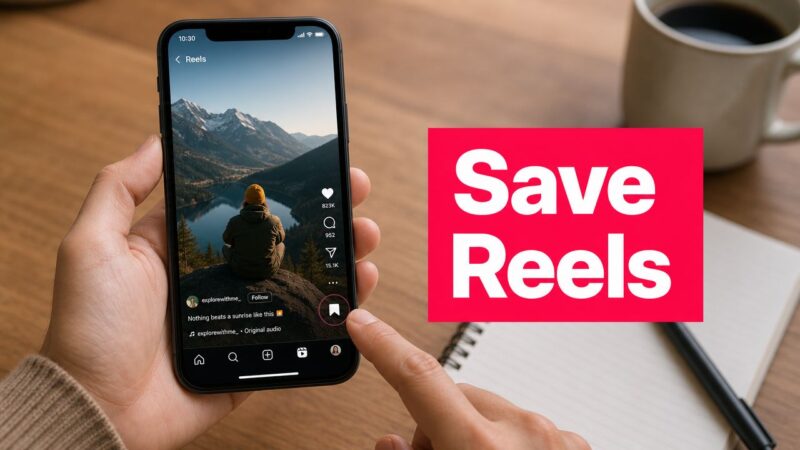
So, you want to save an Instagram Reel. You’ve got two main options: you can either bookmark it inside the app for later, or you can download the actual video file to your phone. Both are incredibly easy to do, but knowing when to use each one is what really matters.
Table of Contents
Your Quick Guide to Saving Instagram Reels
We’ve all been there. You're scrolling through Reels and stumble upon a genius recipe, a killer workout, or a clip so funny you know you’ll want to watch it again. But if you scroll past, it’s often lost forever in the endless feed.
The right way to save it really depends on what you plan to do with it. Are you just trying to build a private library of ideas and inspiration? Or do you need the actual video file to watch offline or maybe even share somewhere else? One method keeps everything organized right inside the Instagram app, while the other gives you a separate file to use however you want.
This breakdown shows the key differences between the two built-in ways to save a Reel.

The takeaway here is simple: bookmark when you want to organize content privately without hogging your phone's storage. Download when you need to access the video offline or want to share your own content on another platform.
When to Bookmark vs. When to Download
Choosing the right option always comes down to your goal. Think of bookmarking (or "saving") a Reel as creating your own personal, digital scrapbook right inside the Instagram app.
Pro Tip: Don't just save a Reel to your general folder. The moment you save it, create a specific collection for it. For example, if you find a Reel with a catchy, trending song, save it immediately to a "Trending Audio" collection. This tiny step saves your "Saved" tab from becoming a digital junk drawer and turns it into a powerful, organized resource you'll actually use.
On the other hand, downloading is all about taking action. As a creator, I might download my own Reel (which I can do without the watermark) to repurpose it for TikTok while keeping the video quality high. Or, you might download a DIY tutorial so you can follow along in your garage where the Wi-Fi is terrible. Each method serves a very different, very specific purpose.
Organizing Reels with Instagram's Save Feature
We’ve all been there—endlessly scrolling through a chaotic list of saved posts, trying to find that one Reel you bookmarked weeks ago. Instagram's "Save" feature is more than just a digital junk drawer. When you use it right, it becomes a seriously powerful tool for organizing ideas and inspiration.
The real magic happens when you start using Collections. Instead of just hitting the bookmark icon and forgetting about it, you can create a curated library. When you save a Reel, you'll see a little "Save to Collection" pop-up. Tapping this lets you file the Reel into an existing collection or create a brand new one right on the spot.

This simple step is built right into the workflow, nudging you to get organized from the get-go. It’s the difference between a messy pile and a well-oiled filing system.
Pro Tips for Naming Your Collections
Here’s where you can get strategic. The power of Collections really comes down to smart naming. Vague titles like "Cool Stuff" or "Videos" become useless almost immediately. You need to be specific.
I’ve seen social media managers use this to their advantage, creating folders that are genuinely useful for their day-to-day work. Think about creating collections like:
- Competitor Content: Keep an eye on what other brands in your space are doing. For example, a coffee shop owner might save Reels from rival cafes that are getting high engagement to analyze their strategy.
- UGC Inspiration: Save standout examples of user-generated content you might want to replicate. A clothing brand could save videos of customers styling their products in creative ways.
- Trending Audio: This is a huge one. Build a library of popular sounds you can quickly pull from for your next Reel.
By thinking of your saved collections as a strategic asset, you turn a passive feature into an active tool for planning and inspiration. A well-organized library makes it much easier to save Instagram Reels with purpose.
Even if you're not a marketer, this approach is a game-changer. Your personal collections can be just as tactical. Imagine creating folders like "Recipes to Try," "Workout Routines," or "Gift Ideas." The next time you need that one pasta recipe or workout idea, you know exactly where to find it without the endless scrolling.
To find everything you’ve saved, just head to your profile, tap the hamburger menu (the three lines in the corner), and hit "Saved." All your beautifully organized collections will be waiting for you.
Downloading Reels Directly to Your Phone
Bookmarking is one thing, but sometimes you just need the actual video file on your phone. Whether you want to watch it later without an internet connection or repurpose a clip, downloading a Reel is the way to go.
The process is a little different depending on whether it’s your own Reel or one you found from another creator.
Saving Your Own Reels (The Creator's Hack)
If it's your own Reel, you have a couple of options, and one is definitely the "pro move" I recommend to everyone.
You can, of course, download your Reel after you've already posted it. This is handy for quickly adding it to your Stories, but it will come with the Instagram watermark and audio. It works in a pinch.
Pro Tip: The real game-changer is downloading your Reel before you hit "Share." Once you're done with all your edits and are on the final screen, look for a little download icon at the top. Tapping this saves the video straight to your camera roll—no watermark, just a clean, high-quality file. This is perfect for cross-posting to other platforms like TikTok or YouTube Shorts without looking like a sloppy repost.

Saving Reels from Other Creators
Instagram recently added a feature to download Reels from other accounts, but it comes with some big catches. This only works if the creator has a public account and has specifically enabled the download option in their settings. If they haven't, you're out of luck.
If the Reel is downloadable, here’s how to do it:
- Tap the Share icon (the paper airplane symbol).
- Look for a Download button at the bottom of the menu.
- The video will save to your phone’s gallery, but it will always have a watermark showing the original creator’s username.
This watermark isn’t optional. It’s there for a very good reason: to make sure the original creator always gets credit for their work. And that brings us to the ethics of it all.
Just because you can download someone’s Reel doesn’t mean you have a free pass to repost it as your own. That’s a fast track to copyright infringement and a violation of Instagram’s terms. For anyone building a brand or a following, like the creators you see sharing their journey like a digital mama, respecting intellectual property is non-negotiable for your credibility.
Use downloaded Reels for your own personal viewing or inspiration. If you want to share it, the right move is always to ask for permission first.
How to Vet Third-Party Reel Downloaders
So, you’ve found a Reel you absolutely have to save, and Instagram’s own tools just aren't cutting it. It’s tempting to jump over to a third-party app or website to save Instagram Reels, but this is where you need to be careful. Before you paste that Reel link into the first site you find on Google, you need to know how to spot the dangers.
Pro Tip: A practical example of a safe interaction is using a web-based tool where you simply paste the Reel's URL into a field and click 'Download'. The site should process the video and provide a download link without ever asking you to log in, install browser extensions, or provide any personal data.
Let's get the biggest rule out of the way right now: never, ever give a third-party tool your Instagram password. Any service that asks for your login credentials is a massive red flag. Handing over that information gives them the keys to your entire account, which can easily lead to a full account takeover, them spamming your followers, or worse, stealing your personal information. A legitimate downloader only needs the public URL of the Reel, nothing more.

This kind of caution is non-negotiable, especially for creators whose accounts are their business. Protecting your digital identity is just as important as creating amazing content—a lesson many successful UGC creators have had to learn. For a look at how the pros operate, you can see how creators like abcreatesugc build their brand while keeping their account security locked down.
A Quick Safety Checklist
When you're looking at a third-party downloader, run through this quick mental checklist. If you start spotting these red flags, it’s time to close the tab and find a different tool.
- Excessive Ads: Is the website a chaotic mess of pop-ups and aggressive ads? That's usually a sign of a low-quality service more focused on ad revenue than your security.
- No Privacy Policy: A trustworthy service will always have a clear, easy-to-find privacy policy that explains what they do with your data. If you can't find one, just assume the worst and move on.
- Software Installation: Be extremely cautious of any site that pushes you to download and install software. These files can be a Trojan horse for malware or spyware. Sticking with web-based tools is almost always the safer bet.
At the end of the day, your account's security is worth far more than a single video download. Taking a moment to be cautious can save you from a massive headache later. Stay vigilant and only use tools that clearly respect your privacy and security.
Why Saves Are a Key Metric for Marketers
As a marketer, getting a 'Like' on an Instagram Reel feels good. But a 'Save'? That's a whole different level of success. While likes are often just a quick, passing tap on the screen, a save tells you something far more important: your viewer found the content so useful they plan to come back to it. This is a direct signal of high intent and lasting value.
When someone saves your Reel, it stops being a fleeting piece of entertainment and becomes a resource. Maybe it was a step-by-step tutorial they need for later, an inspirational workout, or a handy checklist for a project. Whatever the reason, each save is a huge vote of confidence in your content's usefulness over the long haul.
A save is a powerful signal to the Instagram algorithm that your content has real substance. It indicates your Reel is more than just a quick distraction; it's a valuable piece of information worth keeping. This can give your content's distribution a serious boost.
Grasping this concept is a game-changer. It encourages you to shift your focus from creating content that’s just briefly entertaining to producing Reels that are genuinely helpful, educational, or inspiring for your audience.
Using Save Data to Refine Your Strategy
This is where the 'save' metric really shines, offering a goldmine of insights into what your audience truly wants. When you analyze which of your Reels are getting the most saves, you're essentially getting free market research.
Practical Example: A fitness coach posts two Reels. One is a flashy montage of impressive lifts set to music, which gets many likes. The other is a simple, no-frills tutorial on "3 Kettlebell Swings to Fix Your Form," which gets fewer likes but 10x more saves. This data tells the coach that their audience is craving practical, educational content they can refer back to during their own workouts.
You can use these insights to double down on what’s clearly resonating. Start prioritizing content formats that are naturally "savable":
- Actionable Checklists: Break down a process into simple, easy-to-follow steps.
- In-Depth Tutorials: Teach your audience a new skill related to your industry.
- Valuable Resources: Share helpful lists, templates, or key information they can't get anywhere else.
This data-driven approach makes 'Saves' a non-negotiable KPI for any serious Reel campaign. It’s a metric that directly connects your content's performance to audience loyalty and even potential sales—a connection that savvy marketers and brands on platforms like JoinBrands are actively building on. With Reels now reaching over 2 billion monthly users, understanding what drives a save is more critical than ever. You can find even more insights on this key metric and its impact over at Databox.
How to Create Reels That People Actually Save
We all know saves are a huge deal for the Instagram algorithm, but getting people to actually hit that button is another story entirely. It's not enough to just slap a "Save this for later" sticker on your Reel and call it a day. The content itself has to have real, lasting value that makes someone think, "I'm definitely going to need this again."
The secret is to stop thinking like an entertainer and start thinking like a resource. Your goal should be to educate, inspire, or solve a genuine problem for your audience. For instance, a creator like Alex Creates Content might share a 5-step tutorial for setting up a perfect profile. That’s not just a video; it's a reference guide people will save and come back to.
Content Formats That Drive More Saves
If you want people to save your Instagram Reels, you have to give them a reason. Certain formats are just naturally more "savable" because they're built to be revisited.
Here are a few formats that consistently pull in saves:
- Actionable Tutorials: Break something down, step-by-step. Think recipes, a software hack, or a walkthrough of a tricky workout move. Make it easy to follow.
- Informational Lists: These are gold. A real estate agent could create a Reel titled "5 Things First-Time Homebuyers Forget." People in that market will save it as a checklist.
- Multi-Part Series: End a really valuable Reel by teasing a "Part 2." This creates an open loop and encourages viewers to save the first part so they don't miss the rest of the series.
Pro Tip: In the first 3 seconds of your Reel, use a text overlay that clearly states the value. For example: "Save This 15-Minute Dinner Idea" or "The SEO Checklist You'll Actually Use." This immediately tells viewers why the Reel is worth bookmarking before they even think about scrolling past.
Of course, getting saves is just one piece of the puzzle. For a complete picture, it’s worth diving into other techniques for getting more Instagram views and boosting your overall reach.
Tracking Your Save Rate
You can't fix what you don't track. While Instagram shows you the raw number of saves in your analytics, that number alone doesn't tell you the whole story. The real magic is in the Save Rate.
To calculate your Save Rate, just divide the total number of saves by your total reach and then multiply by 100. This percentage reveals how compelling your content actually is to the people who see it.
Treat your save rate as a core performance metric. From what we've seen, a rate above 2% is a strong signal that your content is genuinely valuable. If you're hitting 4% or more, you've created something exceptional.
With users spending half their time on Instagram watching Reels, optimizing for this metric is one of the most powerful ways to know if your content is truly hitting the mark.
Frequently Asked Questions About Saving Reels
Once you start saving Reels regularly, you'll inevitably run into a few head-scratchers. It happens to everyone. Let's tackle some of the most common questions that pop up so you can get back to curating your perfect collections.

Here are the quick answers you need about everything from privacy concerns to missing buttons.
Why Can't I See the Download Option on Some Reels?
Ever see a great Reel you want to download, but the option is just… gone? There are two main reasons for this.
First, the creator's account must be public. Second, they have to go into their settings and specifically enable downloads for their content. If their account is private or they've turned this feature off, you simply won't see the download button.
Will a User Know If I Save Their Reel?
Nope, you can breathe easy. Instagram does not notify users when you save their Reel to one of your private collections.
While creators can see the total number of saves in their analytics, they have no idea who actually saved it. Your saved collections are for your eyes only.
The privacy of your saved collections makes them a powerful, personal tool. You can curate inspiration, create a wish list, or organize tutorials without anyone knowing what you've bookmarked.
Is It Legal to Repost Someone Else's Reel?
This is a big one. Downloading a Reel to watch later for your own personal viewing is generally fine.
However, reposting someone else's content without their explicit permission and proper credit is a copyright infringement. It also goes directly against Instagram's terms of service. Always, always get permission before sharing another creator's work as your own.
Where Do I Find My Saved Reels?
Looking for that Reel you saved last week? It's easy to find.
Just head to your Instagram profile and tap the "hamburger" menu (the three horizontal lines) in the top-right corner. From there, select 'Saved'. You'll find all your bookmarked content neatly stored there, either all together in 'All Posts' or organized into any custom collections you’ve made.
Ready to connect with creators who can produce save-worthy Reels for your brand? Discover a network of over 250,000 influencers and UGC experts on JoinBrands. Find the perfect match to amplify your social presence today at https://joinbrands.com.