




 Avatar The Last AI Your Guide to AI Avatars in Marketing
The days of painfully slow and wildly expensive video production are officially behind us. For brands and agencies drowning in the endless demand for more content, the InVideo AI video maker is like having a personal production studio on call, ready to turn simple text prompts into polished, engaging videos in just a few minutes. This is a complete shift in how creators can finally keep up with the relentless pace of social media.
Table of Contents
The New Era of AI-Powered Video Creation
Let's be real: the pressure on marketing teams to churn out a constant stream of high-quality video is insane. Your traditional workflow – scripting, filming, editing, post-production – is just too slow and expensive to compete in a world run by TikTok Reels and YouTube Shorts. This is exactly the problem tools like the InVideo AI video maker were built to fix.
Imagine having a video production team ready to go, 24/7. You throw them a simple idea – maybe a blog post URL, a product description, or even just a single sentence – and a few minutes later, they hand you back a complete video. That's not science fiction anymore; it's the new reality of AI video generation.
This technology simply automates the most grueling, time-sucking parts of making a video. Think scriptwriting, digging for visuals, recording voiceovers, and stitching it all together into something people actually want to watch. It’s a fundamental change in how we approach visual storytelling.
From Manual Labor to Automated Magic
So, how does this actually work? The concept is powerful but surprisingly simple. The InVideo AI video maker essentially plays the role of director, editor, and visual artist all at once. When you feed it text, it intelligently gets to work on a few key tasks:
- It writes the script: It takes your prompt and builds a compelling story around it.
- It picks the visuals: It automatically finds relevant, high-quality stock footage and images to match the script.
- It adds a voiceover: The AI creates a natural-sounding voiceover in a bunch of different styles.
- It applies your branding: It makes sure your brand’s colors, logos, and fonts are baked right in for consistency.
This whole process collapses a workflow that used to take days or even weeks into something you can do on your coffee break. To get a bigger picture of how artificial intelligence is shaking things up across the board, check out AI's revolutionizing impact on ecommerce.
This kind of efficiency is what’s fueling some pretty incredible market growth. The AI video generator market, where InVideo is a major player, was valued at a cool $0.6 billion in 2023 and is on track to hit $9.3 billion by 2033. That’s a massive compound annual growth rate of 30.7%, which just goes to show how essential these tools are becoming for brands that want to scale video without hiring a massive in-house team. You can find more projections about the booming AI video sector online.
How the InVideo AI Video Maker Actually Works
Think of the InVideo AI video maker as your own personal, super-fast digital production crew. It all starts with a simple instruction from you: a text prompt. This isn't complicated stuff – it can be a topic you want to cover, a link to a blog post you've already written, or even just a quick list of product features.
Once you feed it that initial idea, the AI brain kicks into gear. It’s not just grabbing random clips and throwing them together. The platform first reads and understands the core message, the tone you're going for, and the main subjects in your prompt. This initial analysis is crucial because it guides every step that follows, making sure the final video actually makes sense and matches what you asked for.
This graphic breaks down the simple, yet powerful, workflow InVideo AI uses to get from your text to a finished video.
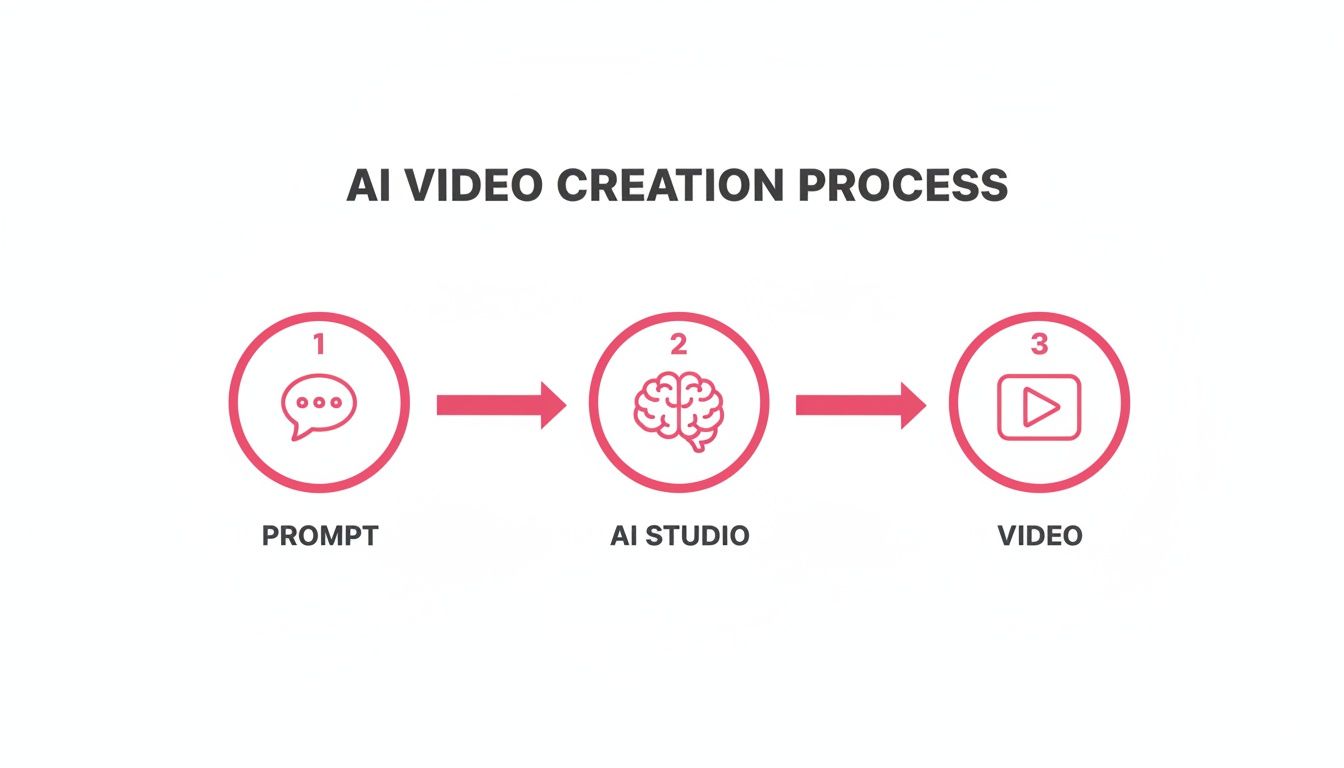
As you can see, your prompt is the spark that gets the AI studio moving to pull everything together for the final cut.
From Script to Screen, Hands-Free
The first big job the AI tackles is writing the script. Using your prompt as a guide, it crafts a complete narrative and intelligently breaks it down into individual scenes. So, if your prompt is "how to brew the perfect pour-over coffee," the AI will probably spit out a script with an intro, a few steps for prep, the actual brewing process, and a nice closing shot.
While it's writing, the system is also digging through a massive library of licensed stock footage. The AI is smart enough to match keywords and ideas from each line of the script to relevant video clips and photos. This is the part that saves creators hours upon hours of mind-numbing manual searches for B-roll.
This text-to-video technology is making serious waves, with the market expected to hit $284.3 million in 2024. It’s completely changing the game for brands that need a steady stream of content for platforms like TikTok, where a whopping 91% of businesses are now focusing their video marketing. For brand managers connecting with creators, this kind of tool just makes the entire process – from creative brief to a live ad – so much smoother. You can get the full scoop on the growing AI video generator market and see the numbers for yourself.
Adding a Voice and the Final Polish
With the script written and the visuals selected, the InVideo AI video maker starts layering in the audio. It generates a surprisingly natural-sounding voiceover by reading the script, and you can usually pick from a whole menu of voices, accents, and tones to find one that fits your brand.
It also picks out a background music track to set the right mood. Finally, the AI stitches it all together – clips, text on screen, voiceover, and music – onto a timeline, adding smooth transitions between scenes to give it that professional touch.
What you get back is a really solid first draft. The AI handles about 90% of the grunt work, leaving you with a great starting point. The final 10% is where you come in to make small tweaks, swap out a clip you don't love, or adjust the text to get it just right.
The real beauty here is how fast and easy it all is. Tasks that used to demand serious skills in scriptwriting, video editing, and sound mixing are now automated and open to anyone. To go a bit deeper on how AI is reshaping workflows, take a look at our guide on using AI for content creation.
This automated assembly line for video means you can go from a simple idea – like turning a customer review into a social media ad – to a ready-to-share video in just a few minutes. It completely removes the technical roadblocks, letting you focus on the one thing that matters: the story you want to tell.
Strategic Use Cases for Brands and Agencies
Knowing what the InVideo AI video maker does is one thing. Knowing how to actually use it to make money is something else entirely. This is where we move past just making videos and start using its speed and scale to hit real business goals – boosting engagement, driving sales, and squeezing more ROI out of every campaign.
For DTC brands, this tool isn't just about saving time; it's a machine for building a brand that people care about and getting products flying off the virtual shelves. For agencies, it’s a chance to completely rethink how they deliver work and what they can offer clients.
Let's break down the most powerful ways to put this AI to work, looking at specific plays for brands and then for agencies.
High-Impact Strategies for E-commerce Brands
If you're a brand fighting for attention online, video isn’t just nice to have – it's the main way customers connect with you. The real headache is pumping out enough good-looking video to stay on people's feeds without burning through your entire marketing budget. This is exactly the problem an AI video maker was built to solve.
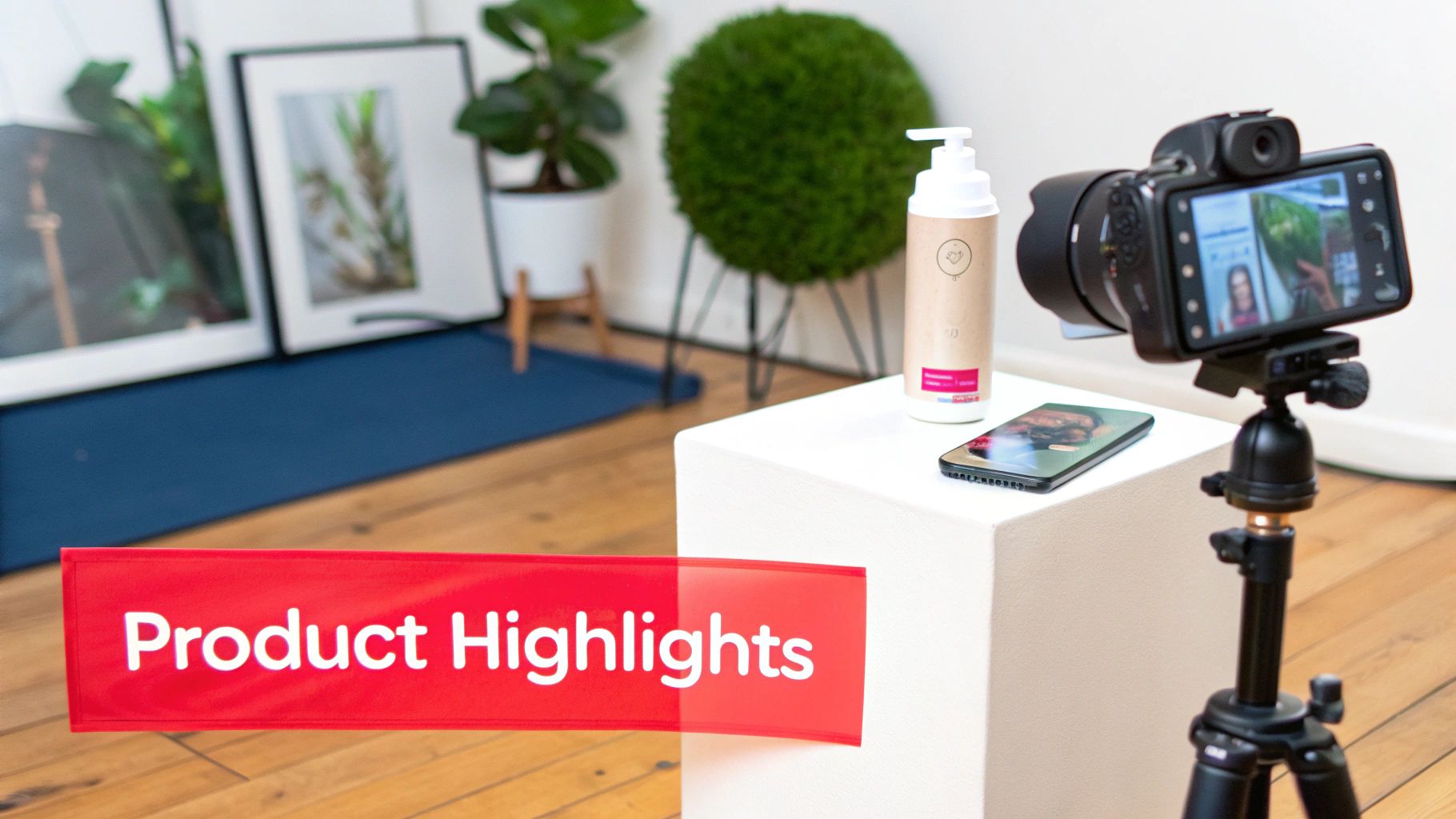
The quickest win is creating compelling product highlight videos. Instead of flat, boring product images, you can instantly turn a list of features into a dynamic video that shows a customer exactly why they need what you're selling. A simple prompt like, "Create a 30-second video about our new waterproof hiking boot, highlighting its grip, comfort, and durable materials," can spit out a shareable video in minutes.
Another killer strategy is turning customer reviews into social proof that actually feels real. Manually creating these videos is a total grind. With InVideo AI, you can just paste in a glowing five-star review and let the AI generate a video that matches the customer's words with slick lifestyle footage. Just like that, a static testimonial becomes a powerful, trust-building story that stops the scroll.
Imagine your best customer review, brought to life with visuals that show someone actually enjoying your product. That’s the kind of authentic marketing that AI can now produce at scale, turning happy customers into your most effective salespeople.
Finally, the InVideo AI video maker is your secret weapon for creating a nearly endless supply of short-form ads for platforms like TikTok and Instagram. Attention spans are shot, which means you have to test dozens of ad variations to find a winner. This tool lets you do just that:
- A/B Test Hooks: Generate five different video intros with different opening lines. See which one grabs the most eyeballs.
- Target Different Angles: Make one video about your product's durability, another about its style, and a third about how affordable it is.
- Localize Content: Quickly spin up ads with voiceovers in different languages or with visuals that connect with specific local markets.
Scaling Video Production for Agencies
For marketing and ad agencies, it's all about efficiency and scale. The agencies that win are the ones who can deliver high-quality video to a dozen clients without tripling their payroll. The InVideo AI video maker is a major advantage for this modern agency model.
First and foremost, it allows agencies to scale content production across their entire client roster. The old bottleneck of one video editor juggling ten projects is gone. Now, account managers can generate first drafts for client approval on their own. This frees up your senior creatives to focus on big-picture strategy and adding that final polish, instead of getting bogged down in the time-suck of basic video assembly. An agency can now bang out social videos for five clients in the time it used to take for one.
The tool is also a lifesaver for quickly generating B-roll footage for larger campaigns. When you're producing a big brand film or a polished client testimonial, you always need extra clips to bring the story to life. An AI video maker can create dozens of these contextual clips based on keywords from the script, saving thousands in stock footage fees and hours of mind-numbing searches.
This newfound efficiency cracks the door open for agencies to introduce new, affordable video services. Most small businesses can't swing a traditional video production retainer. But an agency using InVideo AI can offer a "social video starter package" at a fraction of the cost, creating a brand new revenue stream from a market that was previously out of reach. It positions the agency as a smart, modern partner that delivers results, no matter the budget.
Supercharge Your Creator Marketing with InVideo AI
Creator and influencer marketing lives and dies by authenticity. But trying to scale that raw, genuine connection while keeping everything on-brand is a massive headache. This is exactly where the InVideo AI video maker comes in, acting as a bridge between the creator's real voice and the brand's need for consistency.
It's not just about pumping out more videos. It's about making your entire creator partnership workflow smarter, faster, and way more effective.
Think about the typical collaboration. It starts with a creative brief – usually a dry, text-heavy document that leaves way too much up to interpretation. Now, imagine sending a creator that same brief, but this time it includes a dynamic, AI-generated concept video.
Using InVideo AI, a brand manager can plug in key campaign messages and generate a 30-second example that shows the exact tone, pacing, and visual style they're after. This gives creators a solid vision to work with, aligning expectations from the jump and cutting down on the endless back-and-forth that kills campaign momentum.
Empowering Creators with an AI-Powered Assist
The real magic kicks in when creators start using the InVideo AI video maker themselves. Their core content will always be authentic, user-generated content (UGC) – that’s non-negotiable. But InVideo AI gives them the tools to add a layer of professional polish that makes their final video pop.
Creators can quickly add elements that would normally mean firing up complex editing software. We’re talking about things like:
- Branded Intros and Outros: A creator can drop in the brand’s official animated intro or a slick call-to-action at the end of their video in seconds.
- Dynamic B-Roll: If a creator is unboxing a product, they can use InVideo AI to instantly whip up supporting B-roll clips that show the product in different contexts.
- Animated Text Overlays: Key features mentioned in the video can be highlighted with clean, animated text, which helps viewers actually remember the important stuff.
This hybrid approach – authentic UGC beefed up with AI-generated elements – delivers a final product that feels both genuine and professionally produced. This is becoming a crucial strategy as the AI video generator market continues to explode. Projections show the market, which was valued at $788.5 million in 2025, is on track to hit $3,441.6 million by 2033. This surge is largely driven by big companies automating their content creation, which just goes to show how valuable tools like the InVideo AI video maker are in a modern marketing stack. You can get more details on the trajectory of the AI video market and its key drivers.
By blending raw creator footage with AI-generated polish, brands get the best of both worlds: the trust and relatability of a real person, combined with the professional quality that drives results.
A Practical Workflow for Hybrid Content
To make this hybrid model work, you need a clear workflow that ensures brand consistency without killing creativity. It's actually pretty simple. A brand can provide creators with a pre-loaded "brand kit" in InVideo AI, which includes logos, fonts, color palettes, and even pre-made intro/outro templates.
This one step empowers creators to stick to brand standards without even thinking about it. For a deeper look into the power of creator-driven visuals, check out our complete guide on user-generated videos.
The process breaks down into four easy steps:
- Brand Provides Assets: The brand gives the creator an InVideo AI brand kit and a clear creative brief (with that AI concept video, of course).
- Creator Shoots UGC: The creator does what they do best and produces their authentic, core video content.
- Creator Enhances with AI: The creator uploads their footage to InVideo AI and uses the brand kit and other AI tools to add the professional touches.
- Final Review: The brand gets a polished video that already meets brand guidelines, which makes the approval process incredibly fast.
Where InVideo Wins – And Where It Falls Short
No tool is a silver bullet, and the InVideo AI video maker is no different. To really get the most out of it, you need a clear-eyed view of where it absolutely crushes the competition and where you might feel a little friction. This isn't about nitpicking; it’s about making sure you’re grabbing the right tool for the right job.
The platform’s biggest superpower is, without a doubt, its blazing speed. Tasks that would normally tie up a video editor for hours, or even days – writing a script, digging for stock footage, laying down a voiceover, and piecing it all together – can be knocked out in minutes. For social media managers who need to move fast, this completely flips the script on content production.
And all that speed is wrapped in a ridiculously simple package. The whole process starts with a single text prompt, which is a major advantage for marketers, founders, and content managers who have killer ideas but zero technical editing skills. You don’t have to get bogged down in timelines, keyframes, or audio mixing. You just have to describe what you want to see.
The Clear Advantages for Brands
Beyond just being fast and easy, the cost is a huge pull. A monthly subscription can be less than what you’d pay a freelancer for a single video, but it gives you the power to pump out dozens. For teams trying to feed the content machines on TikTok and Instagram Reels, the ROI is practically instant.
So, let's break down the core strengths:
- Lightning-Fast Production: Go from a simple idea to a publish-ready video draft in minutes. It’s perfect for jumping on trends or getting timely campaigns out the door.
- Cost-Effective Content: This dramatically cuts your cost per video, letting you stretch that marketing budget and get way more content for your money.
- Massive Media Library: You get instant access to a gigantic library of high-quality stock footage from partners like iStock. This saves a ton of time and money you’d otherwise spend hunting for visuals.
- Built for Everyone: The prompt-first interface tears down technical barriers, empowering basically anyone on your team to create a professional-looking video.
Acknowledging the Limitations
Of course, a process this streamlined has its trade-offs. One of the main hurdles is that the AI can sometimes pull generic or repetitive stock footage. The library is huge, but the algorithm can occasionally play it safe with clips that feel a bit cliché or don't quite hit the unique vibe of your brand.
This is where the human touch really matters. It's best to think of the output as a powerful first draft, not always a pixel-perfect final cut. Plan on spending a little time in the editor swapping out a few clips or tweaking the script to get it just right.
Think of the InVideo AI video maker as an incredibly skilled assistant. It does 90% of the heavy lifting with astonishing speed, but it still needs your final creative direction to truly align the content with your brand’s unique voice and vision.
Also, if you're aiming for a highly complex, cinematic brand film, this won't replace the granular control you get from professional software like Adobe Premiere Pro. The AI makes a lot of creative calls for you, which is great for efficiency but can limit the precise artistic freedom a seasoned video editor needs for those high-end projects.
To put it all in perspective, here's a quick comparison of how InVideo AI stacks up against the old-school way of making videos.
InVideo AI Compared to Traditional Video Production
| Factor | InVideo AI Video Maker | Traditional Video Production |
|---|---|---|
| Workflow | Prompt-based, automated scene creation. | Manual scripting, shooting, editing, and effects. |
| Speed | Minutes to a first draft. | Days or weeks from concept to final cut. |
| Cost | Low monthly subscription. | High, often project-based (hiring talent, gear, etc.). |
| Skill Level | Beginner-friendly, no technical skills needed. | Requires skilled professionals (editors, directors). |
| Creative Control | High-level direction with some limitations. | Complete, granular control over every frame. |
| Best For | Social media, content marketing, quick explainers. | Brand films, commercials, cinematic projects. |
it’s not about one being "better" than the other. They're built for entirely different needs and workflows.
Finding the Right Fit in the AI Video Landscape
It's also useful to see how InVideo fits in with other AI tools out there. For example, platforms like Synthesia are fantastic for creating polished corporate and training videos with realistic AI avatars. InVideo, on the other hand, is built more for pulling together dynamic, stock-footage-driven videos perfect for social media marketing.
Then you have a tool like Pictory, which is amazing at repurposing existing content – like turning a blog post or a webinar into a quick summary video. InVideo shines more when you're creating something brand new from a simple one-line idea. Each of these tools has its own sweet spot, and the right choice really comes down to what you’re trying to accomplish.
Best Practices for Maximizing Your Video Results
Getting started with the InVideo AI video maker is a piece of cake, but turning out consistently great videos takes a bit of strategy. The real magic happens when you master the art of the prompt and learn how to polish the AI's first draft. It all begins with telling the AI exactly what you need.
Vague prompts will always give you generic videos. Instead of just asking for "a video about our new sneakers," get granular. Try something like this: "Create an energetic 30-second vertical video for TikTok about our new 'Bolt X' running shoe. Highlight its lightweight design, breathable mesh fabric, and responsive foam sole. Use upbeat, motivational music and a confident female voiceover." Specificity is your best friend here.
That level of detail gives the AI clear directions for the script, visuals, and audio, meaning its first attempt will be much, much closer to what you had in your head.
Structure Your Script for Success
Even though the AI is writing the script, you can still be the director. The trick is to think in scenes. Give the AI a clear beginning, middle, and end right in your prompt so it creates a logical story, not just a random mashup of clips.
For example, you could structure your prompt with a simple outline:
- Hook: Kick it off with a question like, "Tired of heavy, clunky running shoes?"
- Solution: Introduce the Bolt X sneaker as the ultimate lightweight solution.
- Features: Call out 2-3 key benefits, like "breathable," "responsive," and "stylish."
- Call to Action: Wrap it up with a clear next step: "Upgrade your run. Shop the Bolt X today."
This simple framework provides a narrative skeleton for the AI to build on. If you really want to get good at crafting stories that sell, check out our guide on how to write video scripts that actually convert.
Think of your prompt as a creative brief for an incredibly fast, literal-minded assistant. The more detail and structure you provide upfront, the less time you'll spend making manual corrections later.
Refine and Personalize After Generation
Treat the AI's first draft as your starting point, not the finish line. Always budget a few minutes for a post-generation review to add that human touch that makes content feel real and authentic. This is your chance to swap a generic stock clip for a powerful piece of user-generated content (UGC) from your creator community.
Jump in and make manual edits to nail the timing. Make sure the cuts land on the beat of the music or hit the right emphasis in the voiceover. For vertical videos, tweak the text placement to keep it from covering up key visuals. And of course, use your brand kit to apply your logos and colors for a look that's unmistakably yours.
Your InVideo AI Questions, Answered
Alright, so you get what the InVideo AI video maker is all about, but you probably have a few practical questions rattling around in your head. This is where we clear up the final bits of uncertainty and give you the straight, honest answers you need before you think about weaving this tool into your workflow.
Let's jump into the most common questions we hear from brands and agencies just like you.
Can I Use My Own Footage and Brand Assets?
Yes, and you absolutely should. While the AI is fantastic at pulling relevant stock media out of thin air, its real value for brands comes from customization. You can easily upload your own video clips, product shots, logos, and even custom fonts to make sure every single video feels like it came from your team.
InVideo AI even has a "Brand Kit" feature where you can pre-load all your specific brand colors, logos, and typography. This is a massive time-saver. It guarantees every AI-generated video automatically fits your brand guidelines, making it the perfect way to mix authentic user-generated content (UGC) with polished, AI-assisted scenes.
How Does InVideo AI Pricing Compare to Hiring a Freelancer?
The difference is night and day. With InVideo AI's subscription model, you'll often pay less for a full month of unlimited video creation than you would for a single project from a freelance editor. A monthly plan means you can pump out dozens, or even hundreds, of videos for one flat fee.
A freelancer, on the other hand, could set you back anywhere from a few hundred to a couple of thousand dollars for just one or two videos. For brands and agencies needing to churn out social media content at scale, the math is simple – it drastically slashes your cost per video.
Is the Video Quality Good Enough for Professional Marketing?
For its intended use case – social media, digital ads, and internal comms – the quality is more than good enough; it’s excellent. The InVideo AI video maker draws from a huge library of high-resolution stock footage and generates clean, crisp AI voiceovers that are perfect for most marketing campaigns.
Look, it's not going to replace a high-end, cinematic brand film that needs a full crew and custom shoots. But for cranking out professional-grade videos for platforms like TikTok, Instagram Reels, YouTube Shorts, and Facebook Ads? It’s exactly what you need. On these platforms, speed and relevance almost always beat Hollywood-level production value.
How Much Creative Control Do I Really Have?
You actually have a ton of control. Once the AI spits out the first draft based on your prompt, it drops you into a simple editor where you can tweak just about anything. You can swap out scenes, rewrite the text on screen, adjust the timing, pick different music, and even edit the script line by line.
The best way to think about it is that the AI is your creative assistant doing 90% of the grunt work. It handles the most time-consuming parts, leaving you with that final 10% of creative polishing to get the video exactly where you want it.
Ready to see how fast you can turn your ideas into compelling videos? JoinBrands can connect you with creators who can supercharge your content with authentic footage, perfectly complementing the scale and speed of InVideo AI. Explore the platform and start your first campaign today at https://joinbrands.com.