




 A Guide to Content Performance Metrics
Creative work isn't built on a factory assembly line, but way too many teams are stuck with rigid project management tools that treat it that way. For creative teams, effective project management means swapping out those linear, restrictive processes for flexible systems that actually support iteration, feedback, and artistic exploration.
Table of Contents
Why Traditional Project Management Kills Creativity

There’s a massive disconnect when you try to force a waterfall-style checklist onto a process that lives and breathes on "what if?" moments. Traditional project management was built for predictable, sequential tasks where the final output is a known quantity from day one. That model completely falls apart when you apply it to the messy, dynamic reality of creative work.
Picture a design team working on a new brand campaign. Their process isn't a straight line; it's a loop of brainstorming, sketching, drafting, getting feedback, and refining. Ideas evolve. A brilliant concept might pop up halfway through, demanding a pivot.
Rigid tools see this as a "deviation from the plan," throwing up friction and administrative hurdles that end up punishing the very creativity you’re trying to foster.
Where Generic Tools Fall Short
At its core, the problem is that spreadsheets and generic task managers are blind to the nature of creative assets. Sure, they can track a task's status as "in progress" or "complete," but they can't handle the messy reality of version control, visual feedback, and stakeholder approvals.
This leads to the kind of frustrations that completely kill momentum:
- Chaotic Feedback Loops: Comments get scattered across emails, Slack channels, and random meeting notes, making it impossible to see what feedback is actionable and what's just noise.
- Version Control Nightmares: Team members waste precious time hunting for the latest file, often finding themselves working from outdated assets named something like
logo_final_v3_USE_THIS_ONE.ai. - Stifled Iteration: The whole process becomes so clunky that creatives are discouraged from exploring better ideas simply because it's too much of a pain to manage the changes.
The goal of project management for creative teams isn't to enforce a rigid structure. It's to create a supportive framework that removes the administrative chaos, allowing creativity to actually flourish.
To truly understand the shift in mindset required, it helps to see the two approaches side-by-side.
Traditional PM vs. Creative PM: A Quick Comparison
This table highlights the fundamental differences between rigid, traditional project management and the flexible, adaptive approach required for creative success.
| Aspect | Traditional Project Management | Creative Project Management |
|---|---|---|
| Process | Linear, sequential (Waterfall) | Iterative, cyclical (Agile-inspired) |
| Goal | Adherence to a predefined plan | Fostering innovation and quality outcomes |
| Feedback | Formal, occurs at stage gates | Continuous, integrated throughout the process |
| Flexibility | Resistant to change; changes are "scope creep" | Welcomes change; pivots are part of the process |
| Metrics | On-time, on-budget delivery | Creative quality, team morale, stakeholder satisfaction |
| Tools | Spreadsheets, Gantt charts, task lists | Visual proofing tools, collaborative boards, asset managers |
This isn't just a matter of preference; it's about using the right tool for the right job. Forcing a creative team into a traditional PM box is like asking a painter to work with a spreadsheet – it just doesn't compute.
The Adoption Gap Challenge
This disconnect is everywhere. As of 2025, a staggering 77% of organizations still rely on spreadsheets or other makeshift methods instead of dedicated project management software. This gap is especially painful for creative teams.
Their unique challenges – like shifting briefs, multiple review rounds, and asset versioning – are precisely what generic tools fail to solve. You can explore more of these project management software statistics to see how they impact modern teams.
For fast-paced work like influencer campaigns or user-generated content (UGC) marketing, this inefficiency becomes a major bottleneck. These projects demand rapid iteration and crystal-clear communication. When your system fights against that flow, you don't just lose time – you lose the creative spark that makes the work stand out in the first place.
Building Your Creative Operations Framework
Alright, you've spotted the friction points. Now it's time to build the machine that smooths them out. A solid creative operations framework is your blueprint for consistency and excellence.
This isn’t about wrapping your team in red tape. Quite the opposite. It’s about building a structure that removes the guesswork and pointless friction that kills great ideas, giving your team the clarity they need to do their best work.
When you get these foundational pillars right, you create a system that lets everyone – from your senior designer to that new freelance UGC creator – work from a single source of truth.
Start with a Comprehensive Creative Brief
If there's one document that can make or break a project, it's the creative brief. Think of it as the North Star for every single decision that follows. A vague or incomplete brief is a one-way ticket to endless revisions, missed deadlines, and frustrated teams.
A truly great brief goes way beyond a simple to-do list; it has to nail the "why" behind the work. If you want it to be effective, make sure it always covers:
- Project Goals: What are we actually trying to achieve here? Is this about launching a new product and driving sales, or is it a brand awareness play? Get specific.
- Target Audience: Who are we talking to? Go beyond basic demographics. What are their pain points? What do they care about?
- Key Message: If the audience only remembers one thing from this campaign, what should it be?
- Deliverables and Specs: Get granular. List out every single asset needed, complete with formats, dimensions, and where it's going to live.
- Mandatories and Restrictions: Clearly define the must-haves (like the logo or tagline) and the absolute no-gos (like certain phrases or competitor colors).
A rock-solid brief doesn't stifle creativity; it channels it. It sets clear boundaries, which paradoxically gives your team more freedom to innovate within a defined playground. If you're looking to really nail this down, starting with a well-structured creative brief template is a major advantage.
A well-crafted brief is your best defense against scope creep. The second a new request lands on your desk, you can hold it up to the brief and ask, "Does this support our original goals?" That one question can save you from days of wasted effort.
Define Roles and Responsibilities
Ever been stuck in a feedback loop from hell where you don't know who has the final say? Confusion over roles is a primary cause of project gridlock. One of the biggest wins you can get in project management for creative teams is simply clarifying who does what, especially when it comes to feedback and approvals.
Let's be real: not everyone's opinion carries the same weight. Your process needs to reflect that reality.
Imagine you're running a new product launch campaign. Your roles might be structured something like this:
| Role | Responsibility | Example Person |
|---|---|---|
| Project Owner | The ultimate decision-maker and single point of contact. They wrangle all the feedback and have the final say. | Brand Manager |
| Creative Lead | Owns the creative vision. They guide the art directors, designers, and copywriters to ensure everything is on-brand. | Senior Art Director |
| Reviewers | Offer expert feedback from their specific corner of the world. Think copywriters, legal, or product experts. | Copywriter, Legal Team |
| Approver | Gives the final green light before anything goes public. This is often the Project Owner wearing a different hat. | Brand Manager |
This simple chart instantly clarifies the flow of communication. The creative team knows exactly who to turn to for direction, and stakeholders know when and how to provide their input.
You've just eliminated the "too many cooks in the kitchen" problem, ensuring feedback is consolidated, constructive, and actually actionable. It's a small step that makes a massive difference in building a workflow that empowers creativity instead of crushing it.
Designing a Workflow That Actually Flows
A solid framework is your foundation, but the day-to-day workflow is where projects are truly won or lost. This is the operational heartbeat of project management for creative teams – it's what turns a brilliant strategy into tangible assets. The goal isn't just to check boxes; it's to build a repeatable process that shields your team's creative energy from logistical chaos.
It all starts by moving beyond a simple to-do list. A real workflow maps the entire journey of a creative asset, from that initial spark in a kickoff meeting all the way to the final handoff.
Energize with an Effective Kickoff
Every single project deserves a strong start. The kickoff meeting isn't just a formality; it's your best shot at building momentum, clarifying what success looks like, and getting everyone genuinely excited about the work ahead. A sloppy kickoff breeds confusion. A great one sets the tone for a smooth, collaborative project.
To make sure your workflow actually flows, you need to get good at running effective team meetings. This means doing more than just reading the creative brief out loud.
A truly great kickoff should accomplish a few key things:
- Reinforce the "Why": Connect the project back to the bigger business goals. How does this specific campaign help the company grow? Make it matter.
- Introduce the Players: Everyone needs to know who is responsible for what. It's especially important to clarify the project owner and the key approvers from the get-go.
- Debate and Clarify: This is the time for the team to ask the tough questions, poke holes in the brief, and get aligned on the creative direction before a single pixel is pushed.
When a kickoff ends with a clear, shared vision, you've already taken a massive step toward a smoother process. Your team transforms from a group of individual contributors into a unified force, all moving in the same direction.
Streamline the Review and Approval Cycle
This is where most creative workflows fall apart. The review and approval stage can quickly become a bottleneck, bogged down by vague feedback, conflicting opinions, and what feels like a million revision rounds. Trust me, structure is your best friend here.
A disorganized review process doesn't just waste time; it actively kills morale. Creatives get completely discouraged when feedback is scattered across five different platforms or when they have to decipher cryptic comments like "make it pop."
The key to a healthy review cycle is creating a single channel for feedback and establishing clear rules of engagement. This ensures all comments are consolidated, actionable, and tied directly to the creative asset being reviewed.
To escape the revision vortex, define your process upfront. For instance, you could establish a two-stage review system. The first round is for broad, conceptual feedback from the creative lead. The second is for detailed, final sign-off from the main stakeholder.
If you want to really nail this critical phase, our guide on building a content approval workflow offers a much deeper, step-by-step approach.
Integrating External Partners Seamlessly
Today’s creative teams often rely on freelancers, agencies, and creators. Bringing these external partners into your workflow without causing friction is non-negotiable. Don't treat them like outsiders; bring them into your process and give them the tools they need to succeed.
This means providing them with the same clear brief, access to your project management tool, and a direct line of communication to the project owner. When you're working with influencers or UGC creators, for example, a centralized platform where they can submit content, get feedback, and see project updates is essential.
This simple step prevents critical communications from getting lost in DMs or endless email threads, keeping everyone aligned and the project on track.
Choosing the Right Tools for Creative Collaboration
Picking the right tech for your team can be a major advantage. The wrong tools just become another layer of frustration, but the right ones? They act like a force multiplier for your team's creativity. When you're looking at the sea of project management tools out there, it's easy to get distracted by flashy features. The key is to look past all that and focus on what really supports an iterative, visual, and collaborative process.
Forget about endless Gantt charts and think more about visual collaboration. For creative teams, the most important thing is being able to interact directly with the work itself. Little features, like being able to comment on a specific frame of a video or markup a design file, are absolute major advantages. They save everyone from the soul-crushing task of deciphering feedback from a ten-reply-deep email chain.
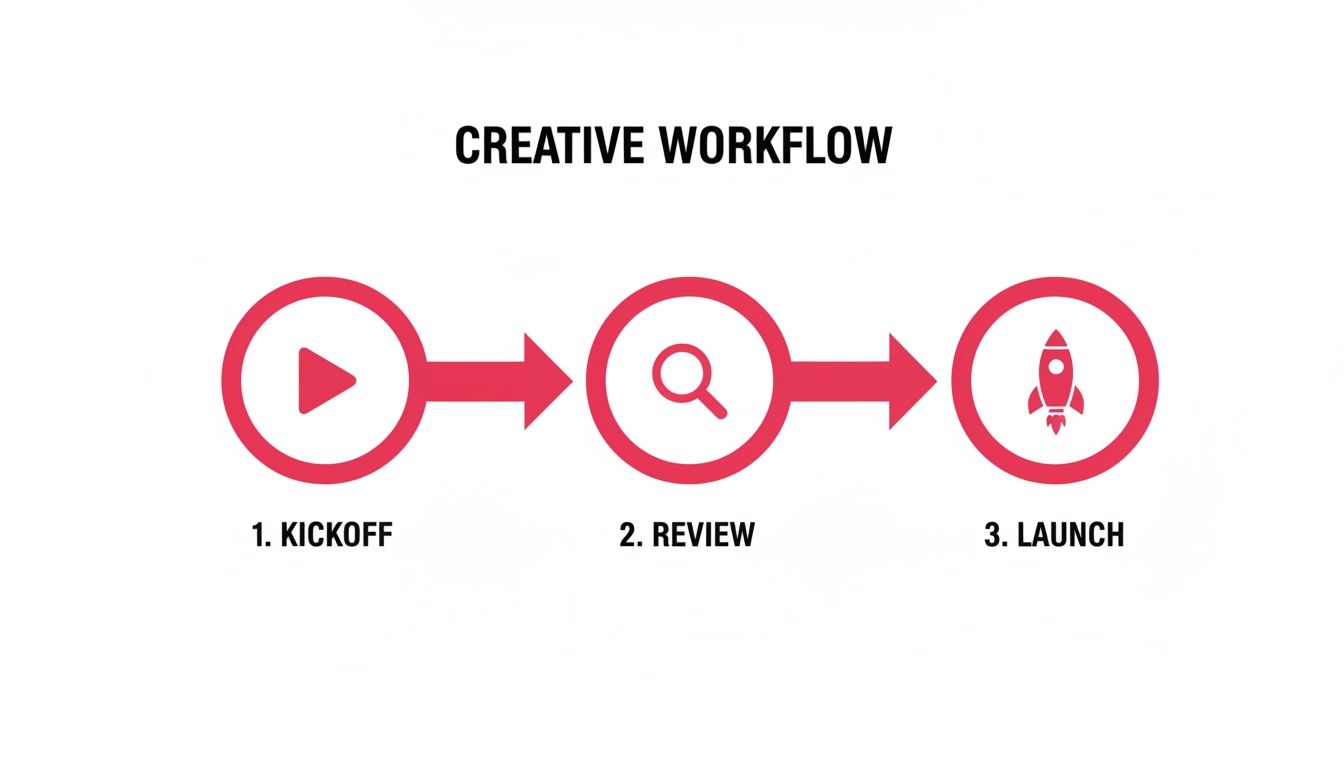
This kind of simple, visual workflow – from kickoff to review to launch – is what you should aim for. The right software makes this intuitive.
Must-Have Features for Creative Teams
When you're shopping around for software, a generic task manager just isn't going to cut it. You need features that solve the specific headaches creative work brings.
Here’s what should be on your checklist:
- Visual Proofing and Annotation: This is non-negotiable. Stakeholders need to be able to mark up designs, videos, and documents directly within the tool. It keeps all the feedback in one place and provides crystal-clear context.
- Robust Version Control: No more files named
campaign_final_v4_USE_THIS.psd. A solid system makes it effortless to see what’s changed between versions and roll back to a previous iteration if a new idea doesn't pan out. - Integrated Communication: Your tools should keep conversations tied directly to the tasks or assets they relate to. This prevents critical details from getting buried in separate Slack channels or email threads.
- Digital Asset Management (DAM): A central, searchable library for all your approved creative assets is a lifesaver. It saves countless hours and makes sure everyone is using the correct, on-brand files.
The friction from clunky software is a real productivity killer. In fact, 39% of workers say ineffective collaboration tools get in their way, especially in hybrid and remote settings. For marketers managing creator programs, having a central hub for communication and approvals is absolutely essential for keeping things moving smoothly.
Building Your Team’s Tech Stack
Here's the thing: no single tool does everything perfectly. A much better approach is to build a "stack" of a few great, integrated apps that work together.
The best tech stack isn't the one with the most features; it's the one your team actually enjoys using. Focus on user experience and seamless integration to drive adoption and ensure the tools get out of the way of the creative process.
Your stack might look like a core project management platform combined with more specialized software for specific jobs. For example, if you have an architectural design team, you'd want to look into the top architectural rendering software and ensure it plays nice with your main project hub.
The goal is to create a connected ecosystem where information flows easily from one tool to the next, cutting down on manual data entry and busywork. As you build this out, it’s also smart to think about where AI can help; our guide on using AI for content creation offers some great ideas on that front.
your software should feel like a supportive partner, not a demanding micromanager.
Measuring Success and Improving Your Process
Shipping a project feels like the finish line, but it’s really just the beginning of the next race. The best project management systems don't just stop at delivery; they build a powerful cycle of continuous improvement.
So, how do you actually know if your shiny new workflow is better than the old chaotic one? You have to measure what matters.
This isn't about drowning your team in spreadsheets or tracking every single minute. It’s about picking a few key metrics that give you real insight into the health of your creative engine. Vague feelings that things are "smoother" won't cut it when you're trying to make smart adjustments for the next big campaign.
Metrics That Matter For Creatives
Forget the generic business KPIs that get thrown around in boardrooms. Creative success is measured differently. Your goal here is to track efficiency and team well-being without making the whole process feel overly corporate or restrictive.
The best place to start is by looking for data points that reveal friction in your workflow.
A few powerful metrics to start tracking include:
- Creative Cycle Time: This is the total time from the initial brief to the final asset delivery. If this number is consistently high, it might point to bottlenecks in your review process or – more often than not – unclear briefs from the get-go.
- Average Revision Rounds: How many times does an asset go back for changes? A high number here is a major red flag. It usually means there's a disconnect in expectations or a messy, unstructured feedback loop.
- Team Satisfaction Scores: A simple, anonymous survey after a project can be incredibly revealing. Just ask your team to rate the process, communication, and their workload on a scale of 1 to 5.
Tracking these numbers gives you a baseline. When you see the average number of revisions drop from five to two after implementing a new review process, you have concrete proof that your system is actually working.
The goal of measuring isn't to place blame; it's to illuminate opportunities. When you treat metrics as a tool for collective improvement, your team becomes invested in making the process better for everyone.
Running Effective Post-Project Retrospectives
Data tells you the "what," but a good old-fashioned retrospective uncovers the "why." This is your team's dedicated time to reflect on what went right, what went wrong, and what you should change for the next project.
The trick is to keep it simple, focused, and completely blameless.
A great retro is built on honest conversation. To get the most out of it, you need to create a safe space where everyone feels comfortable sharing their perspective, from the junior designer right up to the project lead.
Here's a simple checklist to guide your discussion:
- Start with the Wins: What are we proud of? Kicking things off by celebrating successes builds positive momentum for the whole meeting.
- Identify the Challenges: What were the biggest hurdles we faced? Crucially, focus on process issues, not people.
- Brainstorm Solutions: For each challenge, what is one small thing we could try differently next time? Keep it practical.
- Define Action Items: Assign an owner to each improvement idea. This is the single most important step to ensure it actually gets implemented.
By turning these insights into real, actionable steps, you ensure each project makes the next one smarter, faster, and more creative. This is the engine of a healthy, evolving creative operation.
Got Questions About Creative Project Management?
Rolling out a new system always brings up a few questions and, let's be honest, a bit of healthy skepticism. The best way to get your team on board is to tackle those concerns head-on and show them you're all working toward the same goal: a better, less chaotic way to work.
Let’s dig into some of the most common hurdles I’ve seen pop up when bringing project management into a creative team's world.
How Can I Get My Team to Actually Use This?
Forget about selling this as a way for management to "track time better." That's a non-starter. The key is to frame the change around the benefits that will make their lives easier. You have to show them how it protects their creative energy.
Emphasize how the right setup will:
- Kill the administrative busywork that eats into their day, giving them more time for the work they actually love.
- Centralize feedback so they're not digging through ten different email threads to find that one comment from the client.
- Prevent those last-minute fire drills because timelines and approvals are clear from the start.
Better yet, get them involved in picking the tool and designing the first few workflows. When they have a hand in building the system, they'll actually feel some ownership over it. A great way to start is with a small pilot project. Let them see the value for themselves before you go all-in.
When your team sees firsthand that a new process fixes their biggest headaches, they won’t just adopt it – they’ll become its biggest fans.
What's the One Feature We Absolutely Can't Live Without?
Every team is a little different, but if I had to pick one feature that consistently delivers the biggest impact, it's a centralized asset hub with visual proofing and version control.
Creative work is visual, period. The ability to drop a pin directly on an image, point to a specific frame in a video, or compare two design versions side-by-side is an absolute major advantage. It turns vague feedback like "make it pop more" into clear, actionable instructions.
This single feature puts an end to the chaos of hunting for files named design_final_v2_FINAL_final.psd and guarantees everyone is working from the correct version.
How Do We Stop Scope Creep From Killing Our Projects?
Ah, scope creep. The silent killer of creative projects. The good news? It's completely manageable if you put the right guardrails in place. Your best defense is a two-part strategy: a rock-solid creative brief and a formal change request process.
The creative brief is where you lock in the project's objectives, deliverables, and boundaries from day one. When a new request comes flying in that falls outside that original agreement, it should automatically trigger a change order.
This isn't about saying "no" to every new idea. It’s about forcing a conversation. A change order makes everyone pause and discuss how the new request will impact the timeline, budget, and resources. Stakeholders have to formally sign off on those adjustments before any new work kicks off, keeping the project on track and everyone on the same page.
Ready to build a workflow that actually empowers your creative team? JoinBrands provides the tools you need to manage campaigns, collaborate with creators, and get approvals faster, all in one platform. Learn more about JoinBrands and start your first project today.