





 The Complete Guide to TikTok Advertising Specs
Managing a social media presence has evolved far beyond simple post scheduling. Modern campaigns demand a sophisticated blend of creator collaborations, precise paid ad management, and deep, actionable analytics. The core challenge for marketing teams is navigating the crowded marketplace to find the right social media campaign management tools that align with specific business objectives and drive measurable results. The sheer volume of available platforms makes this selection process daunting, yet it's a critical decision that directly impacts efficiency, scalability, and return on investment.
The right toolset is not one-size-fits-all. A startup focused on scaling user-generated content (UGC) has vastly different needs than an enterprise automating complex, multi-channel publishing workflows or an agency proving campaign ROI to clients. Choosing incorrectly can lead to wasted budget, team frustration, and missed opportunities. This guide is designed to eliminate that guesswork by providing a clear, strategic roadmap to making the best choice for your unique situation.
This comprehensive listicle cuts through the noise. We will provide a categorized, in-depth analysis of the top 12 platforms for 2025, from established giants like Sprout Social and Hootsuite to specialized solutions like JoinBrands for creator and influencer marketing. Each review includes a breakdown of core features, ideal use cases, pricing, and honest pros and cons. Complete with screenshots and direct links, this resource will help you confidently select the platform that will not only manage your social media but transform it into a powerful growth engine for your brand.
Table of Contents
1. JoinBrands
JoinBrands distinguishes itself as a premier, all-in-one platform specifically engineered for scaling creator marketing and user-generated content (UGC). It’s not just a tool, but a comprehensive ecosystem designed for direct-to-consumer (DTC) and e-commerce brands needing a predictable, high-volume pipeline of social media content. The platform's core strength lies in its massive, vetted network of over 250,000 creators, including 100,000+ TikTok Shop affiliates, which provides brands with unparalleled access to diverse talent.
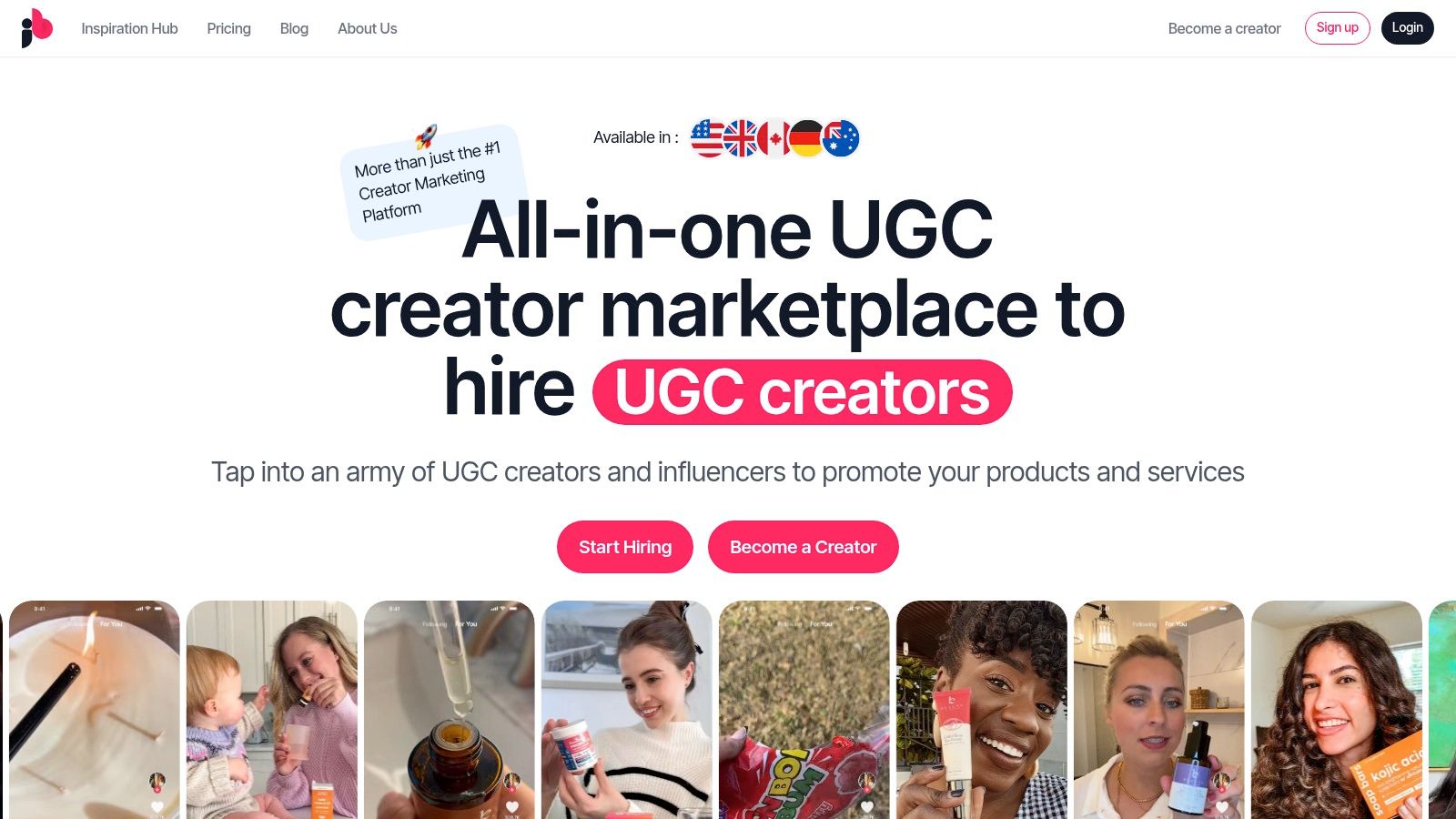
This platform excels at bridging the gap between needing authentic content and executing campaigns at scale, making it a standout choice among social media campaign management tools. Its AI-powered creator matching algorithm rapidly connects brands with relevant influencers and content creators, who can apply to campaigns within minutes.
Key Strengths & Use Cases
JoinBrands is built around efficiency and security, ensuring brands receive high-quality assets with full ownership rights. The platform enforces deadlines (images in ~5 days, videos in ~10 days) and uses an escrow system to protect payments, guaranteeing content delivery or a refund.
- Best For: E-commerce brands scaling ad creatives, product launch campaigns, and agencies managing multiple client accounts.
- Practical Use Case: A DTC CPG brand can use the "Autopilot" feature to set up a recurring monthly campaign for 20 new UGC videos for their TikTok and Instagram Reels, ensuring a fresh supply of ad creatives without constant manual oversight.
Standout Features
- AI Creator Discovery: The platform uses AI and predictive analytics to streamline the matching process, presenting brands with creators who are most likely to deliver on-brand content effectively.
- Agency-Grade Tools: JoinBrands offers white-labeling, custom domains, and collaborative accounts, making it a powerful solution for agencies managing social campaigns for multiple clients.
- Turnkey TikTok Ads: Seamlessly activate creator content as Spark Ads directly through the platform, simplifying the paid social workflow.
Pricing
JoinBrands offers a free sign-up to explore the platform and post a campaign. For more advanced needs, custom agency and enterprise plans are available upon booking a demo, allowing for tailored solutions. This flexible model allows brands of all sizes to access its powerful network and tools.
- Pros:
- Access to a massive and diverse pool of 250,000+ creators.
- AI-powered matching significantly speeds up creator discovery.
- Robust platform protections including escrow, deadline enforcement, and content ownership.
- Advanced scalability with white-labeling and multi-brand management for agencies.
- Cons:
- Detailed pricing for higher-tier plans requires a demo or direct inquiry.
- Campaign success depends on the quality of the creative brief and creator vetting.
Website: https://joinbrands.com
2. Hootsuite
Hootsuite is one of the most established and robust social media campaign management tools, ideal for organizations requiring centralized control and collaboration. It excels at consolidating publishing, engagement, analytics, and social listening into a single dashboard, making it a workhorse for teams managing multiple brands or a high volume of social profiles. Its longevity in the market means it has a mature ecosystem with extensive integrations and a wealth of training resources.
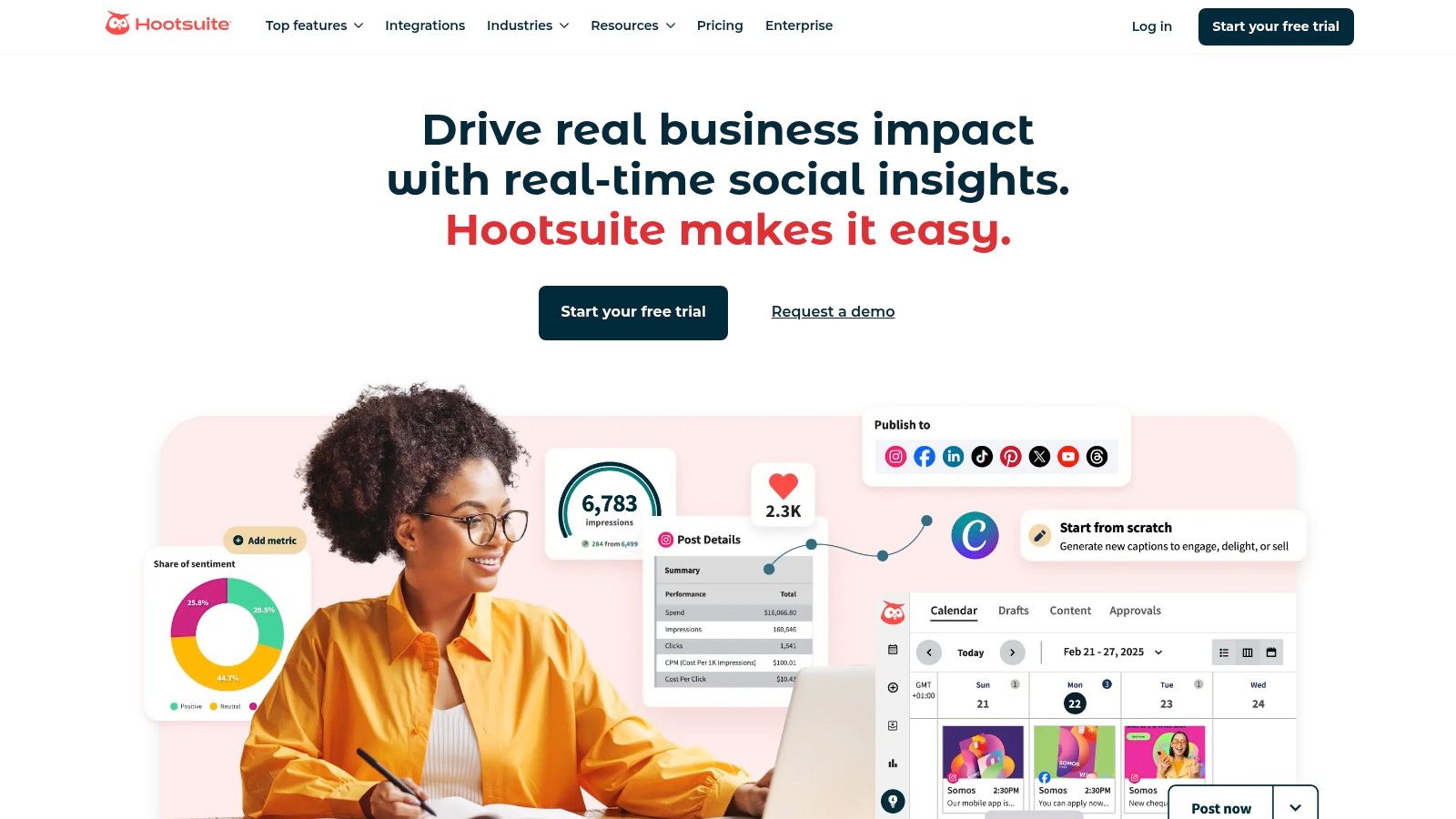
The platform is particularly strong for teams needing structured workflows. Features like team assignments, role-based access, and post-approval queues ensure brand consistency and governance, which is critical for larger enterprises. Its unified inbox simplifies community management by bringing all DMs, comments, and mentions into one stream for efficient response. For more information about its capabilities, you can discover more about Hootsuite in this detailed comparison.
Key Features & Use Cases
| Feature | Best Use Case |
|---|---|
| Unified Inbox | Teams managing high-volume customer service inquiries across multiple social channels. |
| Bulk Scheduling | Agencies or brands planning content calendars weeks or months in advance. |
| Team Assignments & Approvals | Regulated industries or large marketing departments requiring legal/managerial review before publishing. |
| Basic Social Listening | Monitoring brand mentions and tracking keyword trends to inform content strategy. |
Pricing & Platform Insights
- Pricing: Starts at $99/month for the Professional plan (1 user, 10 social accounts). Team and Enterprise plans offer more users and features but require custom quotes.
- Pros: Strong multi-network support, mature feature set, and extensive training materials.
- Cons: Higher-tier pricing can be opaque and expensive; advanced social listening and ad management often require costly add-ons.
Website: https://www.hootsuite.com/
3. Sprout Social
Sprout Social is a premium, all-in-one platform that positions itself as a leader in usability and powerful analytics for mid-market and enterprise businesses. It offers a sophisticated suite of tools for publishing, engagement, listening, and reporting, all wrapped in a clean, intuitive user interface. Where Sprout Social truly excels is in its ability to transform raw social data into actionable business intelligence, making it one of the top-tier social media campaign management tools for data-driven teams.
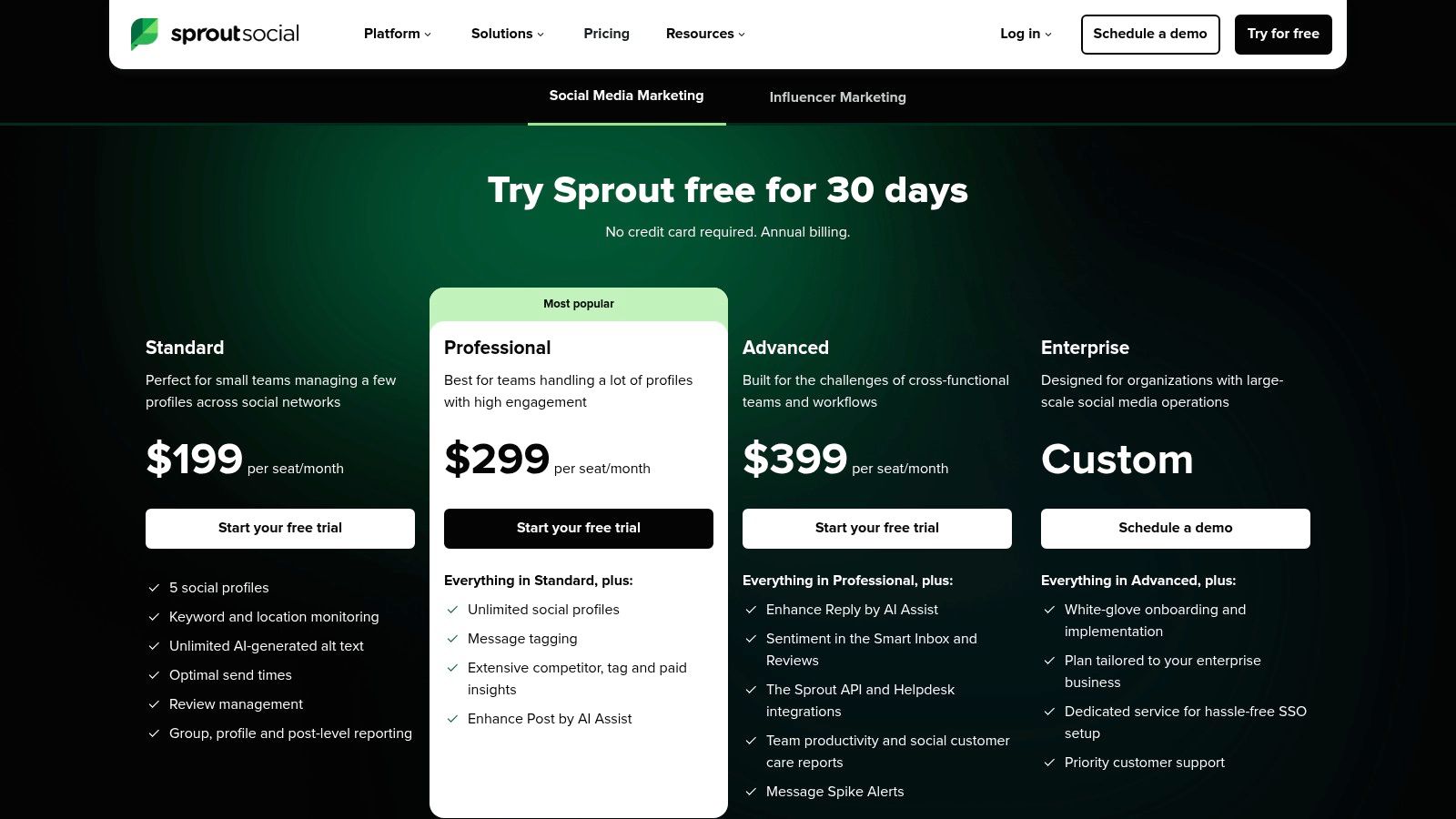
The platform is designed for collaboration and scale, with per-seat pricing that provides clear cost structures as teams grow. Its advanced reporting capabilities allow users to generate beautiful, client-ready reports that cover everything from post performance to competitive analysis. These deep insights are a major differentiator, and you can explore more about effective reporting strategies with Sprout Social. The integrated Smart Inbox and CRM tools also streamline engagement and help teams build stronger customer relationships directly from the platform.
Key Features & Use Cases
| Feature | Best Use Case |
|---|---|
| Deep Reporting & Analytics | Agencies and brands needing to prove social media ROI with detailed competitor, tag, and paid performance data. |
| Cross-Network Publishing & Approvals | Marketing teams requiring a streamlined content workflow with multi-step approvals for brand consistency. |
| AI-Assisted Content & Replies | Social media managers looking to increase efficiency by using AI to generate content ideas and draft responses. |
| Scheduling Optimization (ViralPost®) | Brands aiming to maximize content reach by automatically publishing at times when their audience is most active. |
Pricing & Platform Insights
- Pricing: Starts at $249/month for the Standard plan (1 user). The Professional plan is $399/month, with custom pricing for the Advanced tier.
- Pros: Exceptional analytics and reporting capabilities, intuitive user interface, and strong team collaboration features. A 30-day free trial is available.
- Cons: Per-seat pricing can become expensive for larger teams, and advanced features like social listening are locked behind higher-tier plans.
Website: https://sproutsocial.com/pricing/
4. Buffer
Buffer is renowned for its clean interface and straightforward approach to social media scheduling, making it a favorite among small businesses, creators, and teams who prioritize simplicity and efficiency. It strips away the complexity found in enterprise-level suites, focusing on providing a low-friction workflow for planning, scheduling, and analyzing content. Its transparent, per-channel pricing model makes it an accessible entry point for those just starting with social media campaign management tools.
The platform excels at making content creation and scheduling intuitive. Features like the AI assistant help overcome creative blocks, while the hashtag manager and first comment scheduler streamline platform-specific optimizations for Instagram. This focus on core publishing functionality ensures that teams can execute their content plans without a steep learning curve. To learn how to effectively use tools like Buffer, you can dive deeper into how to build a social media marketing strategy.
Key Features & Use Cases
| Feature | Best Use Case |
|---|---|
| Simple Scheduling & Queue | Individuals or small teams needing a reliable, set-it-and-forget-it content calendar. |
| AI Assistant | Content creators looking to quickly generate ideas, rewrite posts, or brainstorm new angles. |
| Transparent Per-Channel Pricing | Startups and SMBs who need predictable costs and the ability to scale one channel at a time. |
| Team Collaboration Tools | Small marketing teams that require a simple draft approval process without complex governance rules. |
Pricing & Platform Insights
- Pricing: Offers a generous free plan for up to 3 channels. Paid plans start at $6/month per channel for the Essentials plan, with Team and Agency plans adding more features.
- Pros: Extremely user-friendly interface and transparent pricing model. Excellent customer support and extensive help documentation.
- Cons: Lacks the deep social listening and advanced enterprise features of larger platforms. Per-channel pricing can become expensive for agencies managing many accounts.
Website: https://buffer.com/
5. Agorapulse
Agorapulse is a powerful and approachable all-in-one social media campaign management tool known for its robust inbox management and detailed reporting capabilities. It strikes an excellent balance between comprehensive features and an intuitive user interface, making it a strong contender for small businesses, agencies, and mid-sized teams. The platform excels at unifying communication channels, including ad comments, into a single, manageable stream, preventing any customer interaction from being missed.
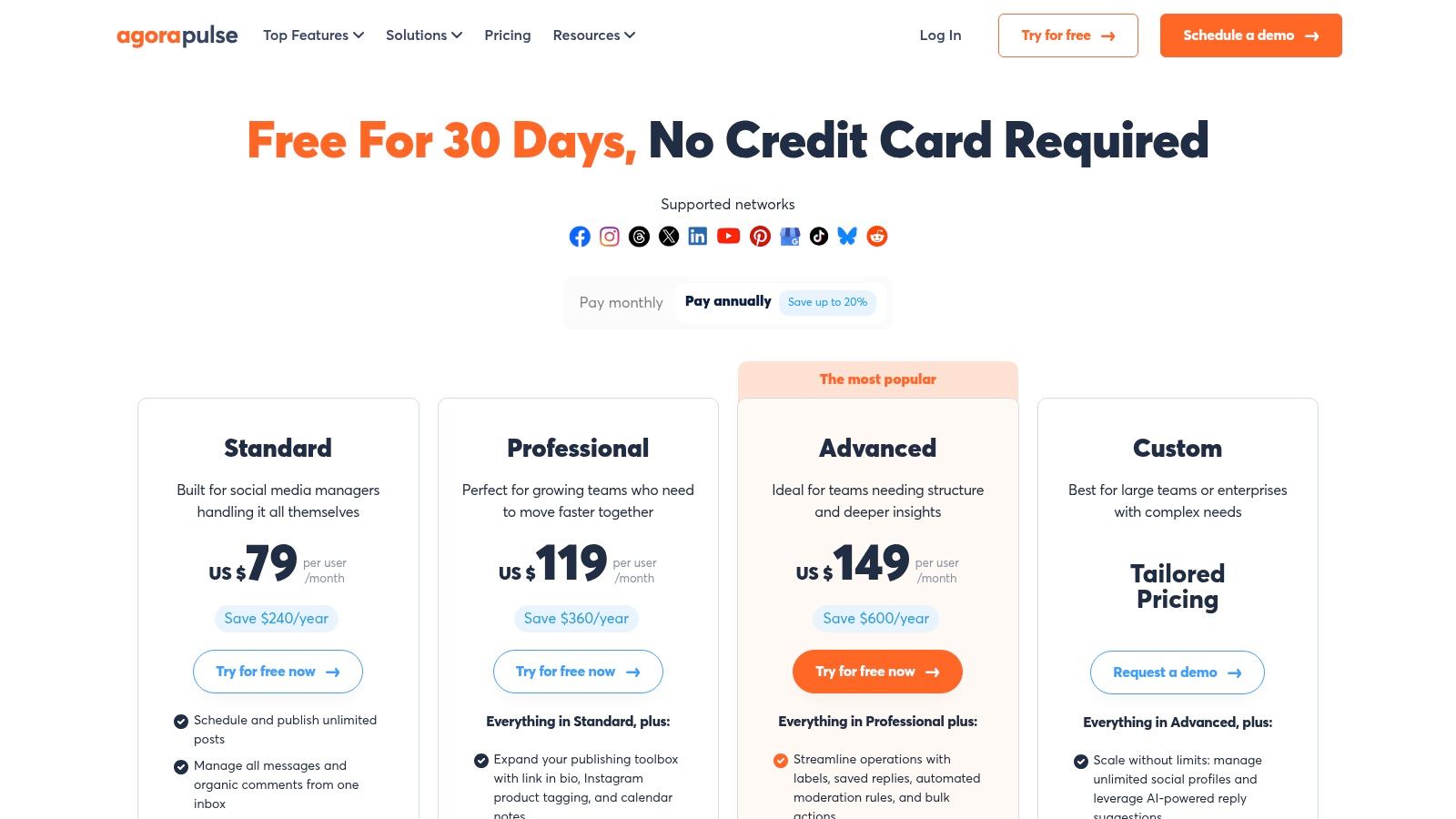
A key differentiator for Agorapulse is its emphasis on demonstrating social media ROI. The tool integrates with Google Analytics, allowing teams to directly connect social campaigns to website traffic and conversions. This focus on performance metrics, combined with agency-specific features like shareable calendars and white-label reports, makes it particularly valuable for teams that need to justify their social media spend and prove their impact on business goals.
Key Features & Use Cases
| Feature | Best Use Case |
|---|---|
| Unified Social Inbox | Managing all organic comments, DMs, and ad comments in one place to ensure timely customer support. |
| ROI & Analytics Tie-ins | Agencies and marketing managers needing to prove the value of social media with concrete conversion data. |
| Competitor Benchmarking | Brands looking to track their performance against key competitors and identify content opportunities. |
| Team Assignments & Workflows | Marketing teams that require a structured process for content creation, review, and approval before publishing. |
Pricing & Platform Insights
- Pricing: Offers a free plan for solo users. Paid plans start at $49/user/month (billed annually) for the Standard plan, with Professional and Advanced tiers adding more features and users.
- Pros: User-friendly interface with strong reporting, scales effectively from solo users to larger teams, and a generous 30-day free trial is available.
- Cons: Per-user pricing can become costly as teams expand; full functionality for X (formerly Twitter) may require a paid add-on due to API costs.
Website: https://www.agorapulse.com/pricing/
6. Later
Later is a visually-driven social media campaign management tool designed with Instagram and TikTok at its core. It excels for direct-to-consumer brands, creators, and agencies who prioritize visual storytelling and content aesthetics. The platform's strength lies in its intuitive drag-and-drop visual planner, which allows users to see exactly how their feed will look before publishing, ensuring a cohesive and on-brand grid. This visual-first approach makes it an indispensable tool for campaigns where brand image is paramount.
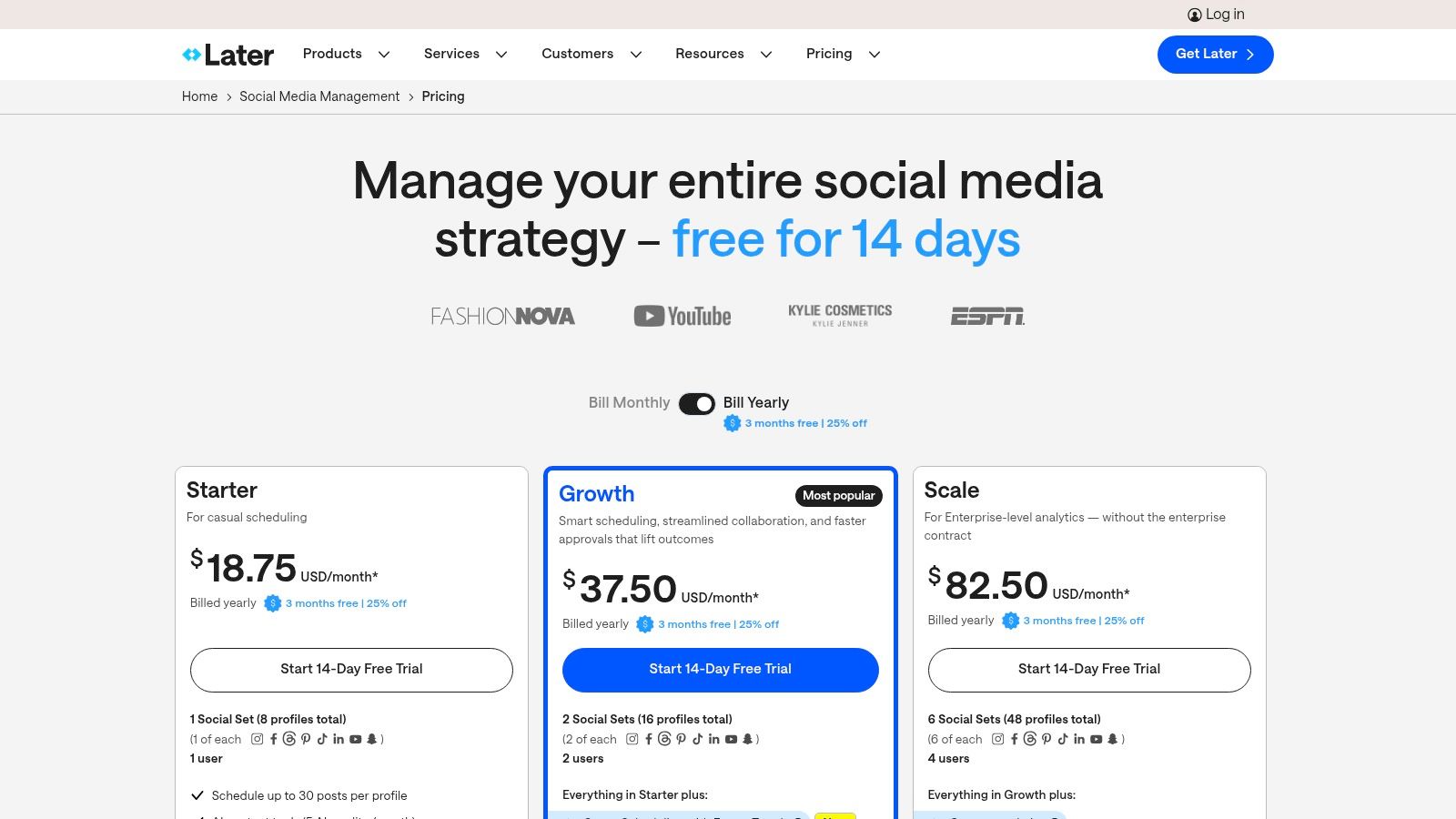
Beyond simple scheduling, Later integrates commerce features that are highly valuable for e-commerce brands. Its Link-in-bio tool transforms a single social bio link into a clickable, shoppable landing page, driving traffic and sales directly from social posts. The platform also offers a social inbox for Instagram and Facebook comments, making it easier to manage community engagement and respond to customer inquiries without leaving the dashboard.
Key Features & Use Cases
| Feature | Best Use Case |
|---|---|
| Visual Grid Planning | DTC brands and influencers curating a specific aesthetic for their Instagram feed. |
| Link-in-Bio Tool | E-commerce businesses looking to drive direct sales and traffic from Instagram or TikTok. |
| Social Inbox | Social media managers handling moderate levels of community engagement on Instagram and Facebook. |
| Content Approvals | Agencies or teams needing a straightforward review process for visual content before it goes live. |
Pricing & Platform Insights
- Pricing: Offers a free plan for individuals. Paid plans start at $25/month for the Starter plan (1 social set, 1 user). Growth and Advanced plans offer more users and features, scaling up to $80/month.
- Pros: Intuitive visual planning tailored to Instagram/TikTok, flexible user and profile bundles, and a generous 14-day free trial.
- Cons: Social listening and advanced analytics are lighter than enterprise-level suites; some powerful features are reserved for higher-tier or Enterprise plans only.
Website: https://later.com/pricing
7. Loomly
Loomly is a social media campaign management tool designed for teams that prioritize collaboration and calendar-first planning. It offers a highly visual and intuitive workflow, making it an excellent choice for agencies and marketing departments that need to streamline content creation from idea to approval. The platform guides users through each step of the post-creation process, from setting objectives and getting post ideas to optimizing for each channel and getting feedback before publishing.
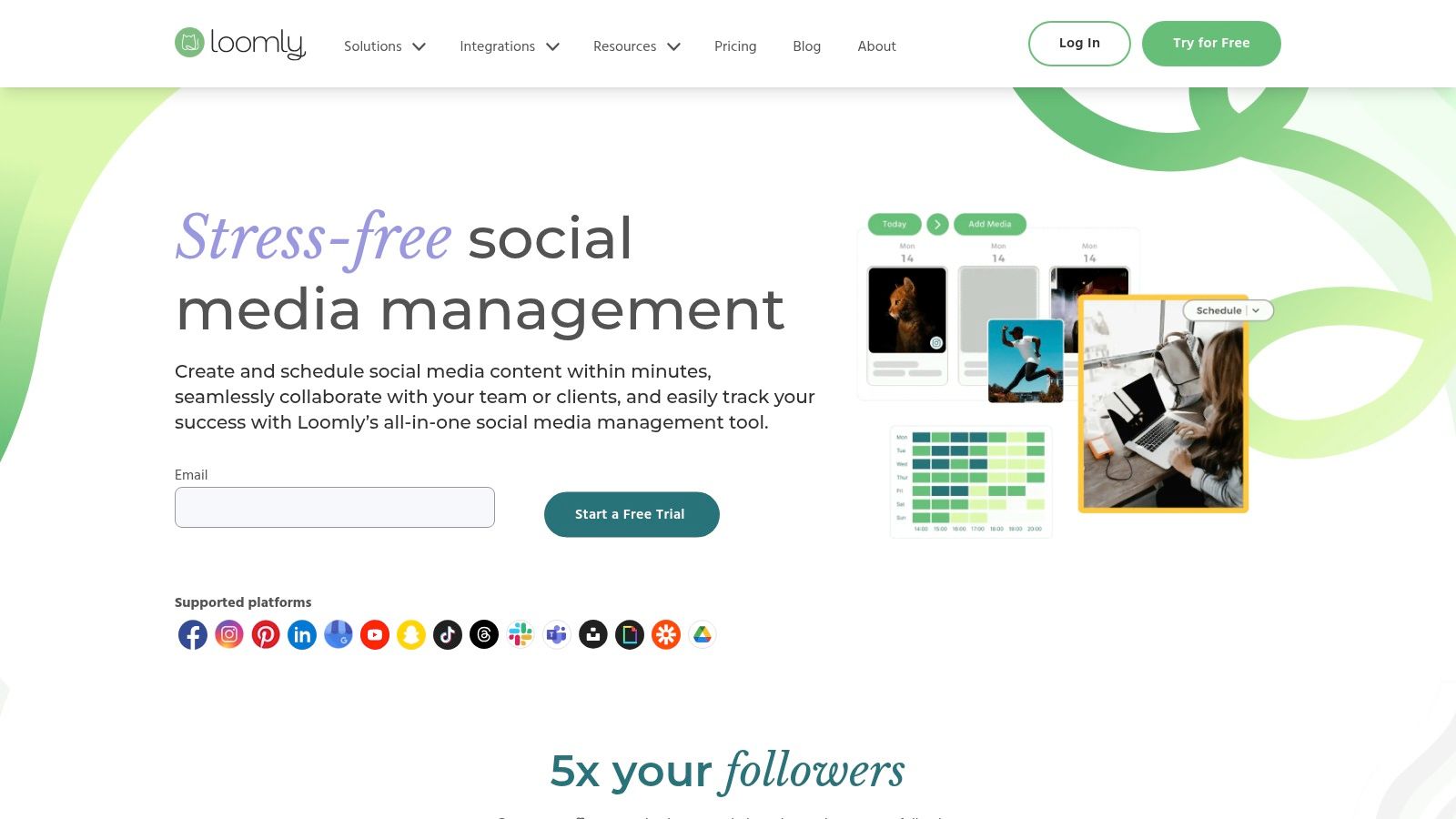
What makes Loomly stand out is its emphasis on brand and team organization. The platform's structured approval workflows, version logs, and centralized asset library prevent errors and ensure everyone is aligned with the campaign strategy. This focus on process makes it particularly effective for distributed teams or those managing content for multiple clients, ensuring brand consistency and a clear audit trail for all creative assets and communications.
Key Features & Use Cases
| Feature | Best Use Case |
|---|---|
| Calendar-First Workflow | Marketing teams and agencies that plan and visualize their entire content strategy in a calendar view. |
| Collaboration & Approval Workflows | Organizations requiring multi-step review processes involving clients, legal teams, or senior managers. |
| Centralized Asset Library | Teams needing a single source for approved images, videos, and notes to maintain brand consistency. |
| Post Ideas & Inspiration | Social media managers looking for creative prompts based on trending topics, holidays, and best practices. |
Pricing & Platform Insights
- Pricing: Starts at $32/month for the Base plan (2 users, 10 social accounts). A 15-day free trial is available. Higher-tier plans add more users, accounts, and advanced features.
- Pros: Straightforward and user-friendly interface, strong collaboration and approval features, and helpful content inspiration tools.
- Cons: Lighter on deep social listening and analytics capabilities; integrations with paid social ad management are limited compared to some competitors.
Website: https://www.loomly.com/
8. Sendible
Sendible is a powerful social media campaign management tool designed with agencies and SMBs in mind. It stands out for its ability to manage a high volume of client profiles and social accounts affordably, offering features that directly address agency workflows. The platform provides a full suite of tools for scheduling, engagement, and reporting, with a strong emphasis on collaboration and client management.
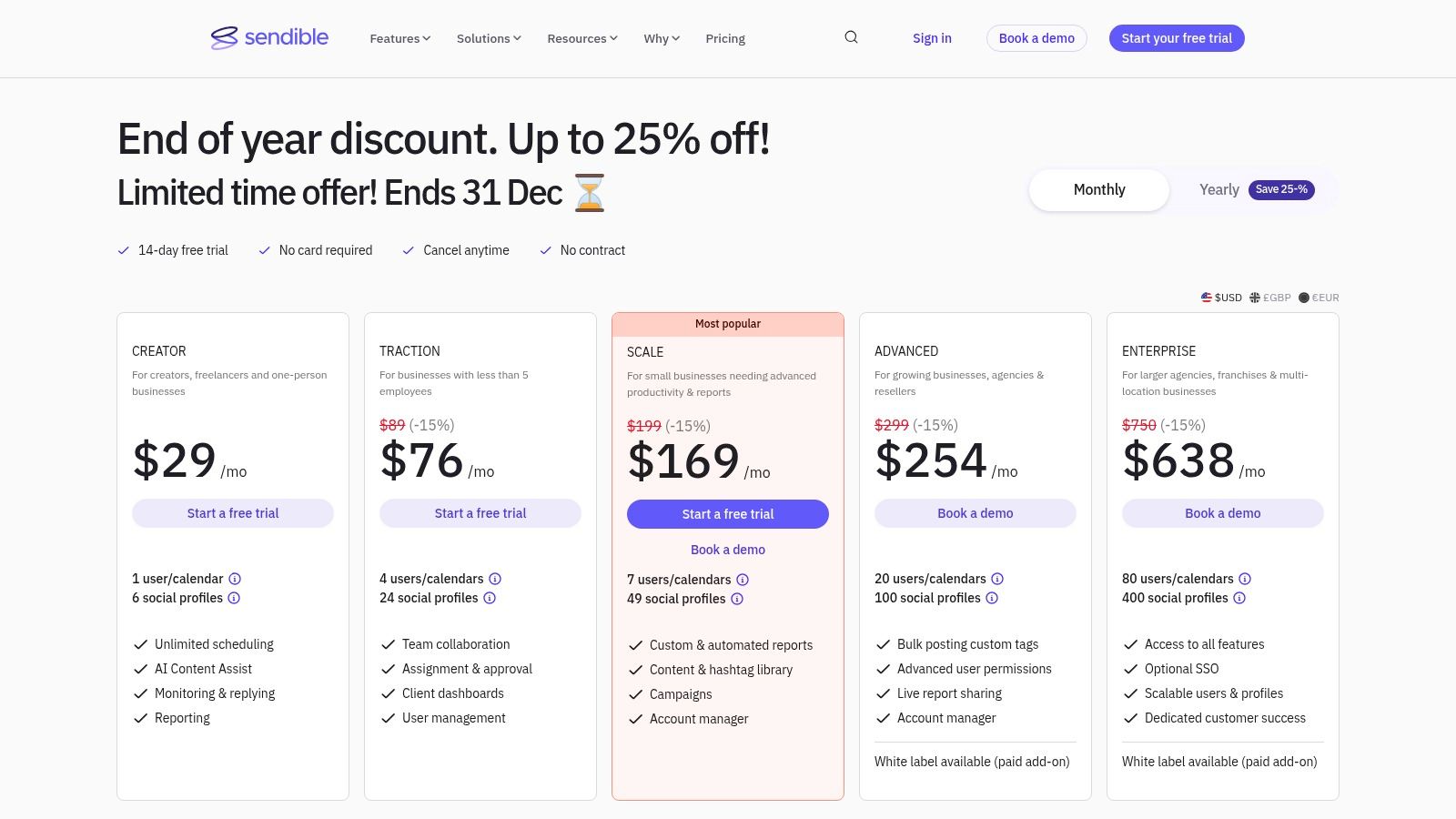
What makes Sendible a top choice for agencies are its white-labeling capabilities and dedicated client dashboards. These features allow agencies to present a branded, professional front, giving clients direct but controlled access to their social media performance reports. This streamlines the client reporting process and adds a layer of professionalism that helps agencies scale their services efficiently without scaling their administrative overhead.
Key Features & Use Cases
| Feature | Best Use Case |
|---|---|
| Client Dashboards & White-Labeling | Digital marketing agencies providing social media services to multiple clients and needing to deliver branded reports. |
| Bulk Scheduling & Content Libraries | SMBs or agencies managing evergreen content and planning extensive campaigns across various profiles. |
| Unified Inbox Engagement | Teams needing to collaboratively manage community interactions and delegate conversations without leaving the platform. |
| Direct Posting (inc. TikTok) | Brands and agencies looking for a single tool to schedule and publish content across all major platforms, including video-first networks. |
Pricing & Platform Insights
- Pricing: Starts at $29/month for the Creator plan (1 user, 6 social profiles). Agency-focused plans start at $199/month, offering more users and profiles.
- Pros: Excellent value for agencies managing multiple client accounts, strong white-label and client-facing reporting features, and a generous 14-day free trial.
- Cons: Customer support hours are primarily aligned with UK business times, and personalized 1:1 onboarding is reserved for higher-tier plans.
Website: https://www.sendible.com/pricing
9. SocialBee
SocialBee is a budget-friendly yet feature-rich scheduler that punches well above its weight, particularly for users focused on evergreen content and efficient workflows. It stands out with its category-based scheduling system, which allows users to organize posts by theme (e.g., blog posts, promotions, quotes) and set a posting schedule for each category. This ensures a balanced and consistent content mix without constant manual intervention, making it one of the most efficient social media campaign management tools for solopreneurs, consultants, and small agencies.
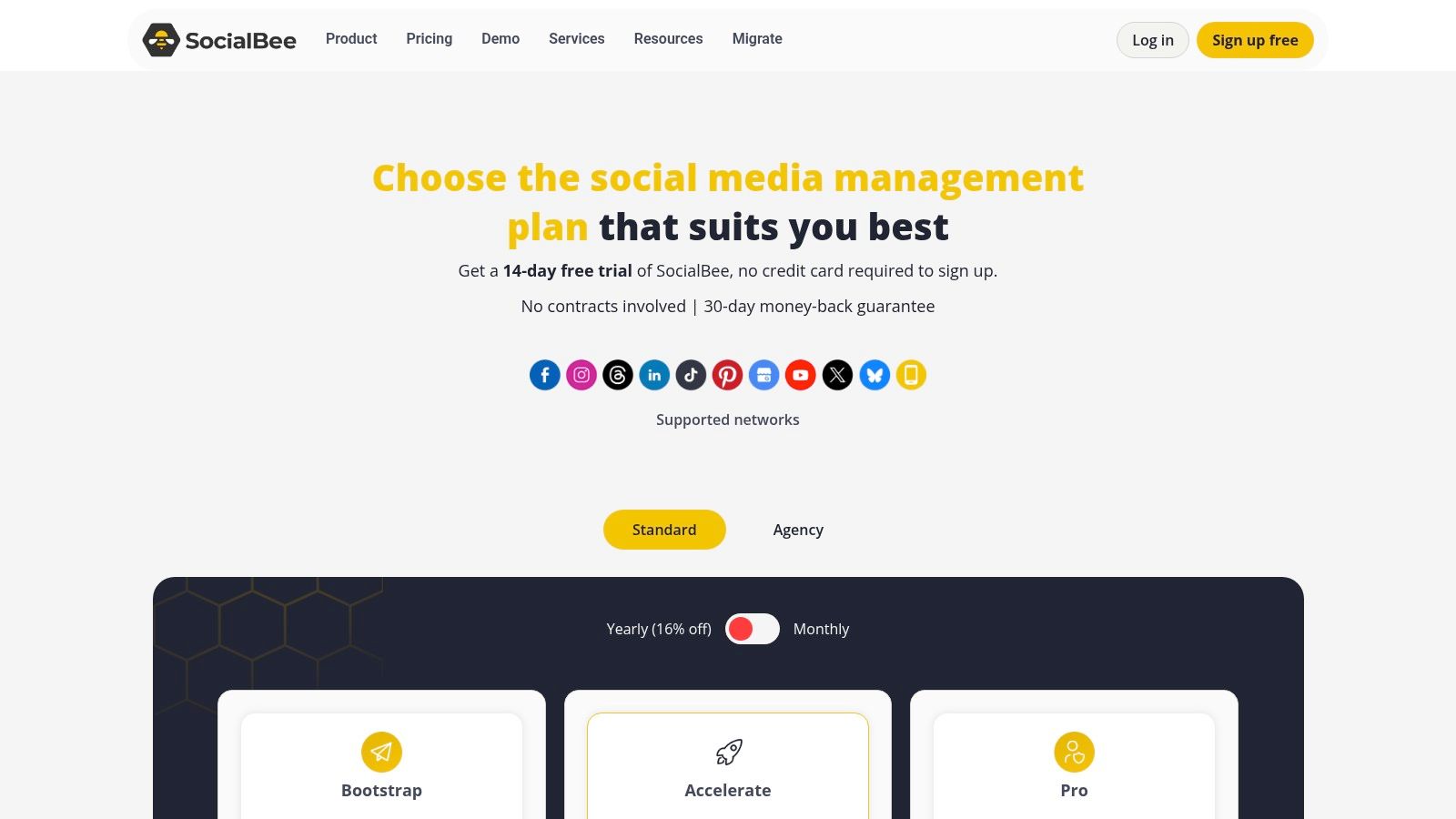
The platform is designed for users who want to maximize their content's lifespan. Features like post variations and content recycling automatically re-share evergreen posts over time, keeping feeds active and driving long-term traffic. Its generous agency plans, offering a high number of workspaces and social profiles for a competitive price, make it a compelling choice for teams managing multiple client accounts. The interface is clean and functional, prioritizing speed and ease of use over aesthetic flair.
Key Features & Use Cases
| Feature | Best Use Case |
|---|---|
| Category-Based Queues | Startups and bloggers aiming to maintain a consistent, diverse content mix across channels. |
| Evergreen Content Recycling | E-commerce brands wanting to automatically re-promote top-selling products or cornerstone content. |
| Post Variations | Marketers looking to A/B test different captions or hashtags for the same link or image without manual effort. |
| Generous Agency Tiers | Freelance social media managers or small agencies managing 5+ client accounts on a budget. |
Pricing & Platform Insights
- Pricing: Starts at $29/month for the Bootstrap plan (1 user, 5 social accounts). Agency plans begin at $89/month for 5 workspaces.
- Pros: Very competitive pricing for the number of profiles offered, powerful evergreen content features, and a helpful AI assistant.
- Cons: The user interface is more utilitarian than competitors; advanced listening and paid social ad management tools are limited.
Website: https://socialbee.com/pricing/
10. Semrush Social (Social Toolkit)
Semrush Social is an integrated suite of tools designed for marketers who already rely on the Semrush ecosystem for SEO and competitive intelligence. This toolkit extends the platform's analytical prowess into the social media realm, offering a unified space for scheduling, monitoring, and analyzing performance. Its primary advantage is the tight synergy with Semrush's broader marketing data, allowing users to connect social media efforts with their overall digital strategy without leaving the platform.
The toolkit is a practical choice for marketing teams aiming to streamline their tech stack. By centralizing social media management within the same environment used for keyword research and competitor analysis, it reduces context switching and provides a more holistic view of a brand's digital footprint. While its features are robust, the real value lies in its ability to leverage Semrush’s powerful analytics engine to inform social content and track how social performance impacts other marketing channels.
Key Features & Use Cases
| Feature | Best Use Case |
|---|---|
| Integrated Competitor Tracking | Agencies and brands wanting to benchmark their social media growth and engagement against key rivals using Semrush's data. |
| Social Poster & AI Assistant | Digital marketers looking to efficiently plan, draft, and schedule content across multiple platforms from a single calendar. |
| Bulk Scheduling & Chrome Extension | Content managers and social media teams who need to quickly populate their content calendar and share curated articles on the fly. |
| Unified Analytics Dashboard | Marketing departments that need to report on social media ROI and performance alongside their core SEO and PPC metrics. |
Pricing & Platform Insights
- Pricing: The social toolkit is an add-on or part of specific plans. Pricing is often bundled, so users should verify it's included in their desired Semrush subscription. A 7-day free trial is typically available.
- Pros: Excellent integration with Semrush's powerful marketing suite, strong competitor tracking features, and a clean, unified interface.
- Cons: The toolkit is sold separately from some core SEO plans, and past pricing changes have caused user confusion. Its social-specific features may be less extensive than dedicated, standalone tools.
Website: https://www.semrush.com/kb/1544-social-toolkit-pricing-and-limits
11. HubSpot Marketing Hub (Social Tools)
HubSpot offers social media management as an integrated component of its broader Marketing Hub, making it ideal for businesses that want to connect social media performance directly to revenue and customer lifecycle data. Unlike standalone tools, HubSpot’s value lies in its ability to track a user’s journey from a social media click all the way to a closed deal within its powerful CRM. This makes it one of the best social media campaign management tools for ROI-focused marketing teams.
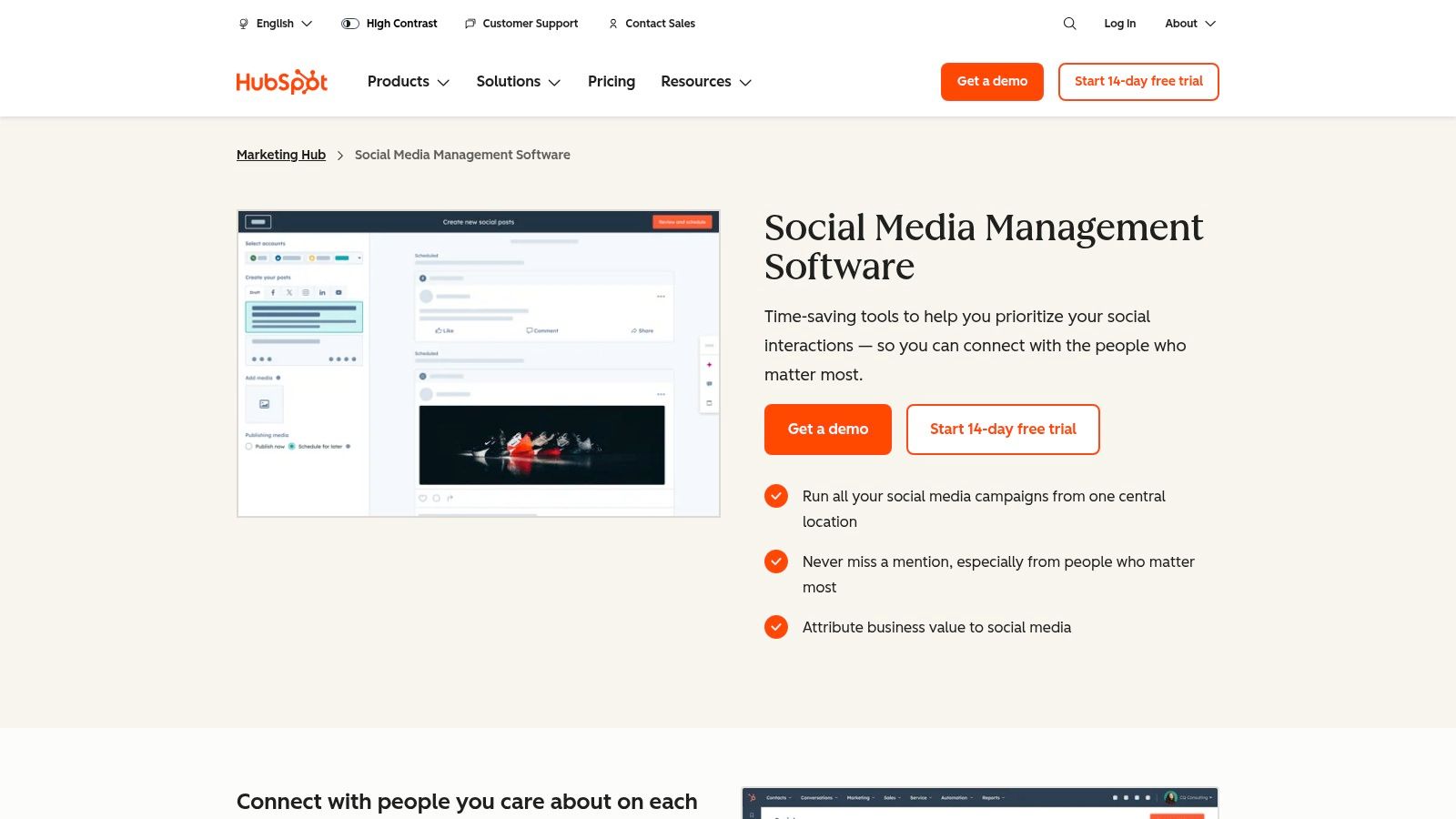
The platform centralizes publishing, monitoring, and reporting, but its core strength is attribution. You can associate social campaigns with specific marketing efforts and see exactly which posts are generating leads, MQLs, and customers. For those looking to build a fully connected tech stack, exploring HubSpot's app integration capabilities can reveal how it connects with other applications for comprehensive campaign management and data syncing.
Key Features & Use Cases
| Feature | Best Use Case |
|---|---|
| Social Publishing & Monitoring | Teams needing to schedule content and monitor brand mentions while automatically logging interactions in a CRM. |
| Campaign ROI Reporting | Marketers required to prove the direct revenue impact of their social media strategies to stakeholders. |
| AI Content Assistant | Content creators looking to quickly generate post ideas or variations based on campaign goals and target personas. |
| CRM-Based Automation | Advanced teams wanting to trigger workflows (like email sequences or sales alerts) based on social media engagement. |
Pricing & Platform Insights
- Pricing: Free tools offer basic social publishing. Paid Marketing Hub plans start at $18/month (Starter), but advanced social and reporting features are in the Professional tier (starting at $800/month), which may include significant onboarding fees.
- Pros: Unmatched end-to-end ROI tracking, powerful integration with a full marketing and sales suite, and highly scalable for growing teams.
- Cons: Can be overly complex and expensive if you only need simple social media scheduling; the main value is tied to using the full HubSpot ecosystem.
Website: https://www.hubspot.com/products/marketing/social-inbox
12. Meta Business Suite
Meta Business Suite is the official, first-party tool for managing your brand’s presence across Facebook and Instagram. As a native platform, it offers unparalleled integration for publishing, engagement, and basic analytics, making it an essential starting point for any business active on Meta’s platforms. It consolidates post and story scheduling, a unified inbox for messages and comments, and performance insights into a single, free-to-use hub.
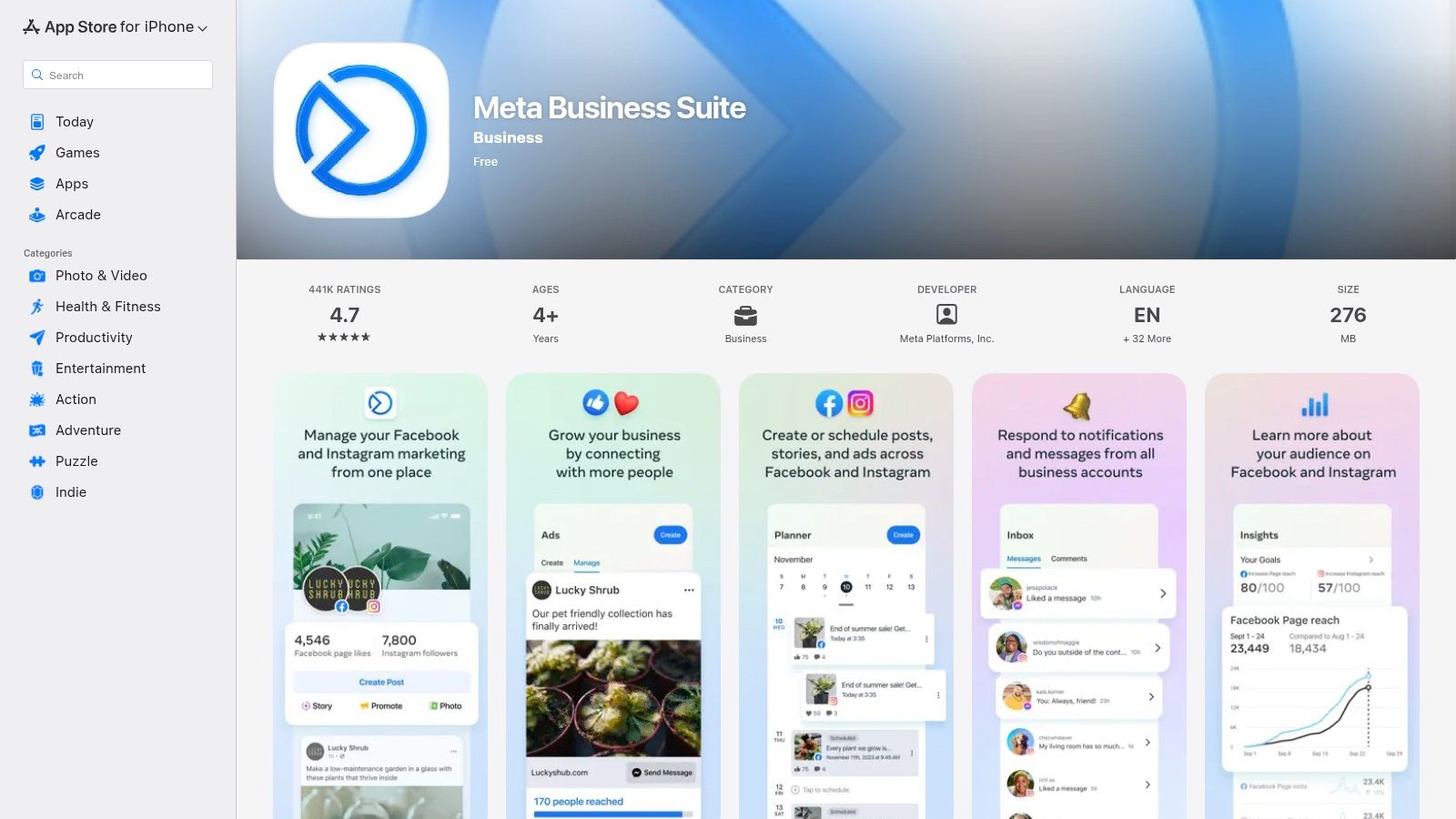
The suite is particularly valuable for its direct connection to Ads Manager, allowing for a seamless transition between organic content management and paid campaign execution. For those heavily invested in the Meta ecosystem, understanding the nuances of platforms like Facebook is paramount when leveraging tools like Meta Business Suite. Its powerful mobile apps for iOS and Android also provide robust on-the-go management capabilities, which is a significant advantage for small teams and solo entrepreneurs.
Key Features & Use Cases
| Feature | Best Use Case |
|---|---|
| Post & Story Scheduling | Businesses focused exclusively on Facebook and Instagram content planning without needing third-party tools. |
| Unified Inbox & Automation | Small to medium-sized businesses managing customer inquiries and comments directly from Meta platforms. |
| Basic Performance Insights | Teams needing a quick, high-level overview of reach, engagement, and audience growth on Facebook and Instagram. |
| Direct Ads Manager Connection | Marketers running paid social campaigns who need to align organic content with ad performance seamlessly. |
Pricing & Platform Insights
- Pricing: Completely free to use for anyone with a Facebook Page and Instagram business profile.
- Pros: No cost, perfect first-party integration, and robust mobile app availability for management anywhere.
- Cons: Limited to Meta platforms only; some users report occasional reliability issues or bugs with scheduling.
Website: https://apps.apple.com/us/app/meta-business-suite/id514643583
Top 12 Social Media Campaign Management Tools — Comparison
| Platform | Core features | Quality (★) | Value / Price (💰) | Target audience (👥) | Unique selling points (✨) |
|---|---|---|---|---|---|
| JoinBrands 🏆 | AI creator matching, 250K+ creators, UGC & Spark Ads, escrow, enforced deadlines | ★★★★☆ | 💰 Flexible — free signup; agency/custom plans | 👥 DTC, e‑commerce teams & agencies | ✨ Massive certified creator pool, predictive analytics, content ownership, autopilot campaigns |
| Hootsuite | Unified publishing, scheduling, listening, approvals | ★★★★☆ | 💰 Tiered; can be costly at scale | 👥 SMB → Enterprise social teams | ✨ Mature ecosystem, cross‑network scheduling & governance |
| Sprout Social | Cross‑network publishing, deep reporting, approvals | ★★★★☆ | 💰 Seat‑based premium pricing | 👥 Mid‑market & Enterprise | ✨ Very strong analytics & client‑ready reporting |
| Buffer | Simple scheduler, AI assistant, analytics, approvals | ★★★☆ | 💰 Transparent & affordable; free tier | 👥 Creators, SMBs, lean teams | ✨ Low friction UX; easy onboarding |
| Agorapulse | Publishing, unified inbox, ROI reporting, agency workflows | ★★★★☆ | 💰 Competitive; true free tier & trials | 👥 Agencies & growing teams | ✨ Ad comment moderation, reporting exports |
| Later | Visual grid planning, product tagging, scheduling | ★★★★☆ | 💰 Flexible bundles; trials | 👥 Instagram/TikTok creators & DTC brands | ✨ Visual-first planning & commerce features |
| Loomly | Calendar-first scheduling, asset library, approvals | ★★★☆ | 💰 Accessible pricing; free plan | 👥 Distributed teams & agencies | ✨ Calendar-centric collaboration & post inspiration |
| Sendible | Multi‑profile posting, client dashboards, white‑label | ★★★☆ | 💰 Agency-focused bundles; discounts | 👥 Agencies managing many brands | ✨ White‑label + client-facing dashboards |
| SocialBee | Category queues, content recycling, AI assistant | ★★★☆ | 💰 Very competitive for many profiles | 👥 Agencies, startups, consultants | ✨ Strong evergreen/recycling workflows |
| Semrush Social | Scheduler, analytics, competitor tracking (Semrush data) | ★★★☆ | 💰 Add‑on to Semrush; standalone options | 👥 Teams using Semrush for intel | ✨ Tight Semrush integration & competitor insights |
| HubSpot Marketing Hub | Social posting + CRM attribution, automation, reporting | ★★★★☆ | 💰 Free social tools; Pro/Enterprise costly | 👥 Enterprise & CRM‑driven marketers | ✨ End‑to‑end attribution from social to deal |
| Meta Business Suite | FB/IG scheduling, unified inbox, basic insights | ★★★☆ | 💰 Free (first‑party) | 👥 Facebook/Instagram‑centric brands | ✨ Direct first‑party Meta integration & Ads linkage |
Making Your Final Decision: Matching the Tool to Your Team's Workflow
Navigating the crowded landscape of social media campaign management tools can feel overwhelming. Throughout this guide, we've dissected twelve powerful platforms, moving beyond surface-level feature lists to explore their core strengths, ideal use cases, and practical limitations. From enterprise-grade analytics powerhouses to agile content schedulers, the key takeaway is clear: there is no single "best" tool, only the best-fit solution for your specific team, budget, and strategic goals.
The journey from awareness to purchase is no longer linear, and your chosen platform must reflect this modern reality. It needs to be more than a simple scheduler; it must be a central hub for campaign execution, performance analysis, and audience engagement. As we've seen, tools like Sprout Social and Agorapulse excel in providing deep analytics and team collaboration features for established brands, while platforms like Buffer and Later offer streamlined, visually-focused solutions perfect for smaller teams and solo entrepreneurs.
Recapping the Right Tool for the Job
To simplify your final decision, let's distill our findings into a quick-reference guide. Consider your primary objective and find the platform that aligns most closely with your needs.
- If your primary goal is scaling authentic User-Generated Content (UGC) and influencer marketing… JoinBrands is your undeniable choice. Its marketplace model connects you directly with a vast network of creators for high-quality, on-demand content.
- If you need a comprehensive, enterprise-level solution with deep analytics and listening tools… Sprout Social provides the robust data and reporting capabilities that large organizations require.
- If you manage multiple clients and require an all-in-one agency dashboard… Agorapulse or Sendible offer excellent multi-client management, reporting, and collaboration features tailored for agency workflows.
- If you're a small business or solopreneur focused on simple, effective scheduling on a budget… Buffer or SocialBee deliver clean interfaces and powerful automation without the enterprise price tag.
- If your strategy is heavily centered on visual platforms like Instagram and TikTok… Later is purpose-built with a visual-first planner, link-in-bio tools, and a focus on visual content strategy.
- If you're already embedded in a larger marketing ecosystem… Leveraging the social tools within HubSpot Marketing Hub or Semrush can create powerful synergies by integrating social data with your wider SEO and CRM efforts.
The Future is Creator-Led: A Note on JoinBrands
While traditional social media campaign management tools focus on streamlining the publishing of brand-created assets, the strategic landscape has shifted. Today's most successful brands are co-creating their narrative with their audience. This is where JoinBrands fundamentally differs from the rest of the pack. It's not just a management tool; it's a content generation engine.
Instead of tasking your internal team with the immense challenge of creating a constant stream of authentic, platform-native content, JoinBrands empowers you to tap into a global network of creators. This model directly addresses the biggest bottleneck for modern marketers: the relentless demand for fresh, engaging, and trustworthy content. By choosing a platform built for the creator economy, you are investing in a scalable, efficient, and more authentic way to connect with your audience, transforming your social media from a monologue into a dynamic conversation.
Final Steps Before You Commit
Your search is nearly complete, but don't make a final decision without taking these crucial steps. First, leverage free trials. Nearly every tool on this list offers a trial period. Use this time to test the user interface, connect your actual social accounts, and run a mini-campaign. Assess how intuitive the workflow feels for your team.
Second, consider implementation and scalability. Will this tool grow with you? Think about your goals for the next 18-24 months. A platform that meets your needs today but lacks advanced features could become a roadblock tomorrow. Choose a partner that can support your ambitions for 2025 and beyond. The right tool is more than software; it's a strategic investment that reclaims your time, delivers actionable insights, and fuels measurable business growth.
Ready to move beyond simple scheduling and unlock a scalable engine for authentic social content? See how JoinBrands connects you with thousands of vetted creators to generate high-performing UGC for your campaigns. Start your first project on JoinBrands today and build a content strategy that resonates.