



 Influencers For Brands: The Complete Playbook
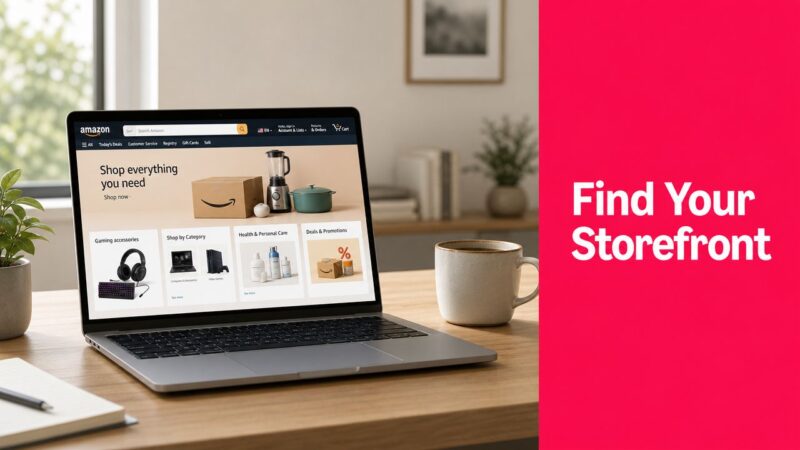
You search for a brand on Amazon because you want the full shop, not one random listing. Instead, you land in a maze of product results, sponsored placements, and category pages that don't look anything like a storefront.
That frustration usually comes from one basic problem. “Amazon Storefront” doesn't mean just one thing. Sometimes people mean an official Amazon Brand Store built by a registered brand. Other times they mean an Amazon Influencer storefront, which is a creator's page of recommended products. If you're trying to answer where is Amazon storefront, you need to know which one you're looking for first.
Most advice online blurs those together. A useful starting point is this Amazon Storefront guide, which helps frame the concept before you get into the platform-specific details. The practical reality is simpler than it looks once you split the storefront types apart.
Table of Contents
Lost on Amazon? Finding Your Storefront Starting Point
If you typed “where is Amazon storefront” because you want a brand's main shop page, start by asking a sharper question. Are you looking for a brand-owned destination inside Amazon, or a creator-curated page?
Amazon's own help content notes that the phrase can refer to different destinations, which is exactly why so many shoppers and sellers get stuck when they search for one answer to one term. A brand store and a creator storefront may both live on Amazon, but they serve different jobs.
The two storefronts people mix up
A Brand Store is the official home for a brand inside Amazon. It's where a company organizes its catalog, category pages, visuals, and merchandising in one place.
An Influencer storefront is different. It's a creator's collection of recommended products, often spanning multiple brands, built for product curation and affiliate-driven discovery.
Practical rule: If the page is centered on one brand's identity, it's usually a Brand Store. If it looks like someone's picks, gift guides, or favorite finds across brands, it's usually an Influencer storefront.
Why this matters in practice
The path to finding each one isn't the same. The management tools aren't the same either. A brand manager looking for Store settings in Seller Central will hit a dead end if they're thinking about the creator version. A shopper trying to find a creator page by browsing a brand byline will also waste time.
That's why the best approach is operational, not theoretical. Identify the storefront type first. Then use the right route to find it, verify it, or manage it.
Brand Stores vs Influencer Storefronts The Key Differences
The practical difference is ownership.
Amazon has acknowledged that “Amazon storefront” can point to more than one kind of page, which explains why shoppers search one term and land in two very different experiences, as noted in Amazon's seller explanation of Amazon storefront types.

What a Brand Store is
A Brand Store is the official branded destination built and managed by the brand or its authorized team inside Amazon. In practice, that means one company, one brand identity, and a catalog structure the brand controls. Sellers usually use it to group products by category, launch collection pages, and send traffic to a page that feels more intentional than a single listing.
For operators, the trade-off is straightforward. A Brand Store gives tighter merchandising control and a cleaner branded path, but it also depends on the brand's account status, setup quality, and Amazon's review process. If the store is incomplete, under review, or not properly linked from listings, shoppers may have trouble finding it even though it technically exists.
What an Influencer storefront is
An Influencer storefront belongs to a creator, not to the brand featured on it. The creator selects products, often from multiple brands, and organizes them around themes such as daily picks, gift ideas, or category recommendations. Traffic usually comes from social posts, creator bios, livestreams, and direct creator links rather than from a brand byline on a product page.
That ownership point matters. Brands can benefit from placement in an influencer storefront, but they do not control the page layout, the surrounding product mix, or whether competitors appear alongside them.
A fast comparison
| Storefront type | Best for | Controlled by | Product mix | Typical discovery path |
|---|---|---|---|---|
| Brand Store | Brand-led merchandising and catalog control | Brand, vendor, or agency partner | Primarily one brand | Product byline, brand search, direct Store URL |
| Influencer storefront | Creator curation and affiliate traffic | Creator | Multiple brands or selected products | Social links, creator profile, direct URL |
A second difference is verification. Brand Stores are usually easier to validate because they tie back to a known brand presence on Amazon. Influencer storefronts can be harder to verify quickly, especially when shoppers find them through off-Amazon links, shortened URLs, or creator handles that do not match a legal business name.
For agencies and brands studying creator programs, the operational work is different too. Reviewing one creator page by hand is easy. Comparing dozens is not. This piece on Amazon Creator Shop data extraction is useful if your team needs to examine creator storefront structure at scale.
The common mistake is treating these as interchangeable. A Brand Store is a controlled brand asset inside Amazon. An Influencer storefront is a creator-controlled recommendation page that may feature your products, your competitors, or both.
How to Find Any Amazon Storefront as a Shopper
For shoppers, the answer to where is Amazon storefront usually comes down to three paths. The cleanest route depends on whether you already know the brand, the creator, or neither.

Click from the product detail page
This is the most reliable path for Brand Stores.
Open a product listing from the brand you want. Near the title, you'll often see a clickable brand byline such as “Visit the [Brand Name] Store.” For brand-registered sellers, Amazon's Store best-practices guide explains that shoppers commonly reach stores through the brand byline on product detail pages, Amazon search results, or a unique Store URL, and that the storefront is a brand-owned destination inside Amazon rather than a standalone marketplace page. The same guide also notes that Store pages must include a header plus at least one additional content tile and can contain up to 20 sections total in the build structure, which helps explain why some stores feel more developed than others in practice. See Amazon's Stores best practices guide.
If the byline is there, click it. If it isn't, don't assume the brand has no store. Some listings route shoppers better than others, and some brands don't make that path obvious.
Use search, but search like a human
Amazon search works for storefronts, but only when you give it enough signal.
Try:
- Exact brand name for a Brand Store
- Creator name or handle for an Influencer storefront
- Brand name + store
- Creator nickname + Amazon
Search gets messy when the name is generic. A brand called “Native,” “Aura,” or “Bloom” can easily get buried under broad product results. In those cases, adding another identifier helps, such as a product line, founder name, or social handle.
Search often fails because users search the product category, not the page owner. “Protein powder” won't find a storefront. “Brand name store” might.
Follow a direct link from outside Amazon
For Influencer storefronts, this is often the fastest route.
Creators usually share storefront links in TikTok bios, Instagram link hubs, YouTube descriptions, or creator websites. Independent guidance also points out that users often rely on exact names, hashtags, or social profiles because there isn't a stable universal Amazon directory for creator storefront discovery, and storefront owners may need to check statuses like “Published” or “Needs Attention” in Owner View when troubleshooting visibility. That's discussed in this guide to finding Amazon influencers and storefronts.
For shoppers, that means a simple rule applies. If Amazon search doesn't surface the storefront quickly, check the person's social profile instead of continuing to guess inside Amazon.
Mobile versus desktop
On desktop, bylines and store links are usually easier to spot. On mobile, they're often lower on the page or visually compressed. If you can't find a store in the app, opening the same product page on desktop often resolves the issue faster than more searching.
A practical example: if you want a cookware brand's full collection, start on one of its top pans and click the store byline. If you want a creator's “home office finds,” skip Amazon search and go through the link in that creator's Instagram or TikTok bio.
Your Storefront HQ Locating and Linking for Brands
A common brand-side problem looks like this: the team built the Store, someone approved creative, traffic is ready to go, and then nobody is sure which link is public. On Amazon, that confusion usually comes from mixing up three different things: the Store builder, a preview URL, and the live storefront URL shoppers can use.

Start with eligibility and access
A Brand Store sits inside Amazon's brand tools, so the setup starts with account status, not design. To create one, a seller needs a Professional Seller account and access to Brand Registry. Brand Registry enrollment requires trademark details, including a trademark registration number and the issuing trademark office, as covered in this walkthrough on how to create an Amazon storefront.
If your team cannot see Store options, check permissions before anything else. In practice, missing access causes more wasted time than broken templates.
Where brand teams actually find the Store
For sellers managing a brand account, the usual path is inside Seller Central under Stores. Some teams also access Store management through Amazon's advertising tools under Brand Content > Stores.
The basic workflow is straightforward:
- Sign in to Seller Central.
- Open Stores.
- Choose Create Store if you are starting from scratch, or open the existing Store to edit it.
- Build or update your pages.
- Submit changes for review.
- Copy the live public URL only after the Store is approved and published.
That last step matters. Teams often paste a preview link into email, paid social, or creator briefs, then wonder why shoppers hit the wrong page or get an error.
Use the live Store URL like a retail asset
A Brand Store gives you a branded destination on Amazon, and the short public URL is often the cleanest link you own on the platform. It works better than a single product link when shoppers need to compare products, browse a category, or understand the brand story before they buy.
Use the Store URL where browsing intent is high:
- Instagram bio for collection-level traffic
- Email campaigns for launches, bundles, and seasonal edits
- Creator briefs when you want partners sending traffic to a curated page
- QR codes on packaging or inserts for repeat purchase paths
- Press mentions and founder interviews where a short, readable link is easier to share
I usually advise brands to send cold traffic to a Store page, not straight to an ASIN, unless there is one clear hero product. Category context improves conversion for shoppers who are still deciding.
What strong Store setups do differently
Good Stores merchandise. Weak Stores archive.
The difference shows up fast. Pages built around how people shop tend to perform better than pages built around internal catalog logic. “Best sellers,” “gifts under $50,” “starter routine,” and “shop by concern” are easier to use than a page that just lists every SKU.
Stores also need maintenance. Product availability changes, campaigns expire, creative goes stale, and featured ASINs can fall out of stock. A Store that was accurate three months ago can gradually become a bad landing page today.
If you are improving page structure and merchandising, this guide on optimizing your Amazon Storefront offers practical ideas. If your team also needs creator-made product content for Amazon campaigns, UGC for Amazon-focused campaigns can support that workflow.
One mistake brands keep making
Brands often treat the Store as if publishing it will make it discoverable on its own. Amazon provides the destination. Your team still needs to send qualified traffic there through ads, product detail pages, social, email, creator partnerships, and off-Amazon mentions.
That is why the public link matters so much. The Store is not just a design project inside Seller Central. It is a distribution asset, and the wrong URL can waste an entire campaign.
Troubleshooting Why Your Storefront Is Not Visible
A missing storefront usually isn't a mystery. It's one of a few operational problems. The hard part is diagnosing the right one quickly.

Check status before you check strategy
If a storefront isn't visible, start with approval and status. For creator storefronts, Amazon support references an Owner View with labels such as “Published” and “Needs Attention.” That's a useful reminder that discoverability problems often begin with moderation or page status, not with promotion.
For brands, the same logic applies even if the labels differ in your workflow. If the Store hasn't passed review, has unresolved content issues, or was edited recently, visibility can lag behind what your team expects.
The usual causes
- Wrong link being shared. This is more common than brands admit, especially when different team members pass around preview URLs, ad URLs, or copied browser strings.
- Store not fully approved. If the build was submitted but not accepted, shoppers won't reliably reach the live version.
- Brand Registry access issue. If permissions changed or setup was incomplete, Store management can disappear or break.
- Required page elements missing. Amazon requires a header plus at least one additional content tile on every Store page, so incomplete pages can create submission problems.
- No active traffic path. Some teams think the Store will “show up” everywhere by default. In reality, discoverability depends heavily on bylines, search relevance, and links from other channels.
A practical diagnostic order
Use this order when a Store seems invisible:
- Open the exact public URL in a private browser.
- Check account status and notifications inside Amazon.
- Confirm the store was submitted and approved, not just saved.
- Review page structure for required elements.
- Test discovery paths from a product detail page, branded search, and a shared external link.
- Escalate to support if the Store is approved but still inconsistent across devices.
A storefront can exist and still be hard to find. Visibility and existence are not the same thing on Amazon.
Promoting Your Storefront and Answering Key Questions
Once the Store is live, treat it like a destination that needs routing.
A few promotion tactics consistently make sense. Put the Store URL in your social bios when you want customers to browse a collection instead of one SKU. Use creator content to point shoppers to a themed Store page when the buying decision needs more context. If you run Sponsored Brands, send traffic to a relevant Store page instead of forcing every click to a single listing. Physical brands can also place a QR code on inserts or event materials that points to the Store rather than to a homepage outside Amazon.
Quick answers to common questions
Do you need a trademark for a Brand Store?
Yes, in practical terms you need the eligibility tied to Brand Registry, and Brand Registry enrollment requires a trademark registration number, which ties the feature to verified brand ownership through Amazon's setup path described in the earlier linked source.
Can any seller create an official Brand Store?
No. The system requires a Professional Seller account plus Brand Registry access, so it isn't available as open self-service publishing.
How often should a brand update its Store?
Amazon recommends updating a Brand Store at least once per quarter, which is a good operating cadence if your catalog, creative, or seasonal offers change.
Why can't shoppers always find the Store easily?
Because discoverability depends on the path. Some shoppers arrive through a product byline, some through search, and some only through a direct link. A live Store can still be hard to surface if traffic routing is weak.
If your brand wants more traffic flowing into Amazon product pages and Store experiences, JoinBrands can help you coordinate creator content for Amazon-focused campaigns, including assets for listings and social-led promotion that points shoppers to the right destination.