



 7 Fresh Ideas for Instagram Story Inspiration in 2026
You've probably hit this point in your DTC marketing cycle already. UGC still works, creator whitelisting still works, short-form product demos still works, but every creative review starts to feel like a remix of the last one. The team wants something interactive. Finance wants it measurable. Creators want something their audience will use instead of just scroll past.
That's where augmented reality filters get interesting.
Used badly, they're a novelty with a short shelf life. Used well, they become a performance layer inside your creator program. They give people a reason to open the camera, participate, post their own version, and spend more time with the product than they would with a static ad or a basic video. For DTC brands, that matters because interaction often creates better intent signals than passive viewing.
The practical question isn't whether AR is “cool.” It's whether the filter helps a shopper do something useful or fun enough to move them closer to purchase. That can mean trying on sunglasses, testing a makeup look, activating a creator-led giveaway mechanic, or turning a product launch into a camera-native experience that people want to share.
Table of Contents
What Are Augmented Reality Filters?
An augmented reality filter is a digital layer placed over the live camera view. The simplest way to think about it is this: it's an interactive camera effect that responds to a person's face, movement, or surroundings in real time. Sometimes that means virtual makeup. Sometimes it means a branded game. Sometimes it means placing a product into someone's environment.
For a DTC team, the key shift is strategic. AR filters started as social play, but they've become part of a broader family of immersive brand experiences that let customers engage instead of just watch. That matters because social platforms reward participation. A person using your filter is doing more than consuming content. They're creating content with your brand embedded inside it.

What they look like in practice
A few common formats show up repeatedly in e-commerce:
- Virtual try-on: Sunglasses, hats, beauty products, jewelry.
- Interactive effects: Face masks, animated brand characters, seasonal overlays.
- Utility-led overlays: Shade matching, product previews, before-and-after views.
- Game mechanics: Tap, blink, nod, or move to trigger a branded interaction.
The strongest concept usually isn't the most complicated one. It's the one that fits the product and the platform behavior. A lipstick shade try-on makes sense. A floating 3D mascot with no purchase tie-in usually doesn't.
Why people actually use them
This is the part many brand decks miss. A peer-reviewed study in Psychology & Marketing found that perceived entertainment was the strongest predictor of user satisfaction with AR filters and significantly increased intention to share. The same study also found that interactivity contributed to gratification, while curiosity and compatibility influenced satisfaction, according to the Wiley paper on AR filter adoption and sharing behavior.
The practical takeaway is simple. If the experience isn't enjoyable, people won't use it long enough for the marketing value to appear.
That's why high-performing augmented reality filters rarely feel like display ads. They feel playful, personalized, and native to the camera. For creator campaigns, that's a major advantage. The filter becomes part of the content itself, not an add-on pasted around it.
How AR Filters Work and Why They Matter for Brands
While deep engineering knowledge isn't required, marketers do need to know what makes a filter feel polished versus frustrating. If you brief AR work without that baseline, you'll approve ideas that look good in a mockup and break in real use.
At the technical level, production-grade filters rely on a computer-vision pipeline. The camera feed is analyzed to detect facial landmarks, and digital elements are rendered on top of that feed in real time. The quality depends on tracking accuracy and latency, which is why good filters stay aligned as someone moves and weak ones slide, jitter, or lose position, as explained in the DeepAR and Vonage overview of AR filter mechanics.

Face tracking is the trust layer
If your brand sells anything appearance-sensitive, stable tracking is essential. Makeup, eyewear, brow products, hair accessories, and beauty effects all depend on precise facial alignment. If the overlay drifts when a creator turns their head, the shopper stops trusting the product view.
That's not just a technical flaw. It's a conversion problem.
A clean try-on experience helps the customer answer a purchase question. Does this color suit me? Does this frame shape work? Does this contour placement look believable? AR works best when it reduces uncertainty.
Rendering quality shapes brand perception
A filter can track well and still feel cheap. This usually happens when lighting, texture, or motion behavior doesn't fit the camera environment. The product might look too flat, too glossy, or too detached from the face.
For marketers, this changes how creative should be reviewed. Don't approve filters from still screenshots alone. Review them on actual devices, in indoor and outdoor light, with different skin tones, camera angles, and creator styles.
If your team is exploring the broader role of augmented reality in e-commerce, the business value becomes concrete. Better tracking and rendering don't just make the experience “look cool.” They make the product demonstration more believable.
Not every idea deserves AR
AR is useful when the camera interaction adds something video alone can't.
Use it when you need:
- Product trial without inventory: Try-on, placement, visualization.
- Audience participation: A mechanic that encourages recording and reposting.
- Creator differentiation: A new hook for repetitive product categories.
- Attention depth: More active engagement than a quick thumb-stop.
Skip it when the concept could be explained better with a basic creator demo, a testimonial, or a simple landing page animation.
Practical rule: If the filter doesn't improve either product understanding or participation, it's probably a gimmick.
AR Filter Ideas to Drive Engagement and Sales
The easiest way to waste budget on augmented reality filters is to start with the effect instead of the buying behavior. Start with the friction point. Then pick the filter concept that removes it or turns it into a shareable action.

Virtual try-on for confidence-sensitive products
This is the cleanest use case for many DTC brands. If shoppers hesitate because fit, style, or shade is hard to judge, a try-on filter can reduce that friction.
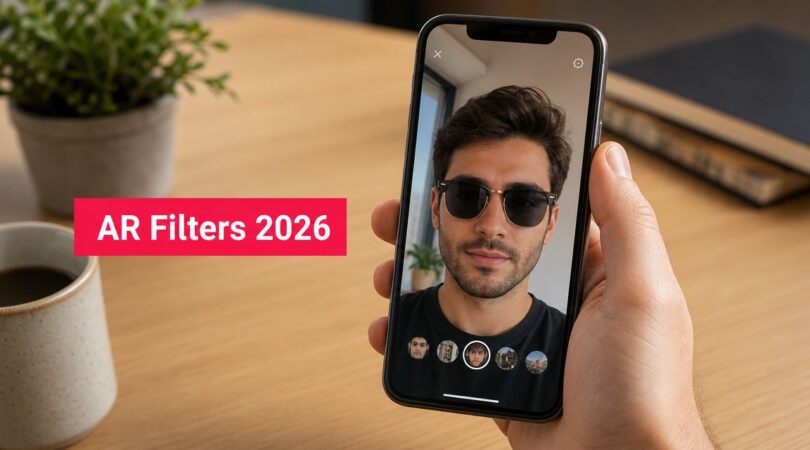
A sunglasses brand might let users cycle through frame styles. A beauty brand might preview lip shades or blush placement. A hat brand could test shape and proportion on face.
What works:
- Show a small set of hero SKUs: Too many options creates decision fatigue.
- Use creator demos first: Creators should show how they use the filter before asking their audience to try it.
- Tie the experience to PDPs: The filter should map clearly to products people can buy.
What usually fails:
- Overloaded menus
- Unrealistic textures
- A filter that looks fun but doesn't help someone choose
Gamified filters for creator-led participation
Gamified AR works when the interaction is fast and the reward is obvious. Think catching falling products, reacting to a score prompt, or triggering a reveal with a blink or head movement.
A snack brand could build a filter where users “catch” branded items. A skincare brand could create a routine challenge that reveals a recommended product sequence. A beverage launch could use a timed reflex game and ask creators to challenge their audience scores.
This format is strongest when the goal is UGC volume and comment activity, not deep product education.
Keep the mechanic learnable in seconds. If a creator has to explain the rules for half the video, the interaction is too complicated.
Branded world effects for launch moments
Some products need scene-setting more than try-on. Home fragrance, wellness, seasonal collections, and lifestyle accessories often benefit from an environmental effect that changes the user's setting.
That could mean turning the background into a campaign world, adding floating product visuals around the user, or building a mood effect around a drop. These are useful when the brand story matters as much as the item itself.
The trap is making it too abstract. If the world effect doesn't reinforce the actual product or launch concept, it becomes decorative noise.
Quiz and recommendation filters
A simple “Which product are you?” or “Find your shade family” mechanic can work well when your assortment is broad and creators need a lighter entry point than a direct sales pitch.
These don't have to feel like formal quizzes. They can be roulette-style effects, guided prompts, or reaction-led reveals. The important part is the handoff. Once someone gets a result, the creator or brand needs a clear path to the matching product page, bundle, or collection.
Your Campaign Workflow from Brief to Launch
Teams usually struggle with AR campaigns for one reason: they treat the filter, the creator content, and the paid amplification as separate projects. They aren't. They're one system. If the brief is vague, the build suffers. If the build works but creators weren't directed well, usage stalls. If the content performs but no one planned tracking, the campaign becomes hard to defend internally.

Start with one commercial objective
Pick the job before you pick the visual concept.
A good AR brief starts with one of these:
- Reduce hesitation: Useful for try-on and product visualization.
- Increase participation: Useful for games, reactions, and remixable creator prompts.
- Support a launch: Useful for drops, collaborations, and seasonal moments.
- Generate reusable creator assets: Useful when you want paid social variants built around the same effect.
Trying to do all four at once usually produces a messy filter.
Write a brief that creatives can actually execute
Most failed AR campaigns come from briefs full of adjectives and missing mechanics. “Make it premium and viral” isn't a brief. “Users can try three lipstick shades, switch by tapping, and creators should show side-profile movement in natural light” is a brief.
Creator Brief Template
Campaign goal: What business result matters most
Audience: Who should use the filter and why
Product focus: Specific SKUs or collection
Filter mechanic: Try-on, game, reveal, quiz, environment effect
User action: Tap, blink, smile, nod, move, scan, place
Creative direction: Brand colors, visual style, do-not-use elements
Creator deliverables: Number of videos, story frames, hooks, CTAs
Testing needs: Devices, lighting conditions, face angles, complexion checks
Success signals: What the team will monitor after launch
Usage rights: Where the content and effect can be used
Keep reviews tight and staged
Don't wait for the final build to give feedback. Review in layers:
- Concept review: Does the mechanic match the product and platform?
- Prototype review: Does tracking feel stable and understandable?
- Creator review: Can someone unfamiliar with the build use it instantly?
- Launch review: Are naming, placement, and usage prompts ready?
A practical setup is to have one owner from brand, one from paid social, one from creator marketing, and one technical reviewer. More reviewers usually create noise.
Use one operating hub for creators and approvals
If you're coordinating creators, product seeding, content rights, and ad-ready assets, you need a workflow tool, not a spreadsheet chain. Teams often manage this through creator platforms, internal PM systems, or a mix of both. JoinBrands is one example of a creator marketing platform that brands use to post briefs, review creators, manage deliverables, and handle approvals in one place.
Creator Brief Essentials for AR Filters
| Component | What to Include |
|---|---|
| Campaign objective | One clear commercial goal and one secondary engagement goal |
| Product scope | Exact products, variants, or collection to feature |
| Audience definition | Target buyer, creator audience fit, and usage context |
| Filter behavior | How the effect works and what triggers interaction |
| Visual rules | Logo treatment, brand colors, forbidden elements, tone |
| Creator content plan | Required hooks, demo sequence, CTA, and posting format |
| Technical QA | Devices to test, movement tests, lighting checks, fail conditions |
| Approval flow | Who signs off on concept, prototype, creator content, and final assets |
| Measurement plan | What metrics matter and how they'll be captured |
| Rights and usage | Organic usage, paid usage, whitelisting, editing permissions |
How to Measure AR Filter Campaign ROI
If your team reports AR success with shares alone, you're under-measuring it. Shares matter, but they don't answer the budget question. The better frame is to split AR performance into attention, participation, and commercial movement.
Industry data gives a useful benchmark for upper-funnel potential. AR campaigns on Snapchat have been cited as delivering 3.1x ad awareness, 2.2x brand awareness, and 1.7x brand lift compared with standard approaches, and an Instagram marketing analysis reports 70% higher engagement rates for branded AR filters versus traditional filters in the industry summary on AR marketing performance.

Attention metrics are only the first layer
Start with the obvious, but don't stop there.
Useful top-line signals include:
- Views and opens: Did people enter the experience?
- Captures and shares: Did they create with it?
- Usage depth: Did they stay long enough to engage, not just sample?
These tell you whether the filter has creative traction. They don't tell you whether it influenced revenue.
Participation metrics tell you if the concept is alive
AR can outperform standard branded creative. A good filter generates behavior, not just exposure.
Look for:
- Creator adoption quality: Are creators using the effect naturally or forcing it?
- Audience remakes: Are followers posting their own versions?
- Comment patterns: Are people asking where to buy, which shade is featured, or how to get the same result?
These signals help you spot whether the mechanic is creating intent or just novelty.
Commercial measurement needs a planned handoff
To connect augmented reality filters to sales, build the path before launch.
A practical measurement setup can include:
- Creator-specific links: Attach product-page links to creator stories or profile paths.
- Filter-specific codes: Give creators or campaign variants distinct promo codes.
- Landing page alignment: Send traffic to the exact products featured in the filter.
- Post-purchase survey input: Ask buyers where they discovered the product.
- Paid retargeting audiences: Retarget people who engaged with related creator content.
If there's no click path, code path, or audience retargeting plan, AR becomes difficult to attribute even when it works.
The biggest mistake is expecting the filter itself to close the sale. Usually it assists the sale by improving product understanding, increasing creator interaction, and creating stronger remarketing audiences. That's why AR should be reviewed inside the wider creator funnel, not as an isolated media object.
Legal Considerations and Platform Guidelines
AR campaigns often get delayed for reasons that have nothing to do with creativity. The filter may be strong, but the branding is too aggressive, the claims are too direct, or the user experience conflicts with platform review standards. That's why legal review needs to happen while the concept is still flexible, not after the build is done.
Review what the platform may reject
Each major platform has its own review process and creative limits. The exact rules change, so the operating habit matters more than memorizing a list. Check the current documentation for Meta, TikTok, and Snap before production starts, not just before submission.
Common issues include:
- Promotional overload: Too much sales text or intrusive branding.
- Misleading visual effects: Especially risky in beauty, wellness, and appearance-sensitive categories.
- Unclear disclosures: Relevant when creators are posting sponsored content tied to the filter.
- Rights issues: Unlicensed music, character use, or visual assets.
A practical safeguard is to have legal, brand, and creator teams sign off on the mechanic early. It's much easier to simplify a concept in storyboard form than after technical production.
Inclusivity is a quality requirement
A 2024 study in Frontiers in Virtual Reality highlights the importance of designing AR filters that work accurately across diverse skin tones, especially for brands in beauty and retail, as discussed in the Frontiers research on inclusive AR filter design.
That shouldn't be treated as a niche ethics issue. It's a core product and performance issue. If a shade try-on looks believable on one creator and distorted on another, the campaign quality breaks.
Build an internal QA checklist
Before launch, test for:
- Skin-tone consistency: Does the effect render believably across varied complexions?
- Lighting resilience: Does it still work in low light, daylight, and mixed indoor lighting?
- Face diversity: Different features, angles, and movement styles.
- Claim safety: No implied results your legal team wouldn't approve elsewhere.
A filter that only works on the brand team's phones isn't launch-ready.
How to Launch Your First AR Campaign
The cleanest first launch is a narrow one. Don't start with a massive multi-product experience. Pick a single product category, a simple mechanic, and a small creator group that can demonstrate usage clearly.
A straightforward rollout looks like this:
Post a brief with one clear use case
Choose try-on, quiz, or game. Attach the products, visual references, creator deliverables, and approval rules.Select creators who can explain and demonstrate
AR campaigns need more than reach. You want creators who can show the filter in action, make the interaction feel effortless, and guide viewers toward the next step.Launch with built-in measurement
Pair creator posts with trackable links, product-specific landing pages, and a retargeting plan. Then compare the campaign against your normal creator content, not against an abstract idea of “innovation.”
The brands that get value from augmented reality filters don't treat them as a one-off stunt. They treat them like any other acquisition-supporting creative format. The concept has to fit the product. The creators have to fit the concept. The tracking has to be set before the first post goes live.
If you're ready to operationalize AR inside your creator program, JoinBrands gives teams a way to manage briefs, creator selection, deliverables, approvals, and campaign coordination without building the whole workflow from scratch.