
 Angles Matter: Elevate Your Video Quality Today!
Every TikTok Shop creator knows the feeling.
You finally have the product.
You open your camera.
You know you should post.
And then… nothing.
No hook. No angle. No idea where to start.
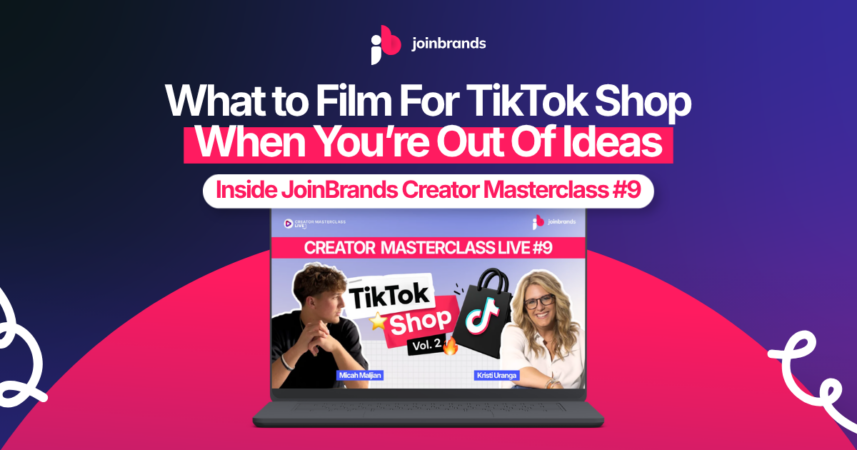
That was the problem at the center of JoinBrands Creator Masterclass Live #9, hosted by TikTok Shop creator and creative director Kristi, with guest creator Micah joining to share what building from the beginning actually looked like.
This session picked up right where the last one left off. After the previous masterclass, the chat made one thing clear: creators wanted more help with the basics. How to choose products. How to know what to say. How to film when the product is sitting in front of you and your brain decides to leave the room.
So this class went straight into it.
Kristi broke down a simple TikTok Shop content playbook creators can use again and again: how to choose products that are worth filming, how to turn one product into more than one video, and how to use frameworks when you feel stuck.
Then Micah came in with the part that made the whole session feel real.
He started TikTok Shop in January. His first month brought in around $75 in commissions. A few months later, he had generated over $100K in GMV and built a system making around $7K+ a month in commissions.
No giant creator backstory. No overnight shortcut. Just testing, learning, repeating, and paying attention to what people were already asking him for.
Here’s what happened inside the session.
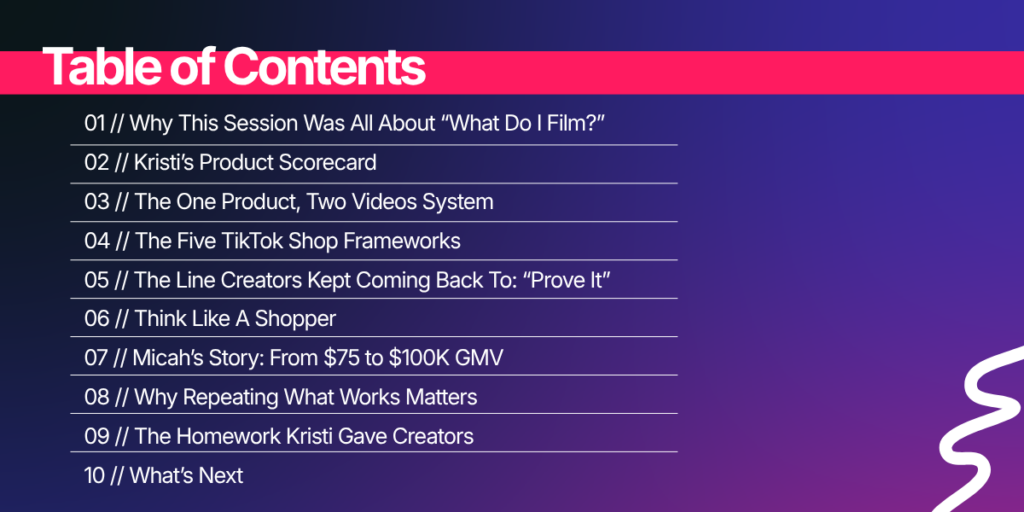
Table of Contents
Why This Session Was All About “What Do I Film?”
Kristi opened the class with the question creators were already feeling:
“I do not know what to film.”
And she made it clear that this is not only a beginner problem.
You can be brand new. You can be a few months in. You can already have videos posted and still hit that moment where you pick up a product and have no clue what to say next.
The chat was right there with her.
Creators were asking about sales, lives, products, free samples, posting frequency, and how to know if a video is even worth making.
So the goal of the session was simple: give creators something they can use when ideas are not coming naturally.
A playbook.
Not a vague “just be authentic” answer. Not another reminder to post more.
A real structure for the moment you are staring at a product and trying to turn it into content that can actually sell.
Kristi’s Product Scorecard
Before anyone started talking about hooks or scripts, Kristi brought creators back to the first decision that matters:
The product.
Because not every product deserves a video.
TikTok Shop has endless products, and it is easy to think more products automatically means more opportunity. But Kristi pushed creators to slow down and ask better questions before filming.
Her product checklist was simple.
Does it solve a real problem?
This was the first filter.
Kristi reminded creators that shoppers are usually trying to fix something.
Maybe their skincare keeps breaking them out.
Maybe their water bottle keeps leaking.
Maybe their phone grip is too bulky.
Maybe they want lashes that stand out without trying five mascaras first.
The product needs a reason to matter in someone’s life.
If there is no problem, the video gets harder before you even start.
Can you show the solution quickly?
This was one of the biggest points in the class.
A product that solves something visually gives you a stronger starting point.
A bottle can be flipped upside down to prove it does not leak.
A phone mount can be stuck to different surfaces.
A plug adapter can fix the annoying problem of reaching behind the couch.
A sunscreen can be tested for white cast.
The moment the product solves the problem is often the moment that should go near the beginning of the video.
That is where people understand why they should keep watching.
Does the commission make sense?
Kristi also got practical about money.
If a product only pays a few cents per sale, creators need to decide if it is worth the time. She talked about looking at both organic and shop commission and choosing products that can actually help grow GMV.
The point was not to chase only expensive products.
The point was to stop spending hours filming products that do not make financial sense for the creator.
Does it have enough stock?
This part matters more than creators think.
If a video starts working but the product only has a few units left, the momentum can disappear fast.
Kristi recommended looking for products with real stock behind them, especially when creators are putting effort into multiple videos.
Does it already have sales?
A product does not need to be massive before you touch it.
But Kristi warned creators to pay attention to traction.
If a product has no sales, no brand recognition, and no sign that the brand is spending behind it, it may be harder to convert.
That was the bigger theme behind the scorecard:
Choose products that give your content a better chance before you even press record.

The One Product, Two Videos System
Once the product passes the checklist, Kristi’s next rule was easy to remember:
One product. Two videos.
The first video is a talking-head video.
That means you show up on camera, talk through the product, and make the benefit easy to understand.
The second video is B-roll.
And this is where a lot of creators in the class probably started taking notes.
Kristi told creators to film more B-roll than they think they need. Different angles. Product details. The product opening. The product being used. The texture. The size. The color. The setup. The little moments that may feel boring while filming but become useful later.
Because B-roll is not just extra footage.
It becomes your content bank.
You can use it with voiceover.
You can use it with music.
You can use it with text on screen.
You can use it to make a second, third, or fourth version of the same product video.
Kristi also gave one of those very real creator setup tips that makes the advice feel doable:
Put a blanket on the floor. Use a simple background. Film the product clearly. Do not overcomplicate it.
That was the tone of the whole session.
Make it good. Make it clear. Make it something you can actually repeat.
The Five TikTok Shop Frameworks
Then came the part creators were waiting for: the frameworks.
Kristi shared five video frameworks creators can use when they do not know what to film.
They are simple enough to apply quickly, but strong enough to give the video a real angle.
1. Problem Solver
This one starts with the problem.
Kristi showed an example of a product that fixed a very common home issue: trying to plug something in behind a couch or bookcase without moving furniture every time.
The video did not need a huge explanation.
It showed the annoying moment.
It showed the product.
It showed the fix.
That is why the framework works.
When people recognize the problem right away, the product feels useful faster.
2. Buyer Warning
This framework creates curiosity by sounding like a warning.
Kristi used the example of a video opening with a line like:
“If you bought these already, you should return them.”
That kind of hook makes people stop because it sounds like something went wrong.
Then the video reveals the real reason: the product is now on a major discount.
It is simple reverse psychology.
The viewer wants to know why they should return it, and that gives the creator room to explain the product.
3. The Skeptic
This one came straight from comments.
Kristi talked about a phone mount video where viewers kept saying the product would not stick to certain surfaces. So she turned the doubt into a video.
She tested the product on camera.
Different surfaces. Different angles. Real proof.
That is what made the content work.
She was not just answering one comment. She was answering a question many shoppers probably had before buying.
This is why comments can become some of the best content ideas.
They show you what people need to believe before they purchase.
4. Three Reasons
This was the easiest framework in the session.
Pick three reasons someone should care about the product.
But Kristi added the important part: save the strongest reason for last.
Tell people you saved the best one for the end.
That gives the video a reason to keep moving.
Three reasons works because it is simple, clear, and easy to follow. It gives the creator structure without making the video feel heavy.
5. Unexpected Use Case
This framework is for showing a product in a way people may not expect.
Kristi shared an example of a phone mount that was being promoted as a car mount. She used it as a content creation tool instead, sticking it to windows, mirrors, and surfaces around the house.
That changed the whole story.
Same product, different reason to care.
Unexpected use cases are especially useful when a lot of creators are promoting the same item. If everyone is saying the same thing, the creator who finds a fresh use case has a better chance of standing out.
The Line Creators Kept Coming Back To: “Prove It”
If there was one line from the session that belongs on a sticky note, it was this:
Prove it.
Kristi kept bringing creators back to that idea.
Do not only say the product works.
Show it.
Flip the bottle over.
Apply the sunscreen.
Stick the phone mount to the dashboard.
Show the before and after.
Put the product through the moment the shopper is worried about.
This is what makes TikTok Shop content feel stronger.
Shoppers do not need a long product overview.
They need to understand the problem and see why this product solves it.
Kristi said creators should keep those two words in their head when they film: prove it.
That was one of the clearest takeaways from the whole session.

Think Like a Shopper
Toward the end of her section, Kristi shifted the conversation from creator thinking to shopper thinking.
Creators often ask:
How do I go viral?
What hashtags should I use?
What is trending?
How do I get more followers?
Those questions came up in the class too.
But TikTok Shop content has to answer a different set of questions.
The shopper wants to know:
Does this solve my problem?
Is it worth the money?
How is it different?
Can I trust this person?
Will this make my life easier?
That is the shift.
A TikTok Shop video is not only trying to get watched. It is trying to help someone make a buying decision.
And when creators think like shoppers, the content gets more useful.
Micah’s Story: From $75 to $100K GMV
Then Kristi handed it over to Micah.
And this is where the session got especially motivating for newer creators.
Micah is a full-time college student and college soccer player. He started TikTok Shop in January because he needed a way to make money around a schedule that did not leave much room for a regular job.
His first month was not huge.
He made around $75 in commissions.
But for him, that first sale meant something. A real person had watched his video, clicked the shopping cart, and bought something because of his content.
That was enough proof to keep going.
At first, brands were not sending him free products. So he used refundable samples and bought products himself.
Every dollar he made went back into more products and more content.
That reinvestment helped him build momentum.
And then he found the signal.
He started by testing athletic products, sports products, and things that seemed to fit him as a college athlete. But people kept asking about his clothes.
Where did you get that shirt?
Where did you get those shoes?
Where did you get that belt?
That is when he leaned into men’s fashion.
Once he did, the content got easier. His audience got more engaged. His results improved.
Today, Micah has generated over $100K in GMV and built a system bringing in around $7K+ a month in commissions.
And the part that made creators pay attention was how simple the system became once he found what worked.

Why Repeating What Works Matters
Micah showed two videos side by side: one for sweatshorts and one for blank t-shirts.
The products were different.
The structure was almost the same.
Fast hook.
Multiple colors.
Quality details.
Price comparison.
Fit check.
Sale urgency.
Clear reason to click.
That was the lesson.
When a video starts working, you do not have to throw the whole structure away.
Micah kept the same framework and adjusted the product, details, setting, and delivery.
That shift helped him grow from smaller commission months into the system he uses now.
Kristi backed this up with her own experience too. She talked about making around 150 videos around Meta glasses because the product and the framework kept giving her something to build on.
TikTok likes repetition.
And creators do not need to chase a completely new idea every time one video works.
They need to study what worked, remake it, and improve it.

The Homework Kristi Gave Creators
Kristi ended the training with a very clear assignment.
Pick three products.
They can be products you already own, products in your house, or products you find through TikTok Shop.
For each product, make two videos:
A talking-head video
Show the product, talk through the benefit, and start by solving the problem.
A B-roll video
Film enough extra clips that you can reuse them with music, voiceover, text on screen, or a different angle later.
Then study the results.
Kristi told creators to look at their TikTok grid row by row.
If one video got more views, more comments, or more signs of interest than the others, make another version.
Do not only study sales.
Study the signals.
If something got a response, there is probably a reason.
That is where the next video should start.

What’s Next
Creator Masterclass Live #9 gave creators a clear way to stop staring at products and wondering what to film.
Start with a better product.
Make sure it solves a real problem.
Film it two ways.
Use a framework.
Prove the benefit.
Then study what happens and make more in the style that already showed signs of working.
That was the whole message of the session.
And if you missed it, the replay is worth watching with your next product nearby.
Because this class was not just something to listen to.
It was something to use.
Watch the replay: https://www.youtube.com/watch?v=4VY0ShOnb-g
Subscribe on Luma for upcoming masterclasses: https://luma.com/joinbrands
Join JoinBrands as a creator: https://joinbrands.com/creators
Read more creator resources:
Related Articles
UGC Portfolio Examples: What Brands Actually Want to See
Content Creator Jobs: The Ultimate Guide to Landing Them in Today’s Market