
 Facebook for Influencers: The 2026 Playbook
You've got a product launch approaching, a folder of polished brand videos, and a familiar problem: none of them shows what using the product feels like. Meanwhile, customers are watching creators unpack, test, compare, and question products like yours.
User-generated content on YouTube can fill that gap, but hiring creators isn't the whole strategy. Your team needs to connect what creators demonstrate, what you're allowed to reuse, and what viewers do afterward. Treat authenticity as something you can evaluate, not just a description of a filming style.
Table of Contents
What Counts as YouTube UGC and Where Each Format Fits
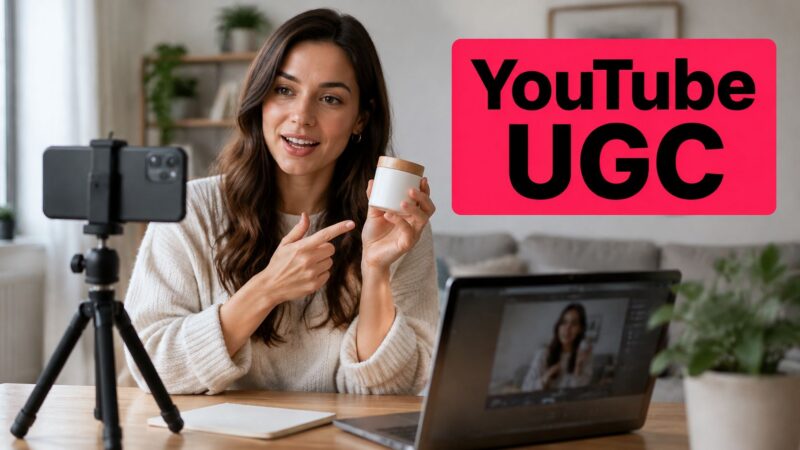
YouTube UGC is any video made by a customer or independent creator, rather than the brand's own studio, that shows, tests, or discusses a product. The surrounding supply is enormous: Whop's YouTube statistics reported that more than 500 hours of video were uploaded every minute in 2024. That's total platform uploads, not a count of branded UGC, but it illustrates how much content competes for attention.
For brand planning, distinguish spontaneous customer posts from commissioned creator videos. Both can contain firsthand experience, but paying someone to film a testimonial doesn't make them an independent customer offering an unsolicited opinion.
Choose the format by the buyer's question
YouTube UGC formats and their best brand use
The lengths below are suggested planning ranges, not platform limits or measured averages.
| Format | What the creator makes | Best brand use | Typical length |
|---|---|---|---|
| Shorts testimonial | Firsthand reaction to one product | Awareness at the top of the funnel | Under 60 seconds |
| First-use Short | Unboxing or first use with live reaction | Launch buzz and quick proof | 30-90 seconds |
| Long-form review | Full evaluation with comparisons and downsides | Purchase research for considered products | 8-20 minutes |
| Tutorial or how-to | Step-by-step use case with product in context | Product education and lower returns | 5-15 minutes |
| Compilation | Curated clips from several creators | Social proof at scale | 3-10 minutes |
A testimonial introduces a reason to care. A review helps someone weigh a purchase, while a tutorial helps them complete a task. Compilations work like a collection of references: their value comes from the different experiences they bring together, not the number of faces shown.
Unlike brand-owned video, creator footage can feel like peer advice rather than advertising, provided the creator contributes genuine experience instead of reciting sales copy.
The diagram organizes these creator types and formats.
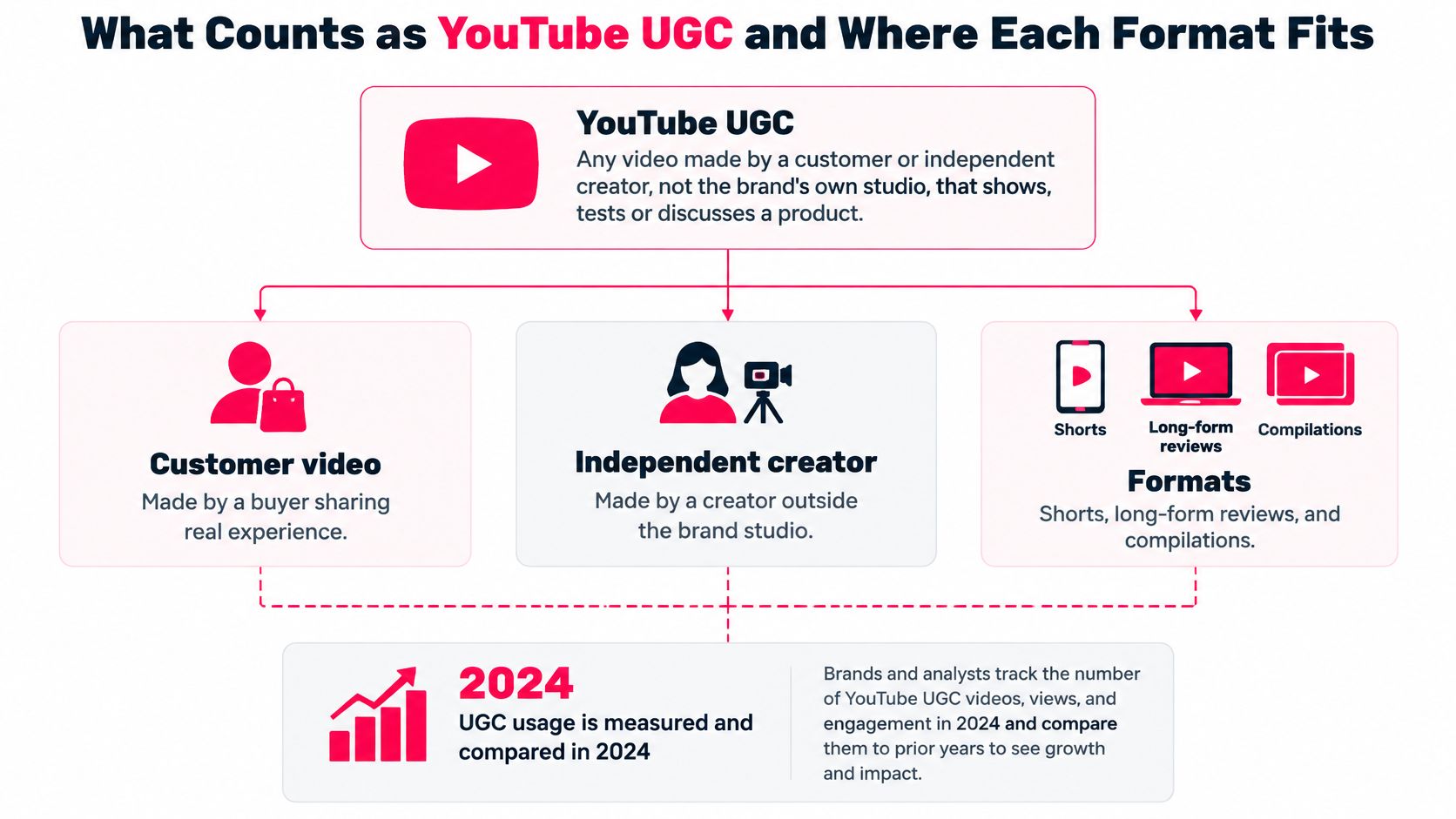
Organic posts, sponsored videos, and brand-licensed reuse involve different permissions and disclosure decisions. Don't assume that discovering a customer's video gives your team permission to turn it into an ad.
Match the format to the unanswered question: Is this worth my time? Does it work for someone like me? Is the experience real? Choose the format that can answer that question visibly.
Why Creator Videos Earn Trust and Reach for Brands
Viewers have something concrete to assess when a creator uses a product: the action, the result, and the explanation. In a 2025 structural-equation study of YouTube UGC, engagement positively predicted audience trust (β = 0.42), while perceived algorithmic influence negatively predicted trust (β = -0.33) and engagement (β = -0.18). These are modeled relationships, not guaranteed campaign lifts or proof that a particular editing technique causes distrust.
The practical lesson is to make the product experience easy to inspect. A creator explaining why a lid leaks when fitted incorrectly gives buyers more useful evidence than a perfect-looking shot with an unsupported claim.
What brands can gain
- Firsthand credibility: A creator can show the product in their own kitchen, routine, or workflow, including conditions your studio wouldn't naturally reproduce.
- Potential production efficiency: Creator filming can avoid some studio overhead, although licensing, revisions, shipping, and management still belong in the cost calculation.
- A broader asset library: Different creators can contribute different use cases for organic posts and licensed ads, rather than cosmetic variations of one script.
- Useful customer questions: Comments can reveal uncertainties your product page and support materials haven't addressed.
Say a kitchen-gadget brand receives dozens of comments asking how to clean a removable part. That's a hypothetical example of feedback with several uses: the marketing team can commission a cleaning demonstration, support can improve instructions, and product designers can investigate whether the part needs changing.
Practical rule: Optimize for evidence people can inspect, not just a hook they can't ignore.
Keep human experience in the persuasive layer
A cross-platform study of 324 content creators found significant engagement effects for both AI-generated and human-generated content, with the human-generated effect stronger, associated with authenticity, emotional connection, and personalization.
Use AI to help draft script variants, caption footage, localize approved language, or organize performance analysis. Keep firsthand demonstrations, contextual recommendations, and personal explanations with the person who used the product.
A brief demanding constant dramatic hooks can leave little room for that experience. Creator selection and comment responses are campaign variables, so assess whether creators explain clearly, acknowledge limitations, and answer product-specific questions before commissioning more work.
Shorts, Long-Form and Compilations in Practice
Consider a hypothetical countertop-appliance launch. The team needs quick discovery content, detailed purchase guidance, and reusable social proof, but each requires a different creative assignment.
Creator collaboration starts with distinct jobs, not identical scripts.
A Shorts-led launch
Suppose ten creators test three hook styles: starting with a frustrating kitchen task, revealing the finished result, or challenging a common assumption. Each creator demonstrates the same supported product benefit but chooses a situation from their own routine.
The brand compares where viewers leave and which openings lead into the demonstration cleanly. If the task-first approach holds attention better, the next assignment can reuse that structure without copying the exact wording, setting, or reaction.
Before producing paid versions, review the execution against YouTube Shorts best practices. Scale the useful storytelling pattern, not every incidental detail of the first successful clip.
A review for a considered purchase
For a more expensive appliance, a creator opens with the buyer's real problem: preparing meals in a cramped kitchen. They test storage, setup, performance, and cleanup, then explain an honest downside, such as an awkward accessory.
Chapters let viewers jump to their concern. A pinned comment answers the most common follow-up question, turning the video into a practical buying resource rather than a drawn-out commercial.
The change is in the buyer's decision process: instead of asking whether the product looks appealing, they can judge whether it fits their circumstances.
This video offers another reference point for discussing creator-video execution.
A compilation with editorial purpose
Imagine assembling ten to fifteen licensed clips around cleanup, storage, and everyday use. Credit each creator and preserve the context of their statement, including qualifications that affect its meaning.
Don't trim “easy to clean if you rinse it immediately” into “easy to clean.” Organize the compilation around buyer questions so the editor adds meaning rather than merely joining endorsements.
Apply this differentiation check:
- Distinct insight: Does the creator contribute something another clip doesn't?
- Firsthand experience: Can viewers see the basis for the opinion?
- Clear disclosure: Is the commercial relationship understandable?
- Editorial transformation: Does the finished piece add useful explanation or context?
In its July 2025 policy clarification, YouTube renamed repetitious content inauthentic content and explained that AI can enhance storytelling while compliant AI-using channels can remain monetization-eligible. The concern is repetitive or minimally transformed production lacking meaningful contribution, not AI use alone.
Choose the next format by the unresolved buying question and observed viewer response. Don't commission more near-duplicates just because a template is easy to reproduce.
Rights, Licences and Disclosure Rules to Check
A paid review needs disclosure even when payment takes the form of a product. Under YouTube's paid-promotion guidance, creators must declare paid placements, sponsorships, and endorsements, including content made in exchange for free products.
Before publishing, the creator opens the video in YouTube Studio, selects Show More, and checks the paid-promotion option. YouTube then displays a disclosure message, but both the creator and brand remain responsible for applicable local disclosure requirements.
Match permission to the actual use
Rights and disclosure needed by use case
| Use case | Rights to secure | Disclosure to add |
|---|---|---|
| Organic repost on brand channel | Written permission for the brand channel | Paid-promotion setting if any compensation was given |
| Paid ads or Spark-style boosting | Paid-media licence with channels, territories and term | Paid-promotion setting plus local ad disclosure |
| Reuse on website or email | Off-platform usage licence | Local disclosure rules where the content is shown |
| AI-edited or synthetic asset | Likeness permission and creator attestation | Synthetic-media label when realistic content is meaningfully altered or synthesized |
Spark Ads is a TikTok format, not a YouTube advertising product. For YouTube campaigns, specify the actual Google Ads placement or creator-ad authorization involved instead of using cross-platform shorthand in contracts.
A licence should address editing, cutdowns, channels, territories, duration, and any permission to use the creator's identity. The UGC usage-rights checklist can help your team turn an informal agreement into a defined usage plan.
Review synthetic changes separately
YouTube's altered-content disclosure guidance requires disclosure for realistic content that's meaningfully altered or synthetically generated, such as making a real person appear to say something they didn't say. Script assistance, captions, minor edits, and clearly unrealistic effects generally don't require that disclosure.
Permission and labeling solve different problems. A synthetic-media label doesn't grant permission to clone someone's voice, and likeness permission doesn't remove a disclosure obligation.
Keep a consent log containing asset IDs, approval dates, licence terms, likeness permissions, and the approved uses. Assign a named approver to each AI-assisted asset and record whether realistic content was altered or synthesized, who produced each cut, and which permissions cover it.
A public upload is something you can watch. It isn't automatically something your brand can advertise with.
Have regional reviewers confirm the necessary ad disclosures before distribution. If a creator won't grant the licence you need, negotiate and pay for that use, or don't reuse the asset.
How to Brief, Solicit and Repurpose Creator Videos
A creator brief should work like a recipe: specify the result and essential ingredients without dictating every movement. Your team needs enough consistency to compare videos, while creators need room to explain the product naturally.
Build a repeatable production workflow
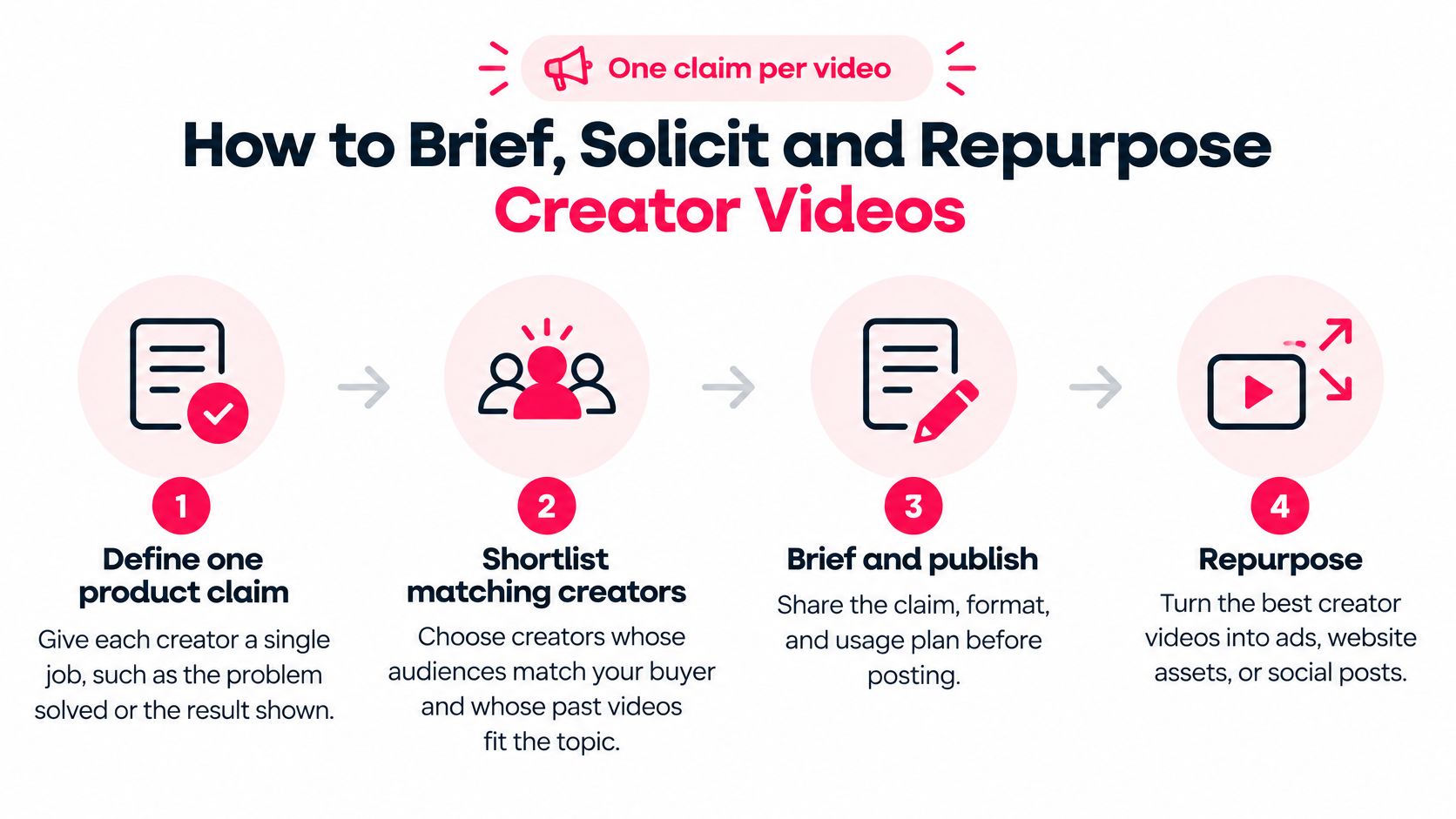
Define one product claim per video. Give the creator a single supported job, such as showing how a storage container fits into a crowded refrigerator. Include the evidence behind the claim and any conditions that must remain visible, so a convenient demonstration doesn't become an exaggerated promise.
Shortlist creators who match the buyer. Review their past product demonstrations, audience questions, filming environments, and ability to explain details, rather than selecting solely by follower count. Consider customer advocates, direct outreach, or a creator marketplace, and ask candidates how they would test the product before choosing them.
Write a one-page brief. Include the customer problem, required demonstration, approved claim, prohibited claims, format, deliverables, and review process. YouTube's audience-retention guidance emphasizes that viewers decide whether to stay during the opening seconds, so ask creators to deliver promptly on the title and thumbnail's promise before introducing secondary details.
Agree on usage and disclosure before filming. Attach the distribution plan to the assignment, including whether footage will appear on the creator's channel, your channel, product pages, or paid placements. Resolve approval responsibilities and synthetic-editing permissions before anyone records footage that your team may later be unable to use.
Review for accuracy, not conformity. Check that the demonstration supports the claim, instructions are safe, and limitations haven't disappeared in editing. If a sentence needs changing, explain the factual problem rather than replacing the creator's entire delivery with brand copy.
Publish, then produce licensed cutdowns. For example, create 15-30 second paid versions from an approved demonstration when the agreement covers paid distribution and editing. Preserve the original meaning, check that music and other included materials are cleared for the new use, and maintain an identifiable source file for every export.
Feed observations into the next assignment. Identify whether viewers leave during setup, explanation, or the demonstration itself, then propose a specific adjustment. Send creators useful notes such as moving the result earlier, rather than vague directions to make the video more engaging.
The workflow below summarizes the main production decisions.
Small briefing choices that preserve credibility
Use a UGC brief template to standardize the essentials without standardizing every creator's personality.
- Request unscripted reactions: Give creators the product and testing instructions before asking them to summarize their experience.
- Invite an honest limitation: Ask who the product might not suit, without manufacturing a complaint.
- Keep instructions usable: Make the brief short enough to apply during a working day, with supporting documents attached separately.
- Protect context: Request original footage and an explanation of test conditions so editors understand what the result actually demonstrates.
Measurement Metrics That Show Real Results
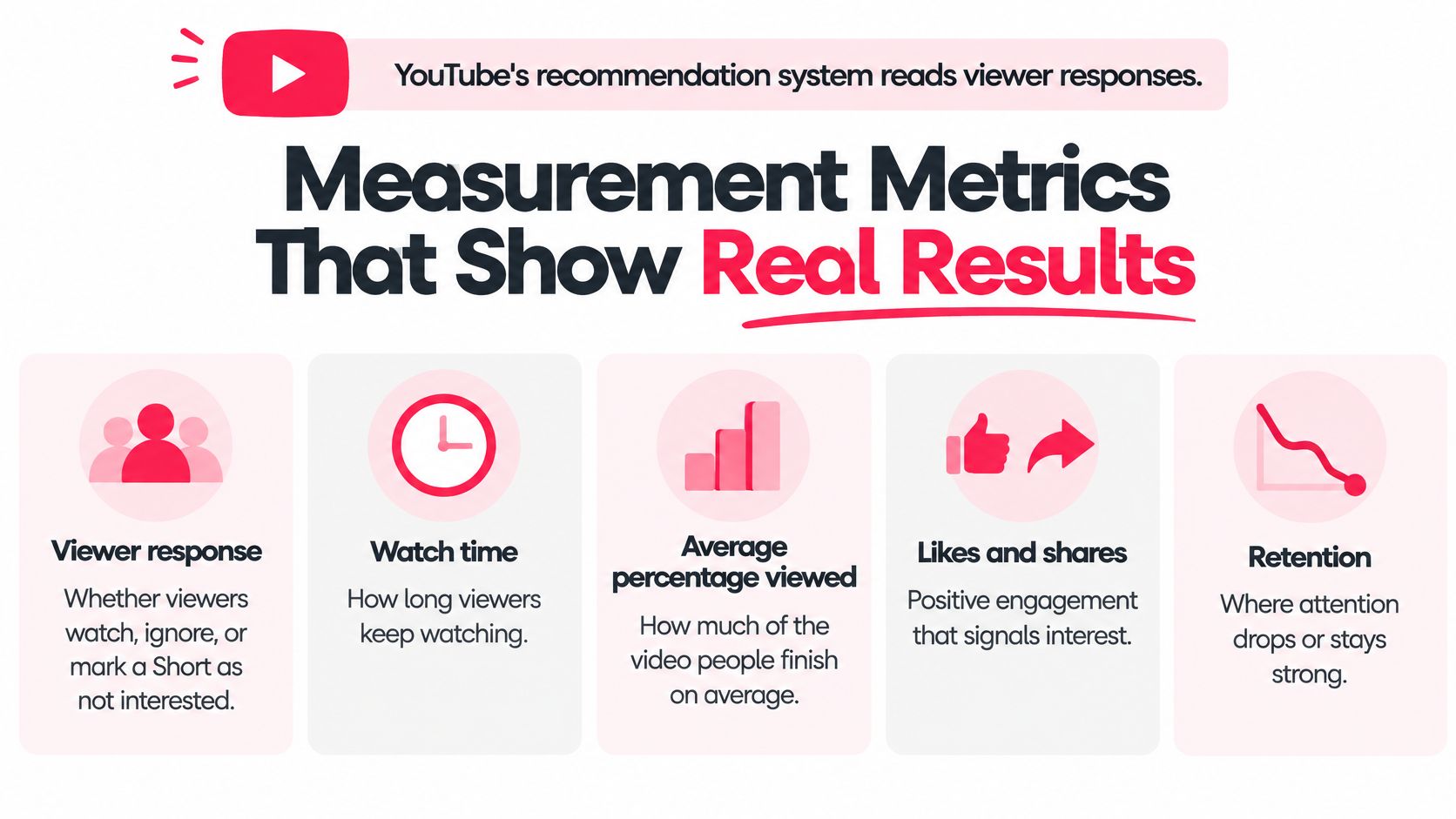
YouTube doesn't evaluate Shorts through views alone. Its Shorts search and discovery guidance describes viewer-response signals including choosing to watch, ignoring a Short, marking it not interested, continued viewing, average view duration, average percentage viewed, likes, and post-watch survey responses.
Those signals help explain distribution, but your campaign also needs to establish whether viewers understand and want the product. Attention, credibility, and commercial response are related questions, not interchangeable metrics.
Read the dashboard alongside the conversation
Creator video metrics and what they reveal
| Metric | What it tells you | Where to check | Warning sign |
|---|---|---|---|
| Average percentage viewed | How much of the video viewers watch | YouTube Studio Shorts analytics | Low completion; inspect retention for the drop point |
| Average view duration | How long viewers stay on average | YouTube Studio Shorts analytics | Short durations on demo-led videos |
| Watch time | Total viewing hours from the video | YouTube Studio Analytics | High views but low watch time |
| Likes and comments | Audience approval and questions | Studio engagement data and video comments | Comments that repeat only praise |
| Comment sentiment and questions | Trust and product-fit signals | Manual or tool-based review | Repeated doubts about the same claim |
| Creator-linked sales | Purchases traced to each creator | Tracking link or code | No sales despite strong retention |
Use the retention curve to find the moment viewers leave. Average percentage viewed summarizes consumption, but it won't, by itself, tell you that viewers abandoned the clip before the product appeared.
YouTube's Shorts analytics guide identifies watch time and audience retention as useful engagement measures and explains how creators can compare Shorts performance. Arrange analytics access or reporting before launch if videos will live on creators' channels.
These metric groups help keep the review focused.
Compare like with like
Test a testimonial, an unboxing, and a before-and-after demonstration for the same supported claim. Keep the offer and distribution conditions comparable, then evaluate retention within similar lengths and formats rather than comparing a Short's completion rate directly with a detailed review.
Manually classify comments into product questions, purchase intent, praise, complaints, and doubts. Record repeated claims across creators, especially when several creators repeat language that sounds borrowed rather than experienced.
Measurement tip: Strong retention with confused comments calls for a clearer explanation, not automatically more media spend.
Give each creator a unique tracking link or code, and recognize that these capture attributable purchases rather than every influenced sale. Use content performance metrics to connect creative observations with business outcomes, keeping raw views as a secondary signal.
Launch a Small Creator Test This Quarter
Start with a manageable experiment rather than a permanent content commitment. For example, choose one product, two formats, and three to five creators whose audiences resemble your buyer, then hold the supported product claim consistent across assignments.
Give each creator the same essential requirements while allowing different settings, explanations, and real experiences. Set the usage permissions, publishing declarations, and AI-review responsibilities before filming, and keep the consent log current as edits are approved.
Make the decision before results arrive
For a hypothetical thirty-day pilot, define the decision rule in advance:
- Scale: Continue with the format and creator structure that retains attention, generates answerable product questions, and supports attributable sales.
- Revise: Rework videos that hold attention but leave buyers uncertain about the claim or product fit.
- Stop: Drop executions that fail to demonstrate the benefit or require misleading edits to appear convincing.
Don't confuse a successful format with a script everyone must repeat. This week, write the one-page brief and shortlist three creators, then confirm what each can demonstrate that your existing brand footage doesn't.
JoinBrands offers creator matching, campaign briefs, content review, and asset-management workflows for commissioning creator-made videos. Visit JoinBrands to explore YouTube creators for your pilot and define the deliverables and usage terms before production begins.