
 Selecting a Video SEO Agency: Expert Guide 2026
Product pages with video convert at 4.8% on average, compared with 2.9% for pages without video, a 65% lift according to ecommerce video performance benchmarks. That gap changes how a growth team should think about video for ecommerce. The question isn't whether a brand needs more content. It's which format removes the buyer's specific hesitation, on the device and channel where that hesitation appears.
A TikTok hook, a product-page demo, a YouTube explainer, and a live shopping session aren't interchangeable assets. They serve different levels of intent, require different production choices, and should be measured against different commercial outcomes. The brands that get this right treat video as part of the buying system, not as a pile of clips waiting for distribution.
Table of Contents
Why Video Has Become a Conversion Lever
Product video has its clearest commercial effect near the transaction. Product pages with embedded video average 4.8% conversion versus 2.9% without it, a 65% difference cited earlier in practical ecommerce video research. Independent industry reporting also identifies product images and videos as the most important product-page element for 61% of shoppers deciding whether to buy, as summarized by Shopify's video marketing statistics.
These figures do not make video a guaranteed lift for every product. They show where video can close the information gaps that static photography leaves open. Shoppers can assess texture, scale, movement, setup, fit, application, and the sequence of use. That evidence reduces the mental effort behind one question: “Will this work for me?”
Video replaces missing retail context
DTC brands rarely have a salesperson beside the shelf. A well-briefed demo fills part of that role by showing the product in a believable setting and answering objections before a shopper opens chat. Research on product presentation videos found that usage videos improve purchase intention more than appearance-only videos for both search products and experience products. Perceived diagnosticity and mental imagery helped explain the effect, according to this academic study of product usage videos.
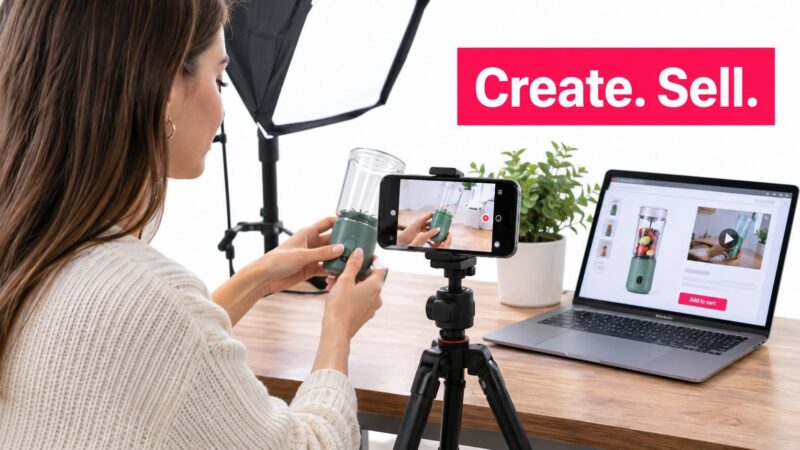
That distinction changes the shot list. A slow beauty shot of a blender communicates finish and design. A hand loading ingredients, selecting a setting, and pouring the result communicates utility. The second sequence gives shoppers a practical outcome they can picture using themselves.
Practical rule: If the video doesn't answer a buying question, it's probably decoration.
The evidence is strongest for product-page conversion and purchase intention. It is less conclusive for claims that one format, platform, or category always wins. Results vary with traffic quality, checkout friction, product complexity, and execution. Shoppable commerce benchmarks and attribution models also depend on how the test is configured.
Use directional benchmarks to set a starting expectation, then test against your own funnel. Compare assisted revenue, attributed revenue, add-to-cart behavior, and conversion quality, rather than treating views as the outcome.
Video for ecommerce works when format, funnel stage, device experience, creative brief, and measurement agree. That operating thesis connects production choices to revenue, including sales influenced by video and sales directly attributed to it.
Matching Video Format to Funnel Stage and Device
Most wasted video budget comes from using one asset everywhere. A polished horizontal brand film rarely belongs in a fast vertical social feed, just as a seven-second reaction clip rarely answers the questions blocking a considered purchase on a product detail page.
Start with two inputs: buyer intent and screen context. Cold social traffic needs an immediate reason to stop. A shopper already comparing products needs proof, clarity, and a low-friction route to checkout. The format should follow that job.
Use the format that fits the decision
| Format | Length | Aspect Ratio | Best Placement | Primary KPI |
|---|---|---|---|---|
| Creator hook or UGC ad | Short | 9:16 | TikTok, Reels, paid social | Thumbstop and hook rate |
| Product demo | Concise | 1:1 or 16:9 | Product detail page | Add-to-cart rate |
| Explainer or comparison | Long-form | 16:9 | YouTube, landing page, retargeting | Hold rate and assisted conversion |
| How-to tutorial | Medium to long | 16:9 or 9:16 | YouTube search, FAQ, post-purchase email | Completion and support deflection |
| Live commerce | Variable | Vertical, mobile-first | TikTok Live, Instagram Live, shopping surfaces | Live conversion and revenue |
| Shoppable video | Concise to medium | 9:16 or 1:1 | Mobile social, product feeds | Click-to-purchase rate |
For cold audiences on mobile, lead with creator-led vertical video. The creator's face, a visible product action, or an outcome-focused visual should appear immediately. Don't spend the opening on a logo animation or a brand manifesto. Those elements may support recognition later, but they don't earn the first pause.
For mid-funnel PDP visitors, use a product demo that shows the product in use. A shopper who has already clicked through doesn't need broad category education. They need confirmation that the item fits their use case, looks as expected, and works without hidden complexity. Keep the player clean, muted when autoplaying, and fast enough that it doesn't undermine the page.
Reserve interactivity for high intent
Live and shoppable video make more sense when viewers already have a reason to buy. Reported benchmarks place live and shoppable commerce conversion between 9% and 30%, while static ecommerce pages often sit around 2% to 3%, according to shoppable video benchmark coverage. Those figures are directional, not a guarantee. Interactivity can raise intent, but it can't rescue a confusing offer, slow checkout, poor feed quality, or missing product information.
A practical decision rule is: match the asset to the next decision, not the most fashionable format. Use vertical hooks to win attention, demos to prove utility, explainers to resolve complexity, and shoppable placements when the audience is ready for an immediate transaction.
Production Specs and Shot Structure That Hold Attention
Creative teams often debate cameras before checking whether the file will render correctly, load quickly, or remain understandable with sound off. Technical compliance isn't glamorous, but a beautiful asset that crops the product out of frame or fails a platform upload is wasted production.
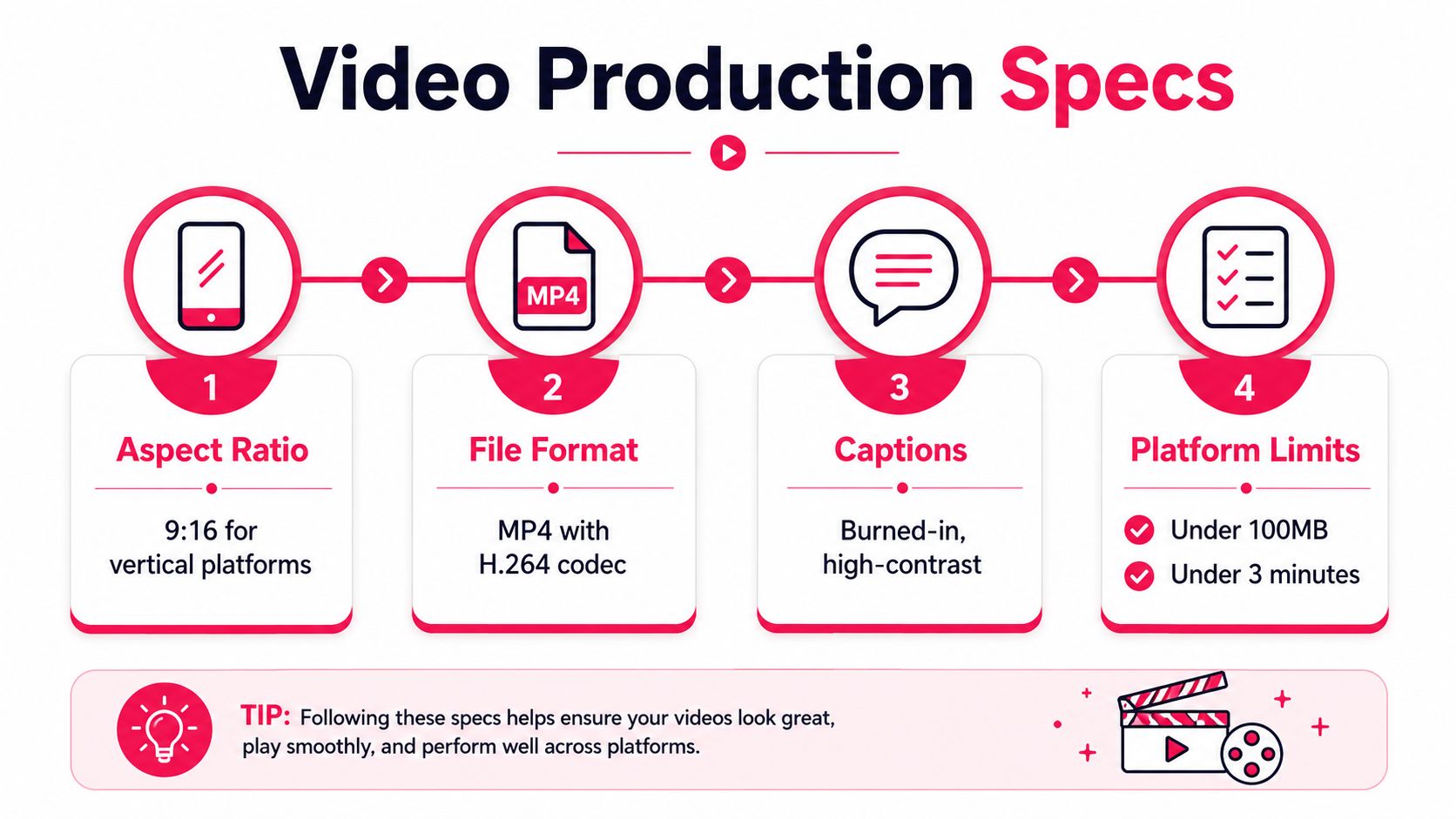
For Reels, Shorts, and TikTok, shoot and edit in 9:16 vertical. For PDPs, prepare 1:1 or 16:9 versions when the page layout calls for them. Export at a minimum of 1080×1920 for vertical delivery, use MP4 with H.264 when the platform accepts it, keep captions burned in or provide an SRT file, and stay below the relevant platform's file-size and duration caps. The supplied production reference specifies under 100MB and under 3 minutes for its platform-limits checklist.
Build every cut around a payoff
A useful structure for a 15-second PDP demo is:
- Second one: Show the product performing the desired action.
- By second three: Establish the problem or use context.
- By second seven: Reveal the product and the key mechanism.
- By second fifteen: Show proof, result, or finished state, then give the next action.
Example for a compact garment steamer:
- Opening: A wrinkled shirt fills the frame.
- Context: “Getting ready in a hurry?”
- Payoff: The steamer glides over the fabric and the crease disappears.
- Proof and CTA: Show the packed size, then “See it in action on this product page.”
The sequence works because the viewer sees the outcome before hearing a feature list. The product earns attention by solving a visible problem.
A 30-second creator ad can use more room:
- Seconds one to three: A direct hook, such as “This is how I stop my desk from becoming a cable pile.”
- Seconds four to seven: Show the messy context.
- Seconds eight to fifteen: Demonstrate installation or use.
- Seconds sixteen to twenty-four: Explain one or two relevant benefits.
- Seconds twenty-five to thirty: Show the finished result and deliver a specific CTA.
For a magnetic cable organizer, the creator might begin with a tangled charging cable, attach the product to the desk, route the cable, and finish by showing the clean workspace. The script shouldn't claim a result the footage can't demonstrate. Clear proof beats exaggerated copy.
Production note: Capture a clean master, room tone, close-ups, hands using the product, and a few alternate openings. Editors can create platform-specific versions later without forcing the creator to reshoot.
Frame the product large enough to read on a phone. Keep critical text away from interface overlays, use high-contrast captions, and inspect the final export on an actual mobile device. Speed matters too. A slow player can create more friction than the video removes, so compress intelligently and load the first frame efficiently.
Briefing Creators and UGC Producers Like a Pro
UGC usually fails in the brief before it fails on camera. “Make it authentic and engaging” gives a creator no usable decision criteria. The creator needs to know who the viewer is, what the product must prove, and which claims are off limits.
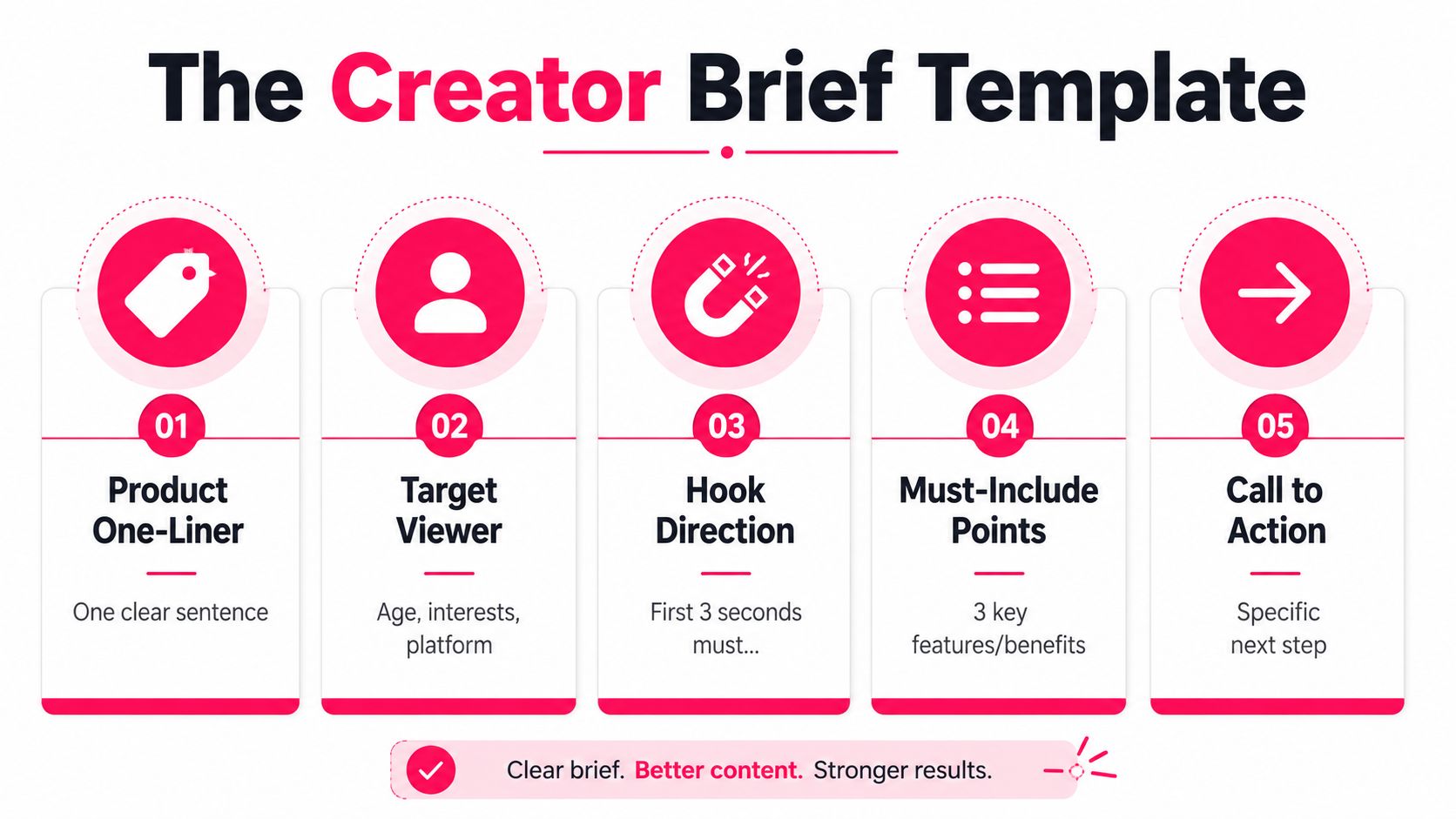
Use this copy-paste template:
Creator brief template
- Product one-liner: Explain what the product does in one clear sentence.
- Target viewer: Describe the audience, their relevant interests, and the platform where they'll watch.
- Hook direction: State what the first three seconds must show or make the viewer feel.
- Must-include talking points: List three product features or benefits, ranked by importance.
- Do-not-include list: Include prohibited claims, competitor references, unsupported outcomes, visual restrictions, and required disclosures.
- Deliverables: Specify the number of concepts, edited versions, raw files, thumbnails, and alternate hooks.
- Aspect ratios: Request the formats needed for each placement, such as 9:16 for social and 1:1 or 16:9 for the PDP.
- Captions and audio: Require burned-in captions or caption files, clean spoken audio, and music that can be licensed for the intended use.
- Raw file delivery: Ask for unedited clips, project files if agreed, and the final exports.
- Usage rights window: Define where the brand can use the content, including organic, paid, website, and creator-handle amplification, for the agreed period.
- Approval turnaround: Set the review deadline and explain how revisions will be consolidated.
A workable 20-second script
For a reusable water bottle, a creator could say:
- Seconds one to three: “I stopped carrying a separate bottle and cup after switching to this.”
- Seconds four to eight: Show the lid, opening mechanism, and the bottle in a bag.
- Seconds nine to fourteen: Demonstrate drinking or pouring, then show the bottle beside the previous setup.
- Seconds fifteen to twenty: “Tap through to see the sizes and colors.”
This script gives the creator a clear argument, but it leaves room for natural delivery. The footage should show the product doing the work, not rely on adjectives such as “amazing” or “game-changing.”
Evaluate submissions in this order:
- Hook strength: Does the first frame create a reason to keep watching?
- Payoff clarity: Can a viewer explain what the product does without guessing?
- Native feel: Does the clip belong on the platform, or does it look like a television commercial resized for mobile?
- Audio quality: Is the voice clear, the music licensed, and the message understandable with captions?
- Evidence: Does the footage support the claims?
Don't reject a useful submission because the lighting isn't studio-perfect. Clean audio, visible product action, and a believable setting usually matter more for UGC than cinematic polish. On the other hand, don't confuse rawness with confusion. If the creator buries the product, rushes the explanation, or makes an unsupported claim, request a focused revision.
Feedback should identify the business problem, not rewrite every sentence. Say, “Show the fastening step before the feature explanation,” rather than supplying a word-for-word performance. Over-directing removes the creator's natural rhythm, which is often the reason the asset felt credible in the first place.
Distributing Video Across Reels, Shorts, YouTube, and TikTok
A hero shoot becomes valuable only after the team adapts it to each surface. Uploading the same file everywhere may save a few minutes, but it often produces weak hooks, cropped captions, mismatched audio, and poor landing-page continuity.
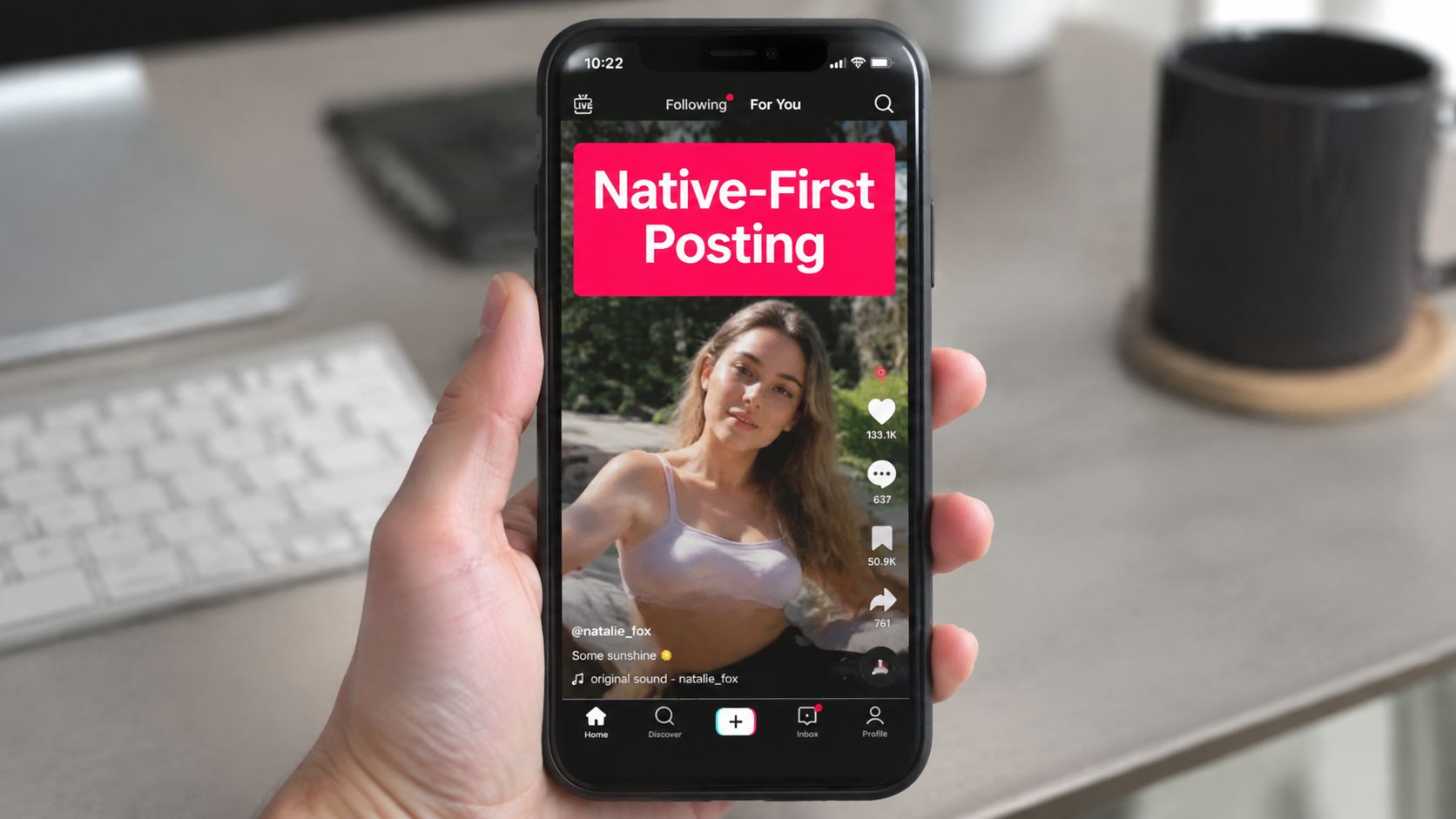
Start with native-first posting on TikTok and Instagram Reels. Publish an organic version, watch how viewers respond, and use the learnings to inform paid edits. Native captions and on-screen text should remain readable without sound. Replace platform audio when licensing doesn't carry into paid placements, and keep a clean master without watermarks.
Give each channel a distinct job
TikTok is useful for fast problem demonstrations, creator reactions, and product discovery. Use direct language, visible action, and a first frame that works in a rapid scroll.
Reels can carry similar creator footage, but the edit should fit the account's visual language and audience expectations. Test product tags and retargeting paths separately from awareness posts.
YouTube Shorts adds a discovery layer, especially when a concise demo or comparison can stand alone. Search-oriented titles and descriptions should describe the use case rather than repeat internal campaign names.
YouTube long-form suits detailed explainers, tutorials, comparisons, and retargeting audiences that need more context. A longer video can support the decision, but its opening still needs to establish relevance before the viewer leaves.
The PDP is the endpoint. Social video earns the click, while the product page must continue the same promise with a clean demo, matching claims, useful captions, and an obvious purchase path.
Turn one shoot into a usable asset set
A single hero shoot can produce:
- A short cold-audience hook.
- A second hook using a different objection.
- A product demonstration for Reels.
- A Shorts cut with search-focused text.
- A creator-style paid ad.
- A PDP demo with a calmer edit.
- A longer YouTube explanation.
- A retargeting cut featuring proof and a CTA.
Keep the product promise consistent while changing the opening, pacing, captions, and CTA. When an organic post earns strong attention and clear comments, consider paid amplification through tools such as Spark Ads or creator whitelisting, provided usage rights cover that activity. Don't boost a winner solely because it has views. Confirm that viewers understand the product and that the destination experience can support the claim.
Measuring Video With a Stack That Ties to Revenue
Views are distribution signals, not business outcomes. A useful measurement stack connects the first-second creative decision to the final commercial result without pretending that one attribution model can explain every interaction.
Track the funnel in order
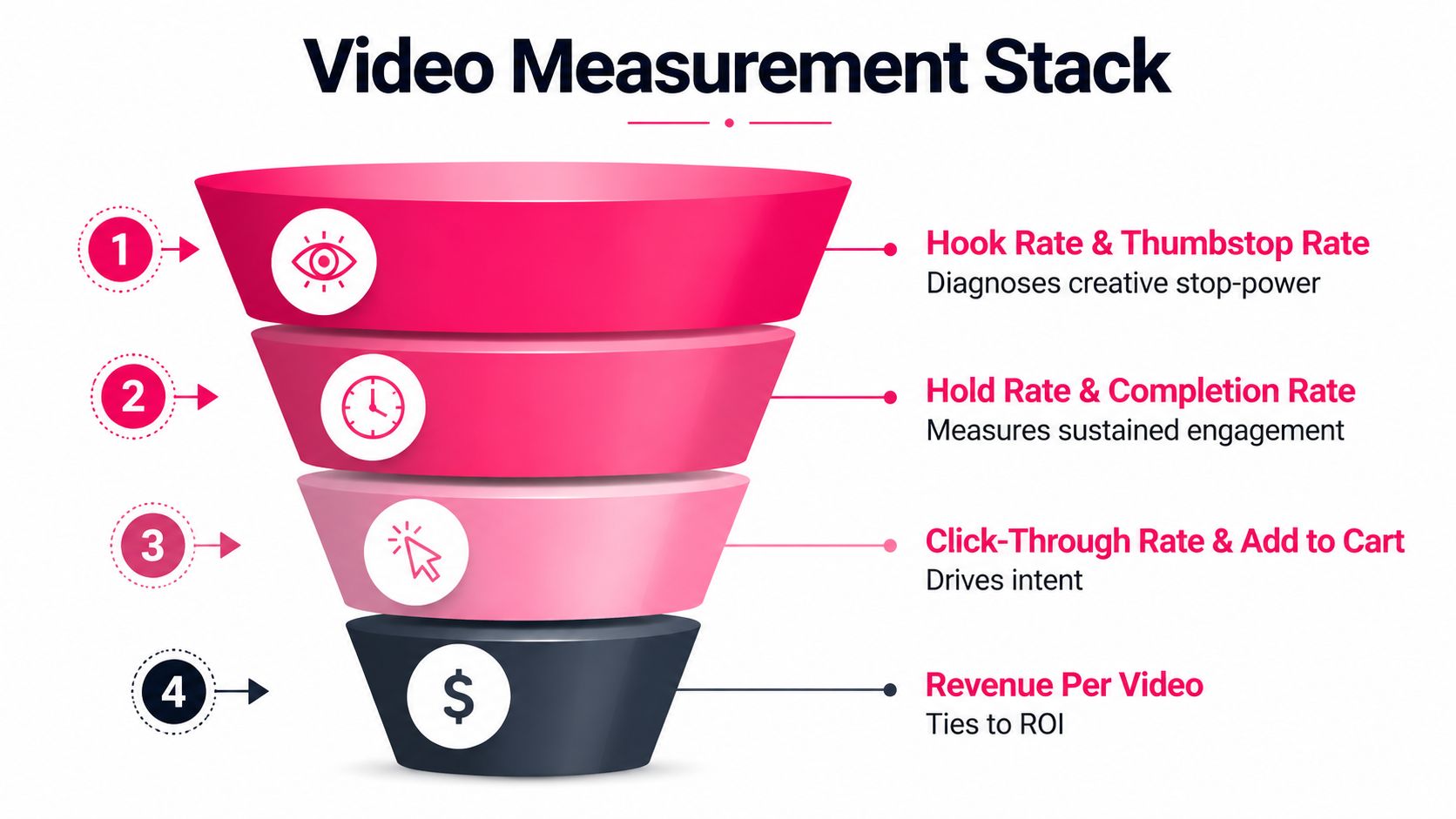
At the top, monitor thumbstop rate and hook rate. These diagnose whether the opening earns attention. If those metrics are weak, changing the landing page won't fix the creative.
Next, measure hold rate and completion rate. These show whether the video keeps its promise long enough for the viewer to understand the product. A strong hook followed by rapid abandonment often means the payoff arrives too late or the message lacks clarity.
For intent, track click-through rate, add-to-cart rate, and video-assisted conversions. On a PDP, compare visitors exposed to the video with a no-video control where possible. The benchmark methodology recommended in Shopify's product video overview is directionally useful, but your own product category and traffic mix should decide the investment.
At the bottom, monitor CPA, ROAS, and revenue per video. Include production and creator costs when calculating return. A cheap clip that attracts irrelevant clicks isn't efficient, while a higher-cost demo may be profitable if it assists purchase across several channels.
Use last-click attribution when you need a simple operational answer about the final recorded touch. It under-credits discovery and assistive video, so pair it with an engagement-weighted view that assigns credit to meaningful exposures, clicks, and product-page plays. Multi-touch attribution can be useful for larger teams with reliable event data, but it becomes misleading when identity resolution, consent, or channel tracking is incomplete.
Run a practical 14-day test. Choose one PDP video and one paid creative, keep the offer and audience stable, and create a no-video control. Compare add-to-cart rate, conversion rate, video-assisted conversions, CPA, and revenue per exposed visitor. Decide the kill criteria before launch. For example, pause an edit if it attracts attention but fails to improve intent metrics, while scaling a version that improves the complete path from hook to purchase.
Common Pitfalls and Your First 30 Days With Video
The same operational mistakes appear across ecommerce teams:
- Decorative placement: A lifestyle loop sits far from the buying objection instead of beside the decision point.
- Silent-feed neglect: The edit depends on narration, but captions and on-screen context are missing.
- Rights gaps: The team can't use a creator's post in paid media because amplification rights weren't agreed in the brief.
- Vanity optimization: The team celebrates views while add-to-cart and assisted revenue remain flat.
- Insufficient variation: One hook and one edit give the algorithm and the team too little to learn from.
A focused first month is enough to establish a working system. Pick two SKUs, produce one PDP video and three creator ads, create a measurement sheet, and define the control group and kill criteria before publishing. Review hook, hold, click, add-to-cart, conversion, CPA, and ROAS signals on a fixed schedule rather than changing the creative after every noisy day.
Video becomes a compounding asset when each shoot produces new hooks, better briefs, clearer product education, and stronger evidence about what converts. Start with the buying question, prove the commercial effect, and scale the formats that earn both attention and action.
JoinBrands connects brands with creators for UGC, product demos, reviews, unboxings, how-to videos, video ads, YouTube content, Shorts, and Amazon Shoppable Videos. Build a brief, manage submissions, secure the usage terms you need for distribution, and explore the creator workflow at JoinBrands.