
 Master What Is Ecommerce Marketing in 2026
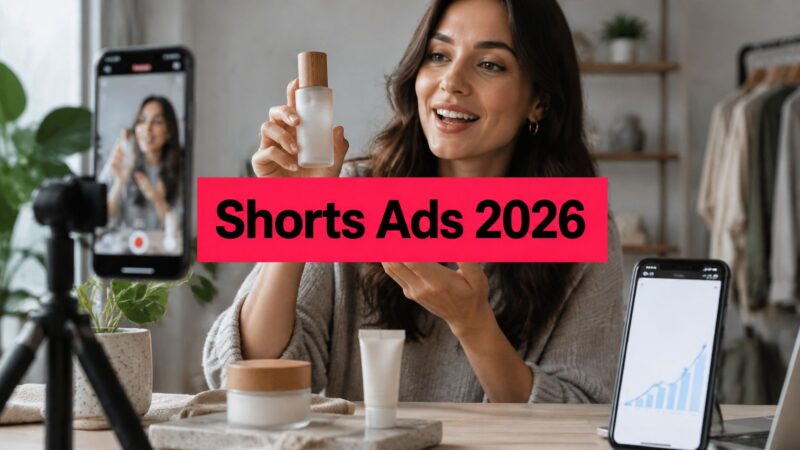
Shorts generated approximately 70 billion daily views in March 2024 and exceeded 200 billion daily views in 2025, according to search results citing YouTube and Alphabet investor disclosures in a roundup of YouTube advertising statistics. That's roughly a 186% rise, and it changes how you should judge YouTube Shorts ads. Scale isn't the win by itself. A cheap view that doesn't hold attention past the hook, or doesn't create a new buyer, is still a failed test. I'd judge every Shorts campaign by retention first, incremental demand second, and raw views last.
Table of Contents
Shorts Ad Specs and Billing Rules at a Glance
That viewing volume is a platform level consumption count, not a count of people reached and not a count of ads served. Don't budget as if every view is available inventory. What the scale does give you is enough delivery to test several hooks properly instead of betting a launch on one creator post.
The numbers to put in every brief
| Spec or rule | Value | What it means for your ad |
|---|---|---|
| Aspect ratio | 9:16 vertical | Horizontal masters get cropped or letterboxed in the feed |
| Master resolution | 1080×1920 HD | Export at this size to keep on-screen text sharp on phones |
| Accepted encoding | MPEG-2 or MPEG-4 | Check the export before upload to avoid rejection |
| Minimum length | 5 seconds | Shorter assets are not eligible for Shorts placements |
| Maximum length | 3 minutes | Only the first 60 seconds play inside the Shorts feed |
| Watch page overlay | About 50 seconds | Your offer and CTA should land before this point |
| CPV counted view | 10 seconds, or a CTA, Like, Comment or Share click | A fast CTA can count as a billed view |
| Target CPM viewable impression | 50% of the ad on screen for 2 continuous seconds | Governs delivery reporting, not engagement |
Three rows change how you edit. A vertical master avoids the crop that cuts off hands, packaging, and captions when you repurpose a horizontal cut. The overlay near second 50 is your real deadline, so the offer can't sit in a polished end card. The CPV rule means a visible, early CTA isn't just good practice, because that click itself can qualify as the view you're billed for.
Practical rule: Copy the table into every creator brief before anyone shoots, and reject exports that miss the master size or encoding.
If you're also resizing assets for other placements, this guide to sizing AI-generated clips for social platforms is a useful check before you export variants. Pair the specs with a realistic view of what YouTube advertising costs so your test budget matches the delivery you need to read retention.
How to Write a Shorts Ad Brief Creators Can Shoot
A Shorts brief is a shot level plan, not a loose script with talking points. Most weak ads weren't poorly performed. They were under briefed in the first three seconds, so the creator improvised the part that decides whether anyone stays.
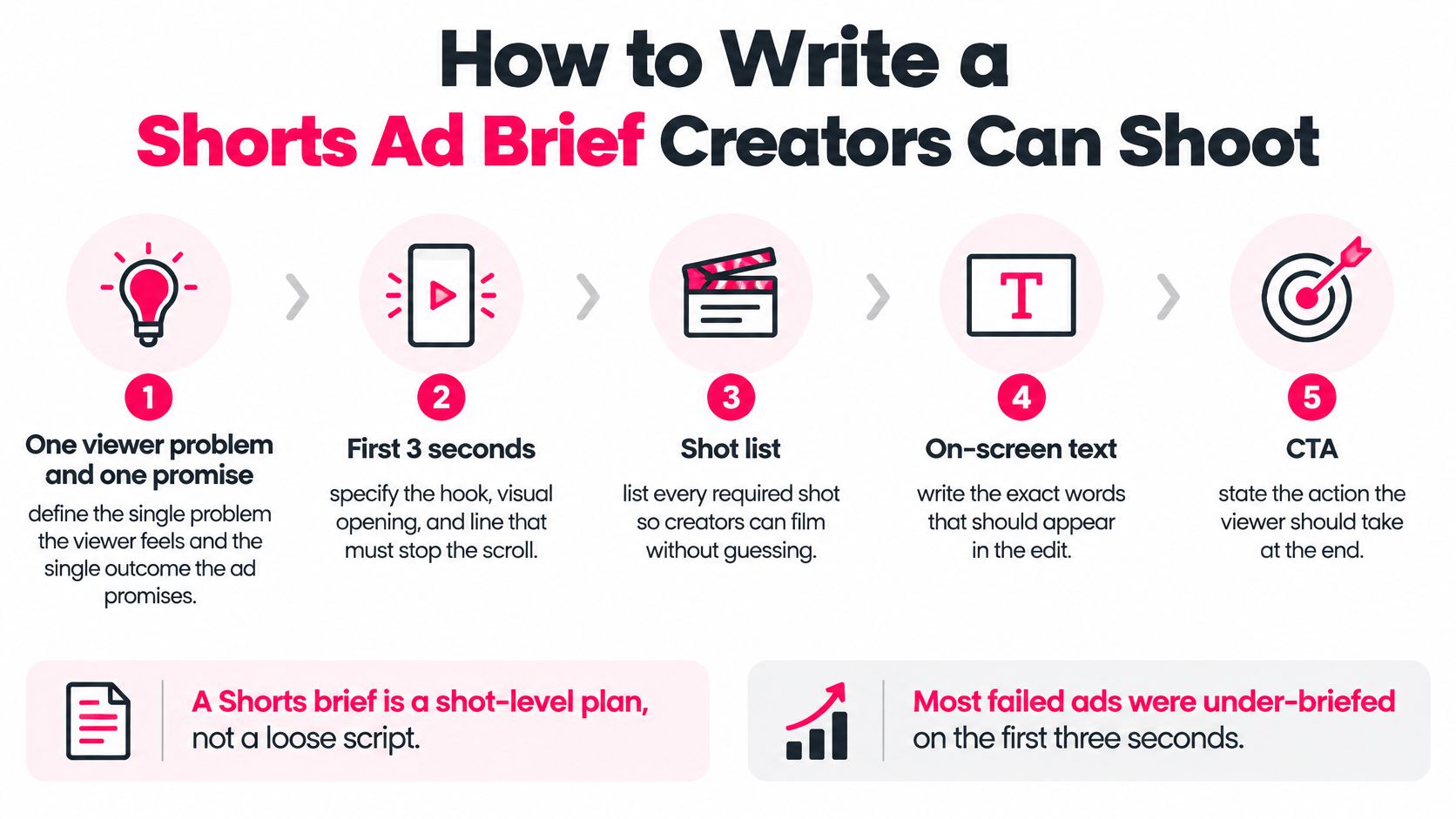
Seven fields that remove the guessing
- One problem, one benefit. Write the viewer problem in one sentence and the product benefit in one sentence. If you need a paragraph, the ad will wander.
- Hook for seconds 0 to 3. Give the exact spoken line and the exact on-screen text. They should say the same thing two ways, because many viewers read before they listen.
- Product visible by second 3. Specify packaging in hand and first use on camera. A face talking about a product nobody can see doesn't survive the swipe.
- Proof in the middle. Require one demonstration and one result or testimonial line. Proof is what carries viewers from curiosity to the click.
- CTA before second 50. Write the line, the wording on screen, and the visual cue toward the link or product card. Don't leave placement to the editor.
- Mobile safe text zones. Tell creators to keep captions and key text away from the bottom area covered by the interface, the channel name, and the CTA button.
- Rights and raw files. State usage rights and raw file delivery up front so the same asset can run as a Shorts ad and as Meta creative without a renegotiation later.
Say a kitchen gadget brand briefs it this way. The hook is a cracked egg stuck in a pan with the text "Stop scrubbing", the product is in hand by second 3, the demo shows the egg sliding out, and the CTA lands at second 45. Nothing in that brief requires the creator to invent structure.
If you want a starting document, use a creative brief template built for creator orders and add the Shorts specific fields above.
Copy this fill in version into your next order: Problem (one sentence). Benefit (one sentence). Spoken hook, seconds 0 to 3. On-screen hook text. Product shot by second 3. Demo shot. Result or testimonial line. CTA line and on-screen text before second 50. Text safe zones confirmed. Raw file and usage rights included.
Five Shorts Ad Formats and When Each Wins
Pick the format by the job, not by what a creator usually posts. Each of these five can work, and each fails in a predictable way you can brief against.
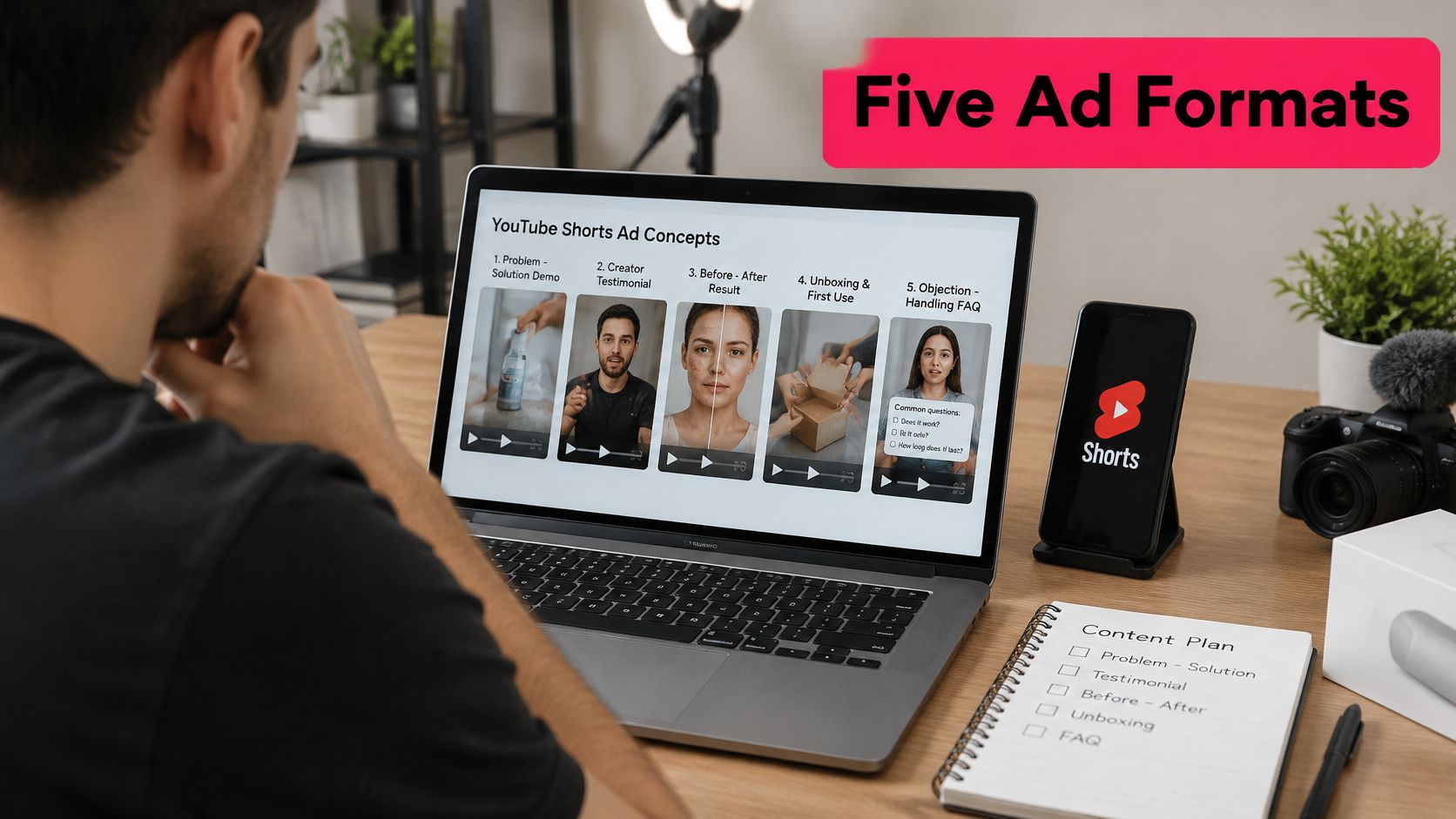
| Format | Best for | Hook in first 3 seconds | Main risk |
|---|---|---|---|
| Problem-solution demo | Product-led sales and new products | Shows the problem being solved on screen | Benefit lands after the 10-second mark |
| Creator testimonial | Trust-heavy categories | Creator states a specific result | Feels like an ad if the claim is vague |
| Before-and-after result | Visible results such as cleaning or beauty | Result shown first, then how | Tight edits can look staged |
| Unboxing and first use | Gifts and first purchases | Product opens on camera | Slow unboxing loses viewers quickly |
| Objection-handling FAQ | High-consideration purchases | Asks the buyer's main doubt | Weak CTA if the answer runs long |
Demos suit product led goals because the product does the persuading. Testimonials earn their place where buyers doubt claims, such as supplements or skincare, but only when the result is specific. Before and after works when the payoff is visible in seconds. Unboxing fits gifts and first impressions. FAQ formats fit considered purchases where one unanswered doubt blocks the sale.
Let billing shape the cut
Shorts ads sit between organic Shorts and viewers can swipe past instantly, and under CPV bidding a TrueView view counts at 10 seconds or when a viewer clicks the CTA, Like, Comments, or Share controls, according to Google's guide to how Shorts ads are charged. So a demo has to land its main benefit before that threshold. A conversion focused cut should show the CTA immediately, since the click can qualify as the view.
A beauty ad shows the pattern well. The problem appears in the opening seconds, application runs through the middle, and the result plus CTA land before second 50.
Shoot one piece of footage and test two formats by changing only the opening hook. You'll learn more from that than from two unrelated shoots.
Run one format per test. If you mix a testimonial opening with a demo structure and an FAQ ending, you won't know which part held people.
How to Shoot and Cut for the Shorts Feed
Treat the feed as a technical environment, not a smaller TV slot. This setup shows the framing and phone first workflow your creators should default to.
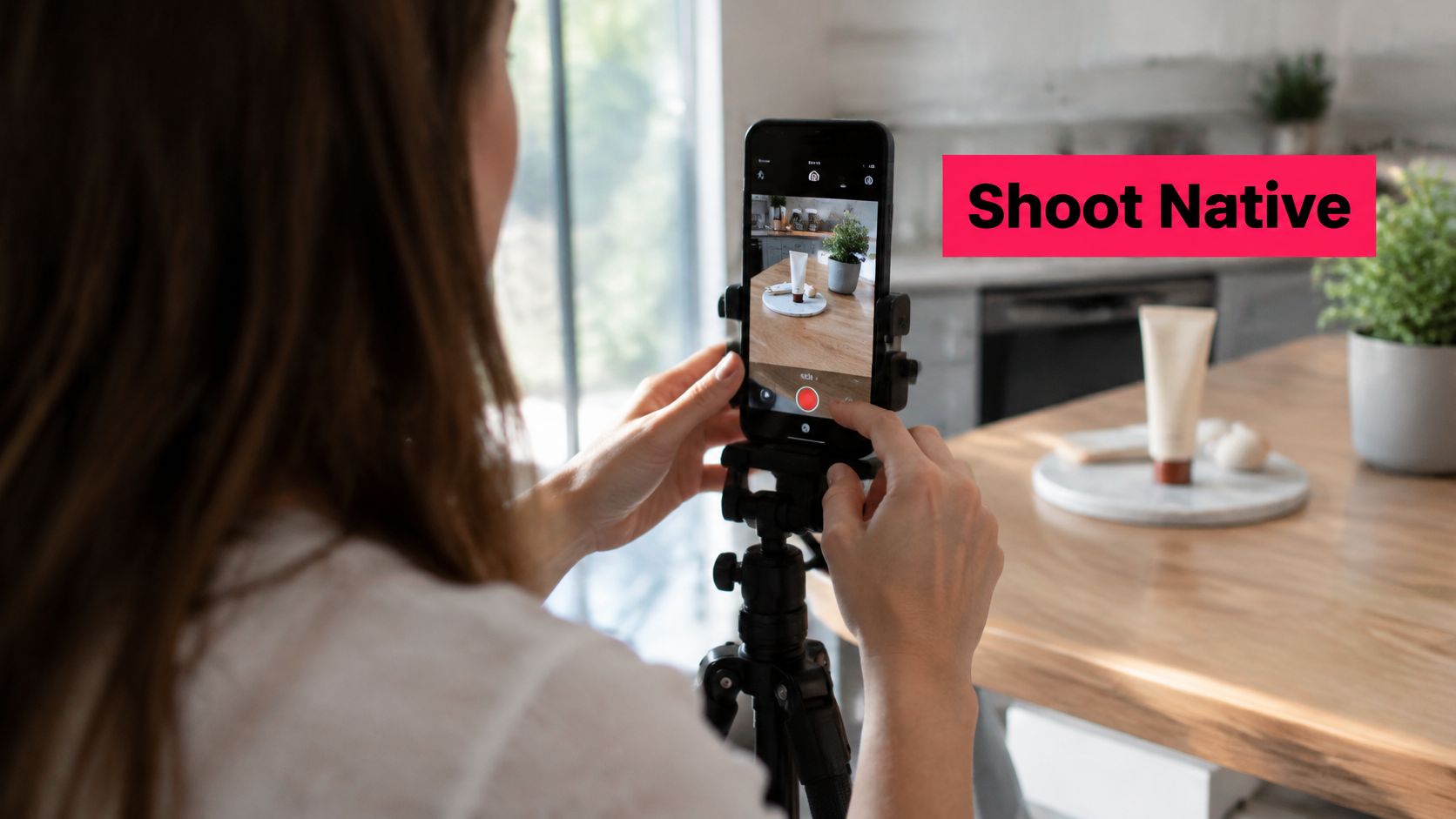
The production sequence
- Shoot natively in 9:16. Your master is 1080×1920 from the start, so nothing needs a crop that pushes the product to the edge.
- Frame the product large. Keep it in focus in the first seconds, with hands and packaging clear of interface zones at the bottom and right side.
- Export two cuts. Deliver one cut under 60 seconds and one longer cut with the full demonstration or testimonial.
- Put the offer inside the first minute. Both cuts carry the primary CTA in the first 60 seconds, not after the handoff to the watch page.
- Burn in captions. Many viewers watch with sound off, and captions also force you to keep lines short.
- Compare retention before scaling. Read second by second retention on both cuts and scale the one that holds, not the one the team prefers.
Google permits Shorts video ads up to 3 minutes, but only the first 60 seconds play in the Shorts feed, with an overlay at approximately 50 seconds linking to the full video, as set out on Google's Shorts ads solutions page. That's why front loading isn't a creative preference. The swipe is one gesture away and the feed truncates your asset whether you planned for it or not.
This walkthrough shows the upload and format checks in practice, which is worth watching before your first export.
Pro tips from the edit bay. Shoot the same hook three times with different first lines so you have test variants from one session. Cut any setup longer than two seconds before the product appears. Keep audio levels consistent across creators so one quiet clip doesn't feel broken in the feed. If your internal team is at capacity, compare video editing services that can turn raw creator files into captioned, feed ready cuts.
Say a supplement brand shoots a 90 second demo and finds the retention drop at a long packaging close up. Cutting that section produces a 55 second version that keeps the proof and CTA intact. That kind of trim is exactly what short form video ad production should deliver, a self contained ad rather than a shortened long video.
Setting Up a Shorts Campaign to Test Hooks Fairly
One variable per test. That's the whole principle, and most Shorts tests break it by changing the hook, the audience, and the landing page in the same week. When everything moves, your results tell you nothing you can reuse.
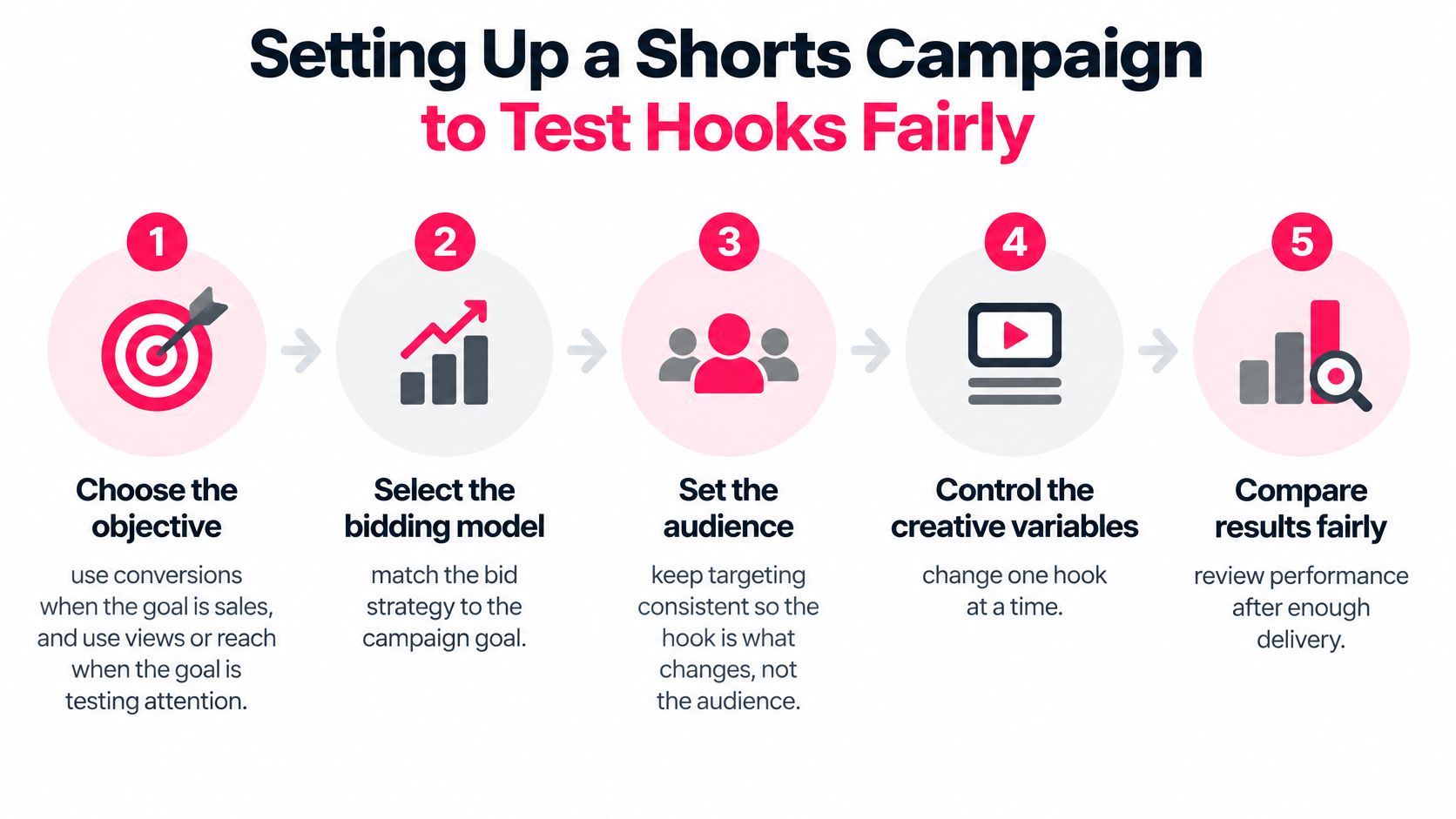
Setup steps
- Choose the objective. Use conversions when the goal is sales. Use views or reach when you're testing whether a hook earns attention.
- Match bidding to that objective. CPV fits view led tests, target CPM fits reach. Don't judge a reach buy by view quality it wasn't bought for.
- Segment reporting by ad format. Shorts performance gets buried when it's blended with in-stream and in-feed delivery.
- Keep targeting broad and identical. Every creative in the test sees the same audience definition.
- Hold the constants. Landing page, offer, and bid strategy stay fixed across all variants.
- Change one thing. The hook, the opening shot, the caption, or the CTA. Pick one per round.
- Run long enough to read the curve. Judge a creative only after it has enough impressions for a usable retention curve.
The measurement sequence matters as much as the setup. Verify delivery and format level reporting first, then inspect the percentage of impressions reaching each second, find the earliest major drop off, and revise only that part before rerunning. That sequence, plus holding targeting, bid strategy, landing page, and offer constant, is the approach in Google's Shorts campaign guidance.
Say a DTC skincare brand runs three hooks against one demo. Two hooks lose viewers around second 4, and the product first opening removes that drop and lifts clicks with the same offer. That's a finding you can brief into the next ten videos.
Organic and paid Shorts also reinforce each other when the same hooks run in both, and this companion guide on how to grow your audience with YouTube Shorts covers the organic side of that pairing. Keep the test discipline either way. A test is only fair when every other variable stays fixed.
Measuring Shorts Ads Beyond Vanity Views
A view count tells you someone stayed a little while. It doesn't tell you whether the ad made money, created a new customer, or just collected cheap attention from people who'd have bought anyway. Use the full set below.
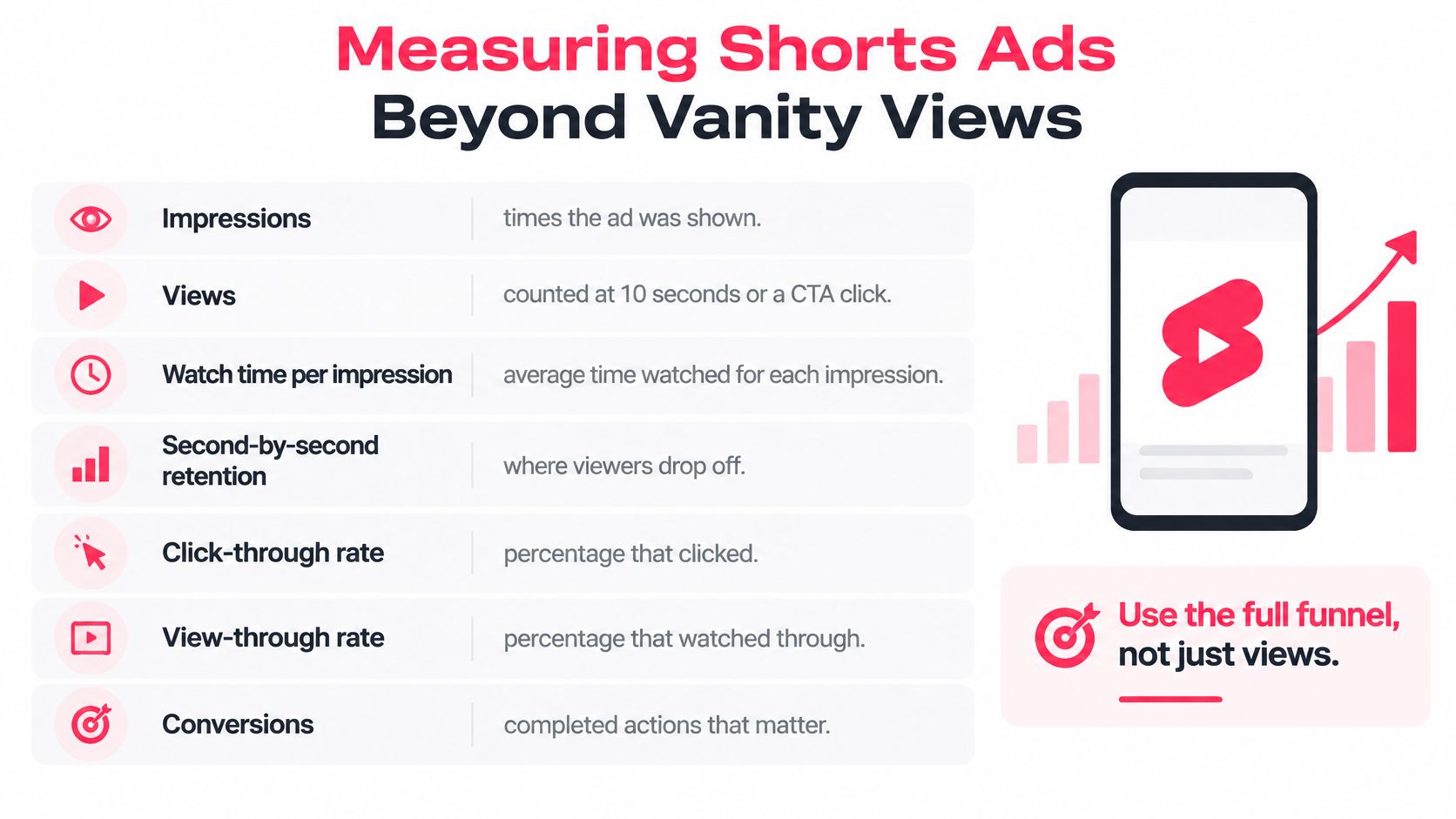
| Metric | What it measures | Decision it supports |
|---|---|---|
| Impressions | Ad was displayed | Delivery and budget pacing only |
| Views | Viewer watched 10 seconds, reached the end or clicked a control | Whether the hook earns attention |
| Watch time per impression | Average time spent per served ad | Overall pacing and length choice |
| Second-by-second retention | Share of impressions still watching at each second | Where to edit the first drop-off |
| Click-through rate | Clicks divided by impressions | Whether the CTA is clear enough |
| View-through rate | Viewers who watched without clicking | Whether the message lands without the click |
| Conversions and new-customer rate | Purchases and first-time buyers attributed to the ad | Whether the creative drives business value |
| Branded-search lift | Change in searches for the brand | Whether Shorts builds demand beyond the click |
Google defines a Shorts ad view as watching for at least 10 seconds or reaching the end of the advertisement, whichever comes first, and Google Ads separately reports impressions, views, clicks, click through rate, and view through rate, per Google's definition of a Shorts ad view. So a view means the viewer stayed for a meaningful portion. It isn't a completed view, and it isn't a purchase.
Match each symptom to one fix
- Retention drops before second 3. Rewrite the hook and show the product or problem in the first frame.
- Retention drops around second 10. Your proof arrives too late, so move the demonstration or result earlier.
- Views are strong, clicks are weak. Move the CTA earlier, make it visible on screen, and say it out loud.
- Clicks are fine, conversions lag. Check the landing page, price display, and load speed before you blame the creative.
Don't compare Shorts CPM against long form video without normalizing placement definitions and attribution windows. The units aren't measuring the same behavior, so the cheaper number often just reflects a weaker definition of attention. A disciplined approach to measuring marketing campaign effectiveness keeps those comparisons honest.
End every review with one question. Did this Shorts spend create incremental demand, shown by new customers and branded search movement, or did it capture buyers who would've converted through another channel anyway? If you can't answer that, you don't have a scaling case yet.
Launch Your First Shorts Ad Test
You don't need a large content library to start. You need one product, three hooks, and the discipline to judge them in the right order.
The launch sequence
- Pick one product and one problem. Choose the viewer problem it solves most visibly on camera.
- Write three hooks for one brief. Each hook states the same problem differently, as a question, a mistake, and a result.
- Shoot one vertical master. Cut a sub 60 second version with the CTA before second 50.
- Set up segmented by Shorts. Identical targeting, offer, and landing page across all three creatives.
- Run to a readable curve. Give each creative enough impressions to read retention before you call a winner.
- Judge in order. Retention first, then conversions and new customer rate. Views alone don't promote a hook.
Sourcing the footage is the part brands usually underestimate, because three hooks means multiple takes, rights, and raw files to manage. On JoinBrands, campaigns can be launched for YouTube Shorts alongside TikTok, Instagram Reels, and other formats, and creators deliver raw files you can reuse in paid ads, marketplaces, and websites. Brands approve content in their library and can use approved videos directly as YouTube pre-rolls and Meta ad creative. That handles sourcing and asset reuse. The test design, the constants, and the kill decision stay with you, and they should.
I'd rather see a brand run three disciplined hooks on a modest budget than spread spend across ten unrelated videos and learn nothing reusable. The first round buys you a retention curve and a brief that gets sharper every round after it.
Retention decides which hook survives, conversions decide whether it earns budget.
Ready to test your first hooks with creators who shoot vertical, product first Shorts to a shot level brief? Visit JoinBrands to launch a YouTube Shorts campaign, approve the content in your library, and reuse the raw files across your paid ads.